On this page: Learn how to set email metadata in the Email Designer, including the preheader, document title, and document language, to improve the readability and accessibility of your email content.
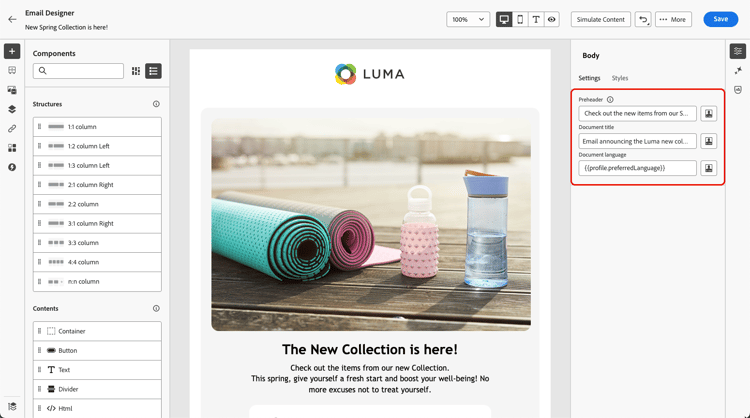
When designing your emails, for better readability and improved accessibility, you can define additional meta attributes for your content. The Journey Optimizer Email Designer enables you to specify the following elements:
-
Preheader: A preheader is a short summary text that follows the subject line when viewing an email from your email client. In many cases, it provides a short summary of the email, and is typically one sentence long.
note NOTE Preheaders are not supported by all email clients. When not supported, the preheader does not display. -
Document title: This field, which corresponds to the
<title>element, provides descriptive information about your email content, typically displayed as a tooltip on mouse hover. It can help users with disabilities by providing additional context, and can contribute to a better understanding of your content by search engines. -
Document language: To ensure accessibility, you can specify the language that screen readers will use to convert text and images into speech or braille - for people with visual impairments, or learning disabilities. This setting corresponds to the
langattribute in the<html>element.
To configure these settings, follow the steps below.
-
From the Email Designer, add at least a Structure component to start designing your email.
-
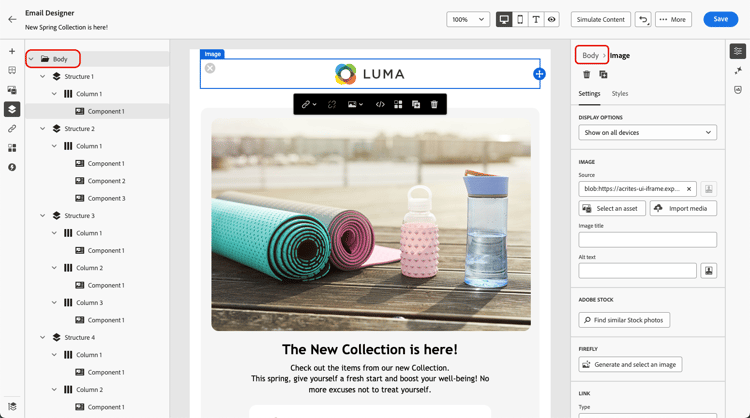
Click Body, either from the Navigation tree on the left, or on top of the right pane.
-
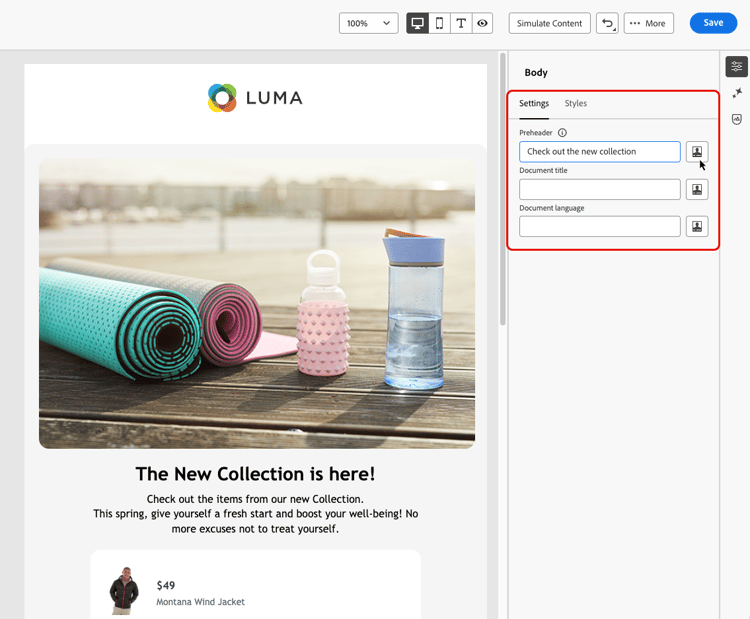
From the Settings tab, type some text inside the Preheader, Document title, and/or Document language fields.
-
You can also click the personalization icon next to each field to customize your content from profile attributes, audiences, contextual attributes, and more. Learn more about personalization
-
Click Save to confirm your changes.
This section contains structured knowledge intended to support interpretation, retrieval, and question answering related to this topic.
For complete understanding, this information should be combined with the documentation on this page. Neither source is intended to stand alone; the page describes the feature, while this section provides additional context that helps disambiguate terminology, intent, applicability, and constraints.
- TL;DR: This page explains how to set email metadata in the Email Designer — the preheader, document title, and document language — to improve the readability and accessibility of your email content.
Intents:
- Define a preheader that follows the subject line in the recipient’s email client
- Set a document title to provide descriptive information about the email content
- Set a document language so screen readers use the correct language
- Personalize metadata fields from profile attributes, audiences, contextual attributes, and more
- Improve the readability and accessibility of email content
Glossary:
- Preheader: A short summary text that follows the subject line when viewing an email from your email client, typically one sentence long (product-specific)
- Document title: A field corresponding to the
<title>element that provides descriptive information about the email, typically displayed as a tooltip on mouse hover (product-specific) - Document language: A setting corresponding to the
langattribute in the<html>element that specifies the language screen readers use to convert text and images into speech or braille (product-specific)
Guardrails:
- Preheaders are not supported by all email clients; when not supported, the preheader does not display.
- You must add at least a Structure component before you can start designing the email and configure these settings.
- Metadata is configured from the Body settings, accessed via the Navigation tree or the top of the right pane, on the Settings tab.
Terminology:
- Canonical name: email metadata — Acronym: n/a — variants: meta attributes, email content metadata
- Synonyms: “Document title” = “
<title>element”; “Document language” = “langattribute” - Do not confuse: “Preheader” (summary text after the subject line) ≠ “Document title” (
<title>element shown as a tooltip)
FAQ:
- Q: What is a preheader? — A short summary text that follows the subject line when viewing an email from your email client, typically one sentence long.
- Q: Why might a preheader not display? — Preheaders are not supported by all email clients; when not supported, the preheader does not display.
- Q: What does the document language setting do? — It specifies the language that screen readers use to convert text and images into speech or braille, corresponding to the
langattribute in the<html>element. - Q: Can I personalize the metadata fields? — Yes. Click the personalization icon next to each field to customize content from profile attributes, audiences, contextual attributes, and more.