Use people lists in journeys
There are multiple ways that you can incorporate people lists into your account journeys and person journeys:
- Maintain a static list from a journey - In a Take an action node, use the Add to People List or Remove from People List action to update the membership of a static people list as people move through the journey.
- Route people based on list membership - In a Split paths node, use the Person Member of People Static List or Person Member of People Dynamic List filter to create a path for people who are (or are not) members of a list.
For example, you can build an exclusion list of team members and partners and use it to exclude those people from a nurture path. Or you can add people to a static list when they reach a qualification point in one journey and then use that list to branch people in a different journey.
Take an action node - Add to people list add-to-people-list
Static people lists only
Within an account or person journey, add people to a static people list using a Take an action node.
For example, consider a journey path where you send an email, and some people register for a webinar. You consider this response to be a qualification point in the journey. Upon qualification, you want to add these people to a static people list that another journey uses to split qualified people onto a different path.
-
Navigate to the journey map.
-
Click the plus ( + ) icon on a path and choose Take an action.
-
(Account journeys only) Select the Action on People option.
-
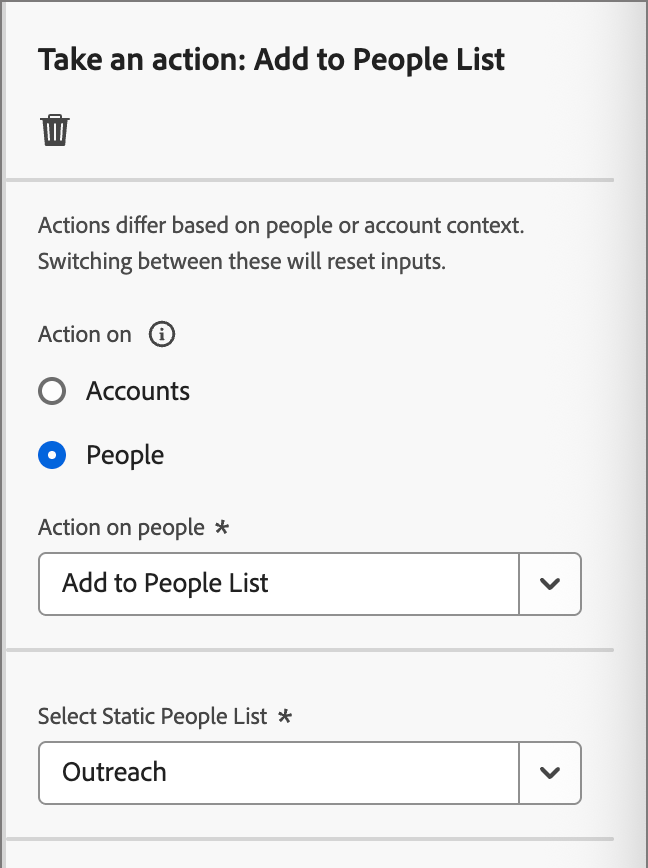
For Action on people, choose Add to People List.
-
For Select Static People List, choose the people list where you want to add people.
Take an action node - Remove from people list remove-from-people-list
Static people lists only
Within an account or person journey, remove people from a static people list using a Take an action node.
For example, after a person converts, you want to remove them from a static list. This list is used to route people onto a nurture path so that they no longer receive nurture communications.
-
Navigate to the journey map.
-
Click the plus ( + ) icon on a path and choose Take an action.
-
(Account journeys only) Select the Action on People option.
-
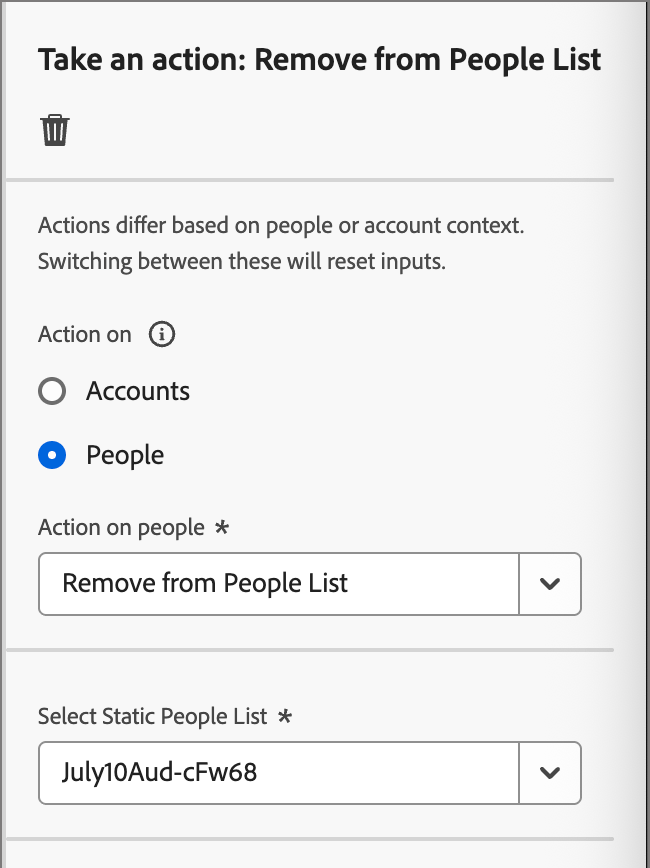
For Action on people, choose Remove from People List.
-
For Select Static People List, choose the people list from which you want to remove people.
Split paths node - Member of people list split-paths-by-list-membership
Account and person journeys
Use the people list membership filters in a Split paths node to route people based on whether they are members of a people list. Two filters are available:
These filters are available in both journey types:
- Person journeys - In a Split paths node.
- Account journeys - In a Split paths node that splits by People.
To exclude team members and partners from a nurture path, add the Person Member of People Static List filter, set the operator to is not, and select the list.
-
Navigate to the journey map.
-
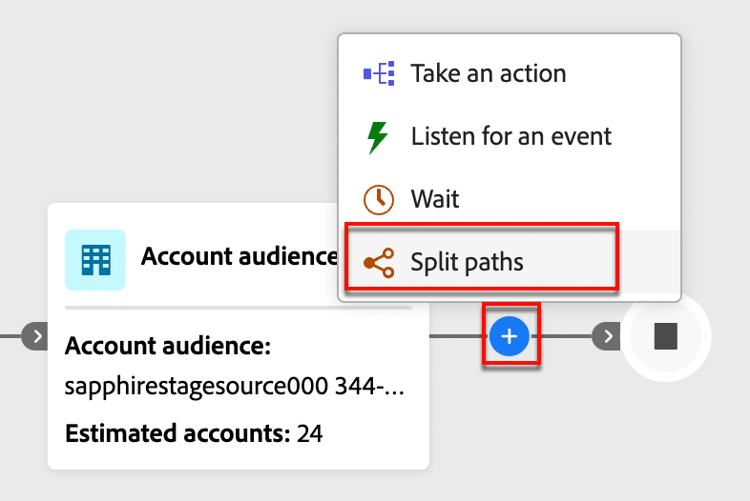
Click the plus ( + ) icon on a path and choose Split paths.
-
(Account journeys only) Set the node for people conditions.
-
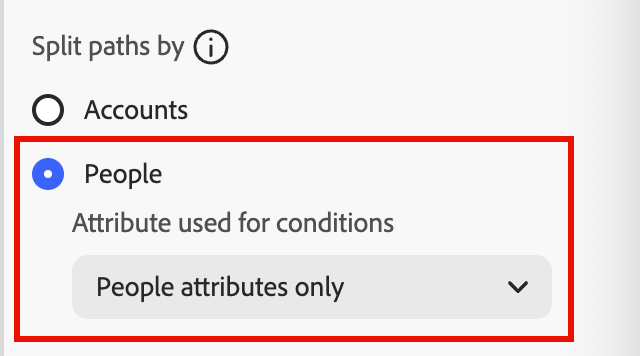
In the node properties on the right, choose People for the split.
-
Set Attributes used for conditions to People attributes only.
-
-
To define a condition for Path 1, click Apply condition.
-
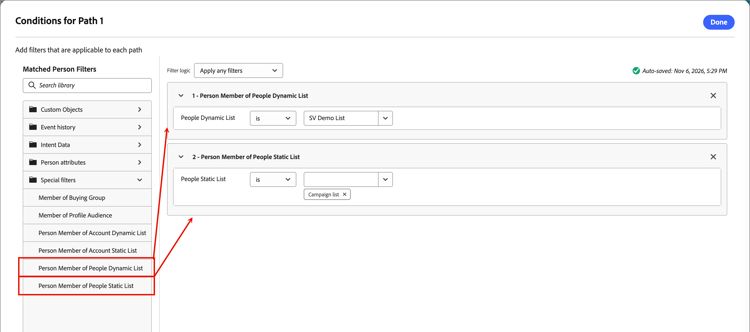
In the conditions editor, expand the Special filters folder and drag the Person Member of People Dynamic List or Person Member of People Static List filter onto the conditions workspace.
-
To include list members, set the membership to
is.To exclude them, set it to
is not. -
Select the people list to evaluate.
Enter text in the field to filter the available lists. Only user-created people lists are available for selection.
-
Refine your conditions by applying the Filter logic at the top.
You can combine list membership filters with other people filters and choose to match all conditions or any condition.
-
Click Done.
Continue configuring the split paths node as described in Add a split path by people node. For more information about membership filters, see Membership filtering.