Common and configurable destination settings
When you think about export behavior for Experience Platform destinations, consider the three levels on which configuration settings act.
- On a first level, some of the settings related to profile export behavior and configuration settings are common across all destinations belonging to a destination type. These settings refer to what triggers a destination export and what is included in an export and cannot be edited by destination developers or Real-Time CDP users.
- On a second level, some settings can be customized on a destination level by the destination developer when authoring destinations using Destination SDK.
- On a third level, there are configuration settings that Real-Time CDP users can set in the activation workflows.
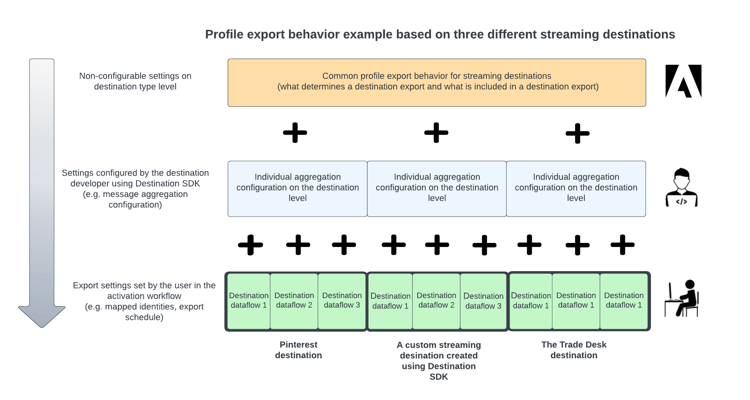
This page describes or links out to all the common and the configurable export settings for destinations, on the three levels outlined above.
Common export settings common-settings-across-destination-types
Destination export behavior is consistent across destinations of the same type for what triggers a destination export and what is included in each export. Destination exports are triggered by notifications that the destinations service receives from the upstream Real-time Customer Profile service.
What is included in the destination exports varies slightly between destination types. Read more about the common export behavior patterns per destination type. These settings cannot be edited by destination developers or Real-Time CDP users.
Destination developer settings developer-settings
Destination developers can use Destination SDK to create custom or productized (private or public) destinations. Destination SDK provides developers with great flexibility to configure destinations based on the downstream capabilities of their API endpoints and file reception systems. Based on the downstream capabilities, destination developers have the following configuration options available when configuring a destination using Destination SDK:
- Determine which attributes and identities can be exported out of Experience Platform to the destination. Determine also which identities are required by their destinations for a successful data export.
- Set an aggregation policy, which determines how long Experience Platform should wait when aggregating HTTP messages to be sent to API integrations. Destination developers can configure different aggregation types to determine how many profiles should be included in outgoing HTTP messages and how long Experience Platform should wait until dispatching the HTTP message. Find extensive information about the aggregation policy configuration options available to destination developers in the Destination SDK documentation.
- Determine if HTTP message exports should include profiles that qualify for segments, that are removed from segments, or both.
- Determine which file name and file formatting configurations should be available to users when exporting files.
Settings users can customize settings-on-dataflow-level
In addition to the settings that depend on destination type and the settings configured by the destination developer, users can configure several export settings in the activation workflow. These settings relate to the export schedule for a specific dataflow, the attributes and identity fields that are exported, and the file formatting options for exported files.
The settings that are available to users when connecting to a destination depend on how the destination was configured by the destination developer and which settings they made available to users.
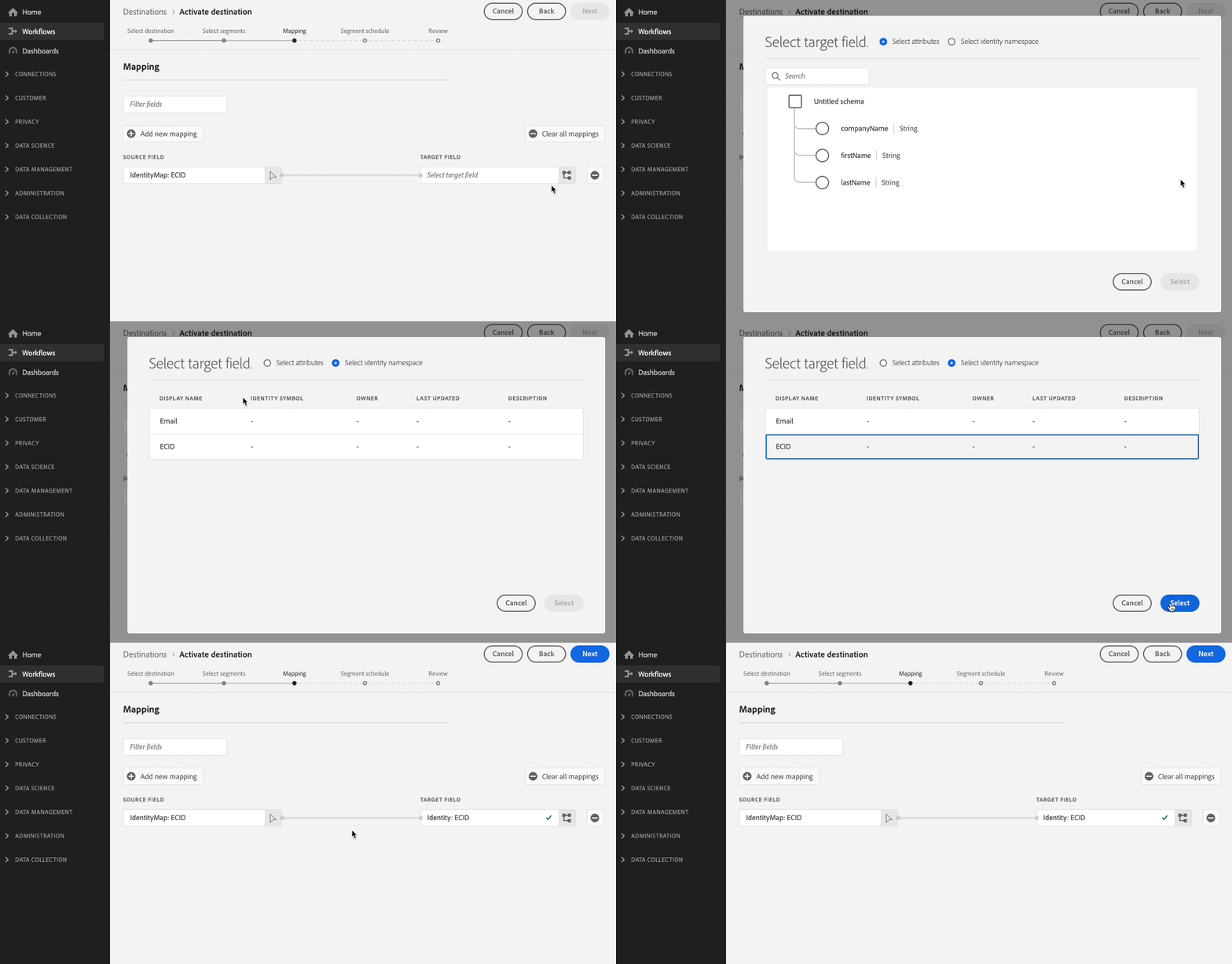
For example, for streaming destinations, a destination developer may configure which identities their destination accepts and only those identities will be displayed to the user in mapping step of the activation workflow, as shown below:
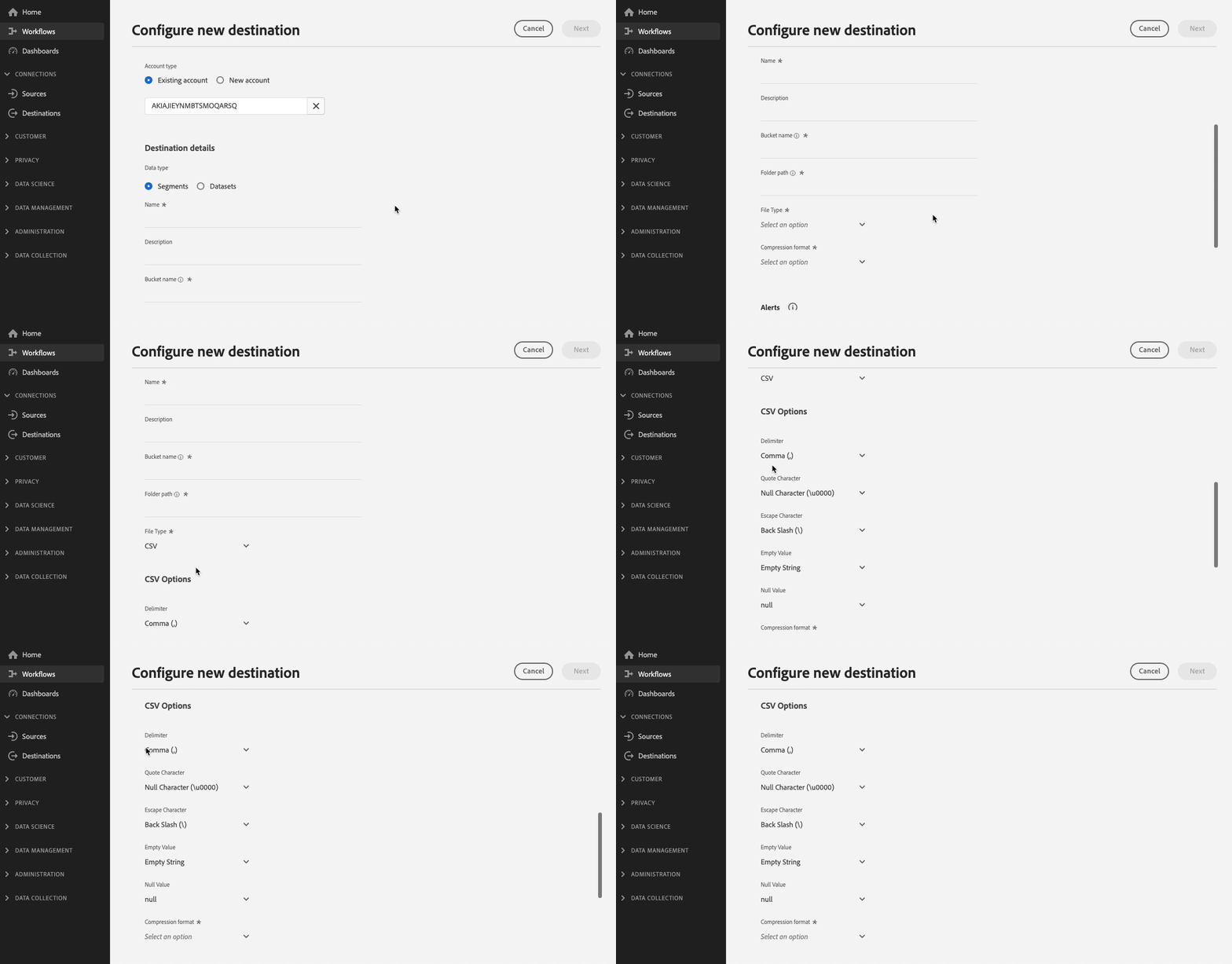
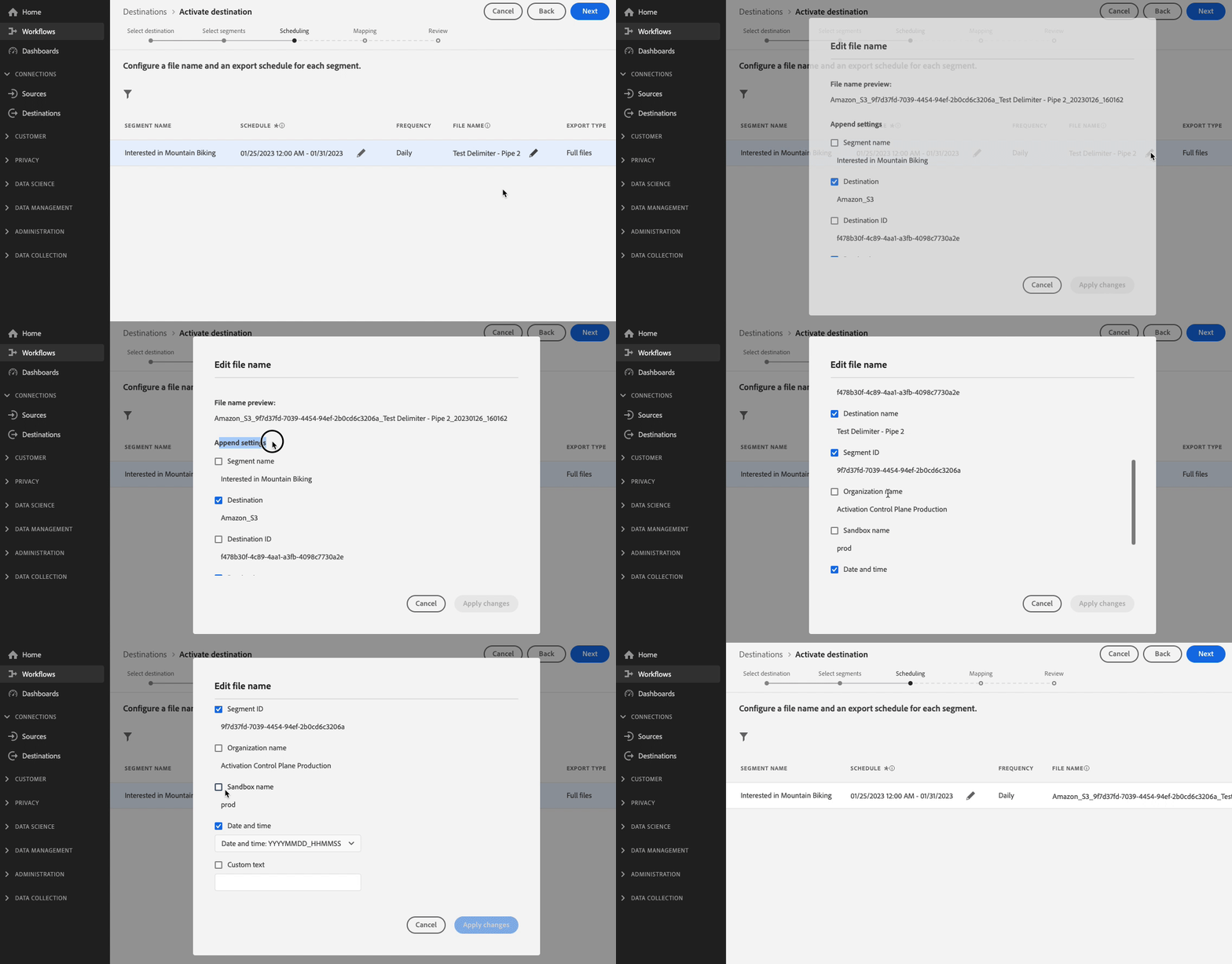
Similarly, for file-based destinations, the destination developer may determine which filename append options they want to make available for their destination, or which file formatting options they want to make available, and the user will be able to select from these options only, as shown below:
Read more about the different options and steps available in the activation workflow:
Next steps next-steps
After reading this document, you now know which export settings for destinations are common across destination types, which can be configured on an individual destination level by developers, and which settings can be edited by users in the activation workflow.
Next, you can read more detailed information about the common export behavior patterns per destination type.
For destination developers, you can get started with Destination SDK. For users looking to activate data, you can check out all the available destinations in the catalog.