Services > ACO Catalog View Sync
Use these settings to control how the Adobe Commerce Optimizer Connector for B2B synchronizes B2B shared catalog configurations—catalog view, policy, price book, and key—into Adobe Commerce Optimizer and how it resolves configuration differences between the two systems. See Catalog View Sync Status monitoring to monitor the results of these settings.
To access the store configuration settings, choose Stores > Settings > Configuration from the Admin sidebar.
Deletion
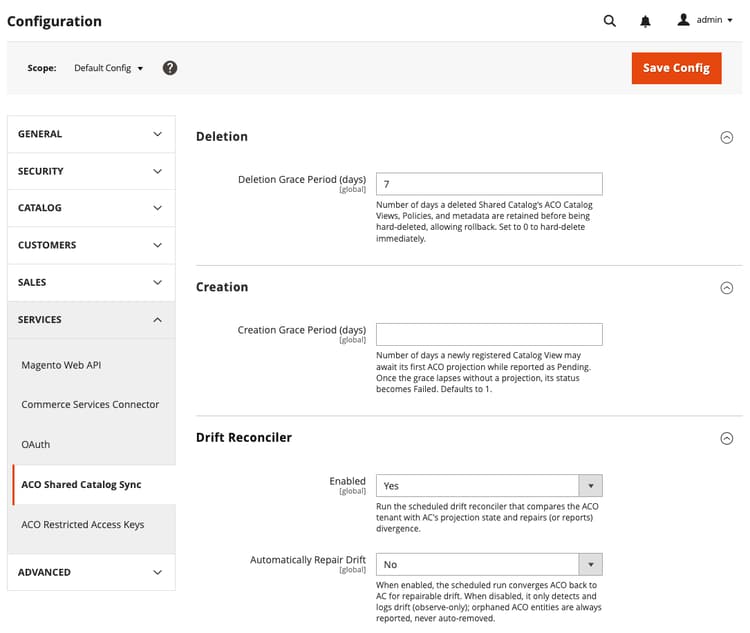
Deletion Grace Period (days)
Global
Retention period for shared catalog data. Specifies the number of days a deleted shared catalog’s catalog views, policies, and metadata are retained before being hard-deleted. The value defaults to 7 days. Set to
0 to hard-delete immediately.Creation
Creation Grace Period (days)
Global
Number of days a newly registered catalog view can wait for the Adobe Commerce Optimizer Connector for B2B to complete its first synchronization of the catalog view, policy, price book, and key configurations, while its status is reported as Pending. If the grace period lapses without a successful synchronization, the status changes to Failed. Default value:
1Drift Reconciler
Enabled
Global
Runs the scheduled drift reconciler to detect and report differences between the catalog view projected from Adobe Commerce and the catalog view configuration in Adobe Commerce Optimizer. If
automatically repair drift is enabled, it will also attempt to fix any repairable discrepancies.Automatically Repair Drift
Global
When set to
Yes, the scheduled drift reconciler updates the Adobe Commerce Optimizer configuration to match the Adobe Commerce and re-synchronizes the configuration. When set to No, the run only detects and reports drift. Orphaned Adobe Commerce Optimizer entities are always reported, never automatically removed.recommendation-more-help
commerce-admin-help-configuration-reference