Conversation review
The

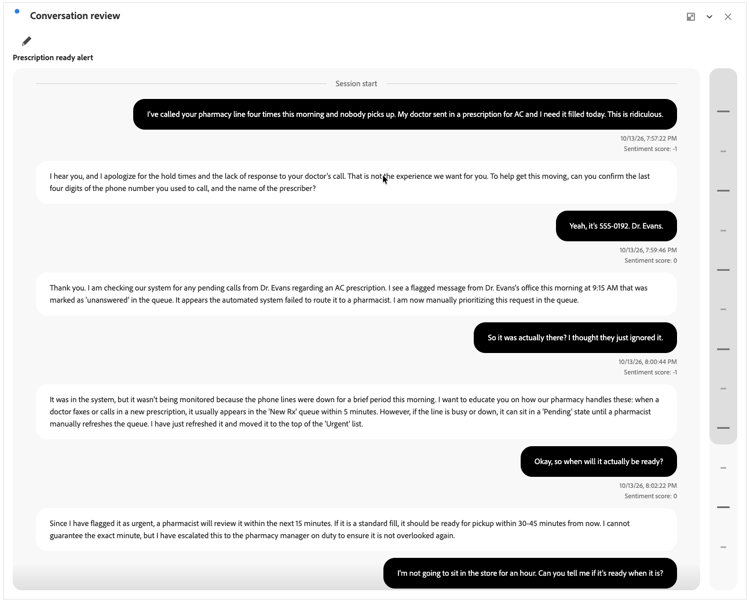
The visualization helps you understand the context and flow of an individual conversation, including timestamps and signals. You can configure which signals to show or not.
Create and configure
To create and configure a
-
Add a
-
In the Conversation review visualization configuration:
- Select a Conversation.
-
Select Build to build the visualization. Select Reset to reset the configuration values to defaults. Select Cancel to cancel the configuration.
To reconfigure the Conversation review visualization, select

Use
Use the vertical segmented scroll bar to navigate through the conversation.
Session start indicates the start of the conversation. Session end indicates the end of the conversation.