Auf dieser Seite: Konfigurieren und planen Sie Datenlebenszyklusvorgänge, damit Ihre Einträge korrekt sind, wie vorgesehen verwendet und gemäß Ihren Organisationsrichtlinien gelöscht werden können.
Da Daten kontinuierlich in Adobe Experience Platform aufgenommen werden, ist es wichtig sicherzustellen, dass Ihre Daten wie vorgesehen verwendet, bei Bedarf aktualisiert und gemäß den Richtlinien der Organisation gelöscht werden.
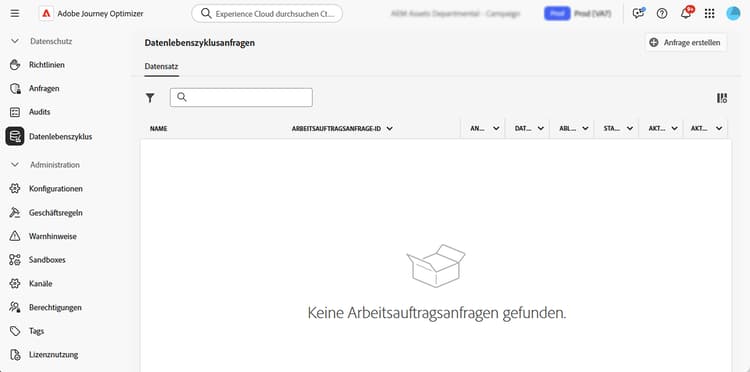
Diese Aufgaben können mit dem Menü Datenlebenszyklus durchgeführt werden, das die Konfiguration und Planung von Datenlebenszyklusvorgängen ermöglicht und sicherstellt, dass Ihre Einträge ordnungsgemäß gepflegt werden.
Empfehlungen data-hygiene-recommendations
Beachten Sie bei der Durchführung von Datenhygienevorgängen (z. B. beim Löschen von Identitäten oder Datensätzen), dass historische Versandereignisse, die mit gelöschten Identitäten verknüpft sind, nicht mehr in standardmäßigen Reporting- oder DataLake-Abfragen angezeigt werden. Dies kann zu Diskrepanzen zwischen der Anzahl der als Zugestellt gemeldeten E-Mails und der Anzahl der empfangenen E-Mails in den Posteingängen der Empfangenden führen, insbesondere bei älteren Journeys.
Validieren und exportieren Sie vor dem Ausführen umfangreicher Löschvorgänge alle erforderlichen Versand- oder Berichtsdaten. Wenn nach der Datenhygiene eine Abstimmung erforderlich ist, stimmen Sie sich mit dem Adobe-Support ab, um auf archivierte Protokolle zuzugreifen, oder verwenden Sie Abfragen zum Ereignisdatensatz mit Feedback zu Nachrichten für aktuelle Daten.
Weitere Informationen data-hygiene-learn-more
Weitere Informationen zum Privacy Service und zum Durchführen von Datenlebenszyklusvorgängen finden Sie in der Dokumentation zu Adobe Experience Platform:
This section contains structured knowledge intended to support interpretation, retrieval, and question answering related to this topic.
For complete understanding, this information should be combined with the documentation on this page. Neither source is intended to stand alone; the page describes the feature, while this section provides additional context that helps disambiguate terminology, intent, applicability, and constraints.
- TL;DR: This page explains how to configure and schedule data lifecycle operations so you can keep your records accurate, used as intended, and deleted in line with your organizational policies.
Intents:
- Understand what data lifecycle operations accomplish
- Configure and schedule operations using the Data Lifecycle menu
- Understand the reporting impact of deleting identities or datasets
- Prepare for large-scale deletions by validating and exporting required data
- Know the availability requirements for data lifecycle capabilities
Glossary:
- Data lifecycle operations: operations configured and scheduled from the Data Lifecycle menu to keep records accurate, used as intended, and deleted per organizational policies (product-specific)
- Data hygiene operations: operations such as deleting identities or datasets (product-specific)
- Data Lifecycle: the menu used to configure and schedule data lifecycle operations (product-specific)
- Message Feedback Event Dataset: dataset that can be queried to access recent data if reconciliation is needed after data hygiene (product-specific)
Guardrails:
- Data lifecycle capabilities are currently only available for organizations that have purchased the Healthcare Shield and Privacy and Security Shield add-on offerings (availability constraint)
- When performing data hygiene operations (such as deleting identities or datasets), historical delivery events associated with deleted identities will no longer appear in standard reporting or datalake queries
- Data hygiene operations can result in discrepancies between the number of emails reported as Delivered and the number of emails Received in recipient inboxes, especially for older journeys
- Before executing large-scale deletions, validate and export any required delivery or reporting data (recommended)
Terminology:
- Canonical name: Data lifecycle operations
- Do not confuse: “Delivered” (emails reported as delivered in standard reporting) ≠ “Received” (emails received in recipient inboxes)
FAQ:
- Q: Who can use data lifecycle capabilities? — Organizations that have purchased the Healthcare Shield and Privacy and Security Shield add-on offerings.
- Q: What happens to reporting after data hygiene operations such as deleting identities or datasets? — Historical delivery events associated with deleted identities no longer appear in standard reporting or datalake queries.
- Q: What should you do before large-scale deletions? — Validate and export any required delivery or reporting data.
- Q: How can you reconcile data after data hygiene? — Coordinate with Adobe support to access archived logs, or use Message Feedback Event Dataset queries for recent data.