在此頁面上:瞭解如何使用自訂委派方法在Adobe Journey Optimizer中設定自訂子網域,讓您保留子網域和SSL憑證的完整擁有權。
作為完全委派和CNAME設定方法的替代方法,自訂委派方法可讓您取得Journey Optimizer中子網域的所有權,並完全控制產生的憑證。
在此程式中,Adobe需要確定您的DNS已正確設定,可用於傳遞、轉譯和追蹤訊息。 這就是為什麼您將需要上傳從憑證授權單位取得的SSL憑證,並透過驗證網域擁有權及報告電子郵件地址來完成回圈步驟。
若要設定自訂子網域,請遵循下列步驟。
-
存取管理 > 管道 > 電子郵件設定 > 子網域功能表。
-
按一下設定子網域。
-
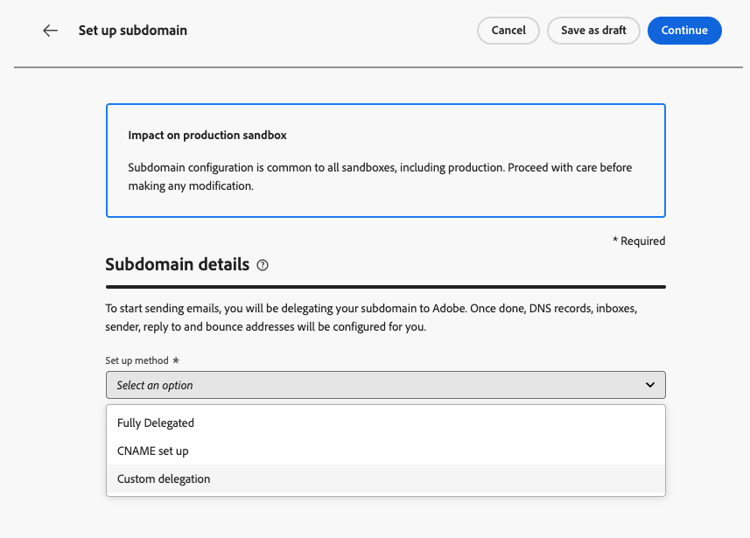
從 設定方法 區段中,選取自訂委派。
-
指定要委派的子網域名稱。
note caution CAUTION 您無法使用相同的傳送網域從Adobe Journey Optimizer和其他產品(例如Adobe Campaign或Adobe Marketo Engage)傳送訊息。
建立 DNS 記錄 create-dns-records
-
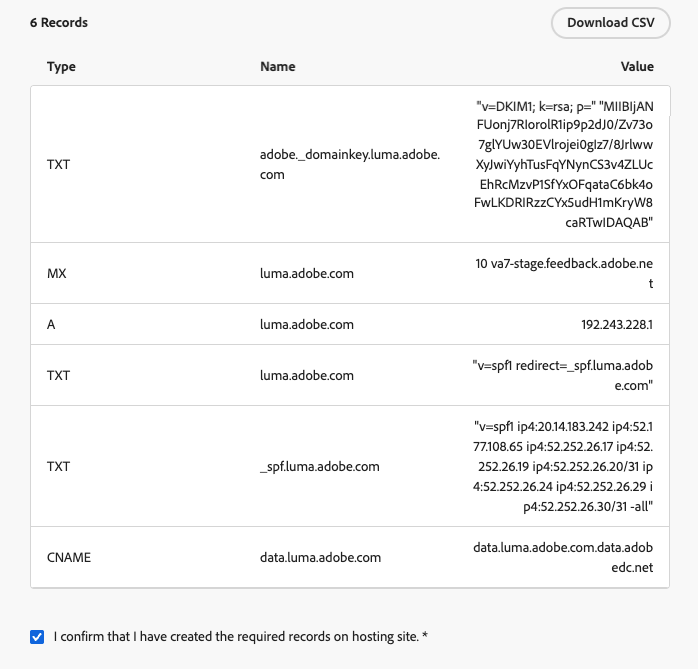
系統會顯示要放置在 DNS 伺服器中的記錄清單。 逐一複製這些記錄,或下載CSV檔案。
-
導覽至您的網域託管解決方案,以產生相符的DNS記錄。
-
請確定所有DNS記錄都已產生至您的網域託管解決方案。
-
如果所有專案都已正確設定,請勾選「我確認……」方塊。
在主控解決方案中產生DNS記錄後
上傳 SSL 憑證 upload-ssl-certificate
-
在 SSL憑證 區段中,按一下產生CSR。
在SSL憑證區段
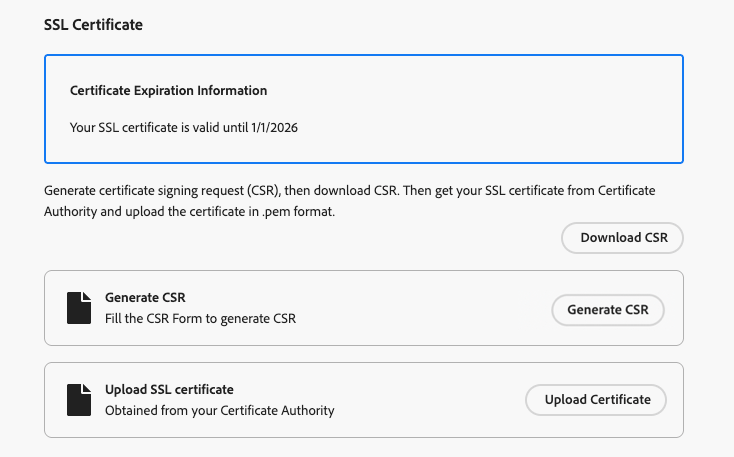
note NOTE 畫面會顯示您的SSL憑證到期日。 到達日期後,您需要上傳新憑證。 -
填寫顯示和產生憑證申請檔(CSR)的表單。
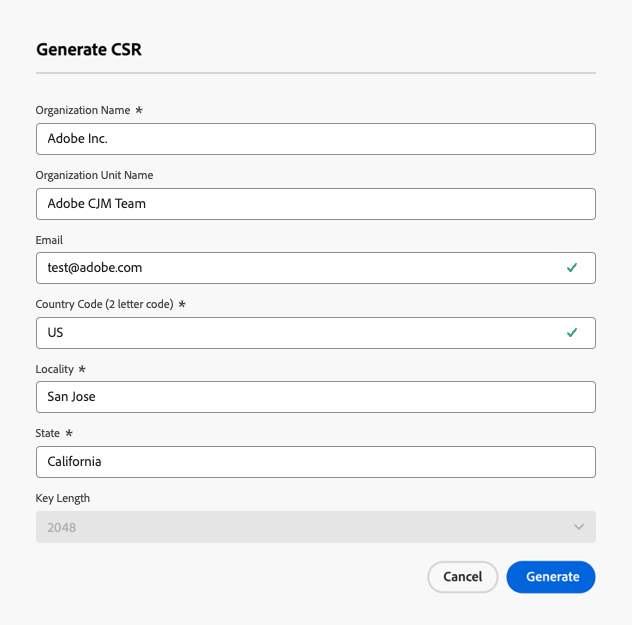
note NOTE 金鑰長度只能是 2048 位元或 4096 位元。 子網域提交後便無法變更金鑰長度。 -
按一下 下載CSR 並將表單儲存到您的本機電腦。
-
將它傳送給憑證授權單位(CA)以取得您的SSL憑證。
note NOTE 下載的CSR已包含 data.subdomain.com和cdn.subdomain.com作為主體替代名稱(SAN) — 在提交到您的CA之前,不需要手動新增SAN。 例如,如果您正在委派example.adobe.com,CSR會同時涵蓋data.example.adobe.com和cdn.example.adobe.com。簽署後,CA將會核發單一憑證,涵蓋Data網域和CDN子網域。
-
擷取之後,按一下 上傳SSL憑證 並將憑證上傳到.pem格式的Journey Optimizer,並附上完整的憑證鏈結。 以下是.pem檔案格式的範例:
code language-none -----BEGIN CERTIFICATE----- MIIDXTCCAkWgAwIBAgIJALc3... (base64 encoded data) -----END CERTIFICATE-----
完成回饋迴路步驟 feedback-loop-steps
-
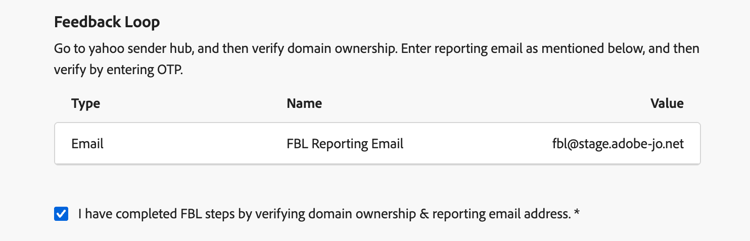
前往Yahoo! 寄件者中心網站並填寫驗證您網域擁有權的必要表單。
-
若要驗證網域擁有權,Yahoo! 寄件者中心會要求您提供電子郵件地址。 輸入列在 值 下的FBL報表電子郵件地址。 這是Adobe擁有的電子郵件地址。
-
當Yahoo! 寄件者中心會產生一次性密碼(OTP),該密碼將傳送至此Adobe位址。
-
請洽詢將為您提供此OTP的Adobe傳遞團隊。
note caution CAUTION OTP的有效期間僅為24小時,因此請務必在OTP產生後立即聯絡Adobe。 OTP要求只能在工作日提出。 週末不支援。 -
在Yahoo!上輸入OTP Sender Hub 的所有權。
-
請確定您已完成所有回饋回圈步驟。
-
如果所有專案皆已正確設定,請勾選「我已完成……」方塊。
完成回饋回圈步驟後
複製SSL CDN URL驗證記錄 copy-ssl-cdn-url-record
-
按一下[繼續],然後等到Adobe驗證記錄是否已在您的代管解決方案上產生且沒有錯誤。 此程式最多可能需要2分鐘。
note NOTE 在繼續之前,請確定所有記錄都已正確建立。 -
Adobe會產生SSL CDN URL驗證記錄。 將此驗證記錄複製到您的代管平台。 如果您已在託管解決方案上正確建立此記錄,請勾選「我確認……」方塊。
-
按一下提交,讓Adobe執行必要的檢查。 了解更多
疑難排解檢查清單 check-list
如果在嘗試提交自訂子網域時發生錯誤,請執行以下疑難排解動作。
-
檢查所有DNS記錄是否已使用DNS查詢工具正確傳播。
-
在上傳之前,請確認您的憑證符合所有技術要求。
-
請確定您的憑證是以正確格式上傳。