在此頁面上:瞭解如何建立計算屬性,將行為事件彙總至設定檔屬性,並在Adobe Journey Optimizer中將其用於分段、個人化和歷程邏輯。
計算屬性將個別行為事件彙總到Adobe Experience Platform上可用的計算設定檔屬性中。 這些屬性以擷取至Adobe Experience Platform的已啟用設定檔體驗事件資料集為基礎,並當做儲存在客戶設定檔中的彙總資料點。
每個運算屬性都是設定檔屬性,可運用於歷程及行銷活動中的細分、個人化和啟動。 這項簡化能增強您為客戶提供及時且有意義的個人化體驗的能力。
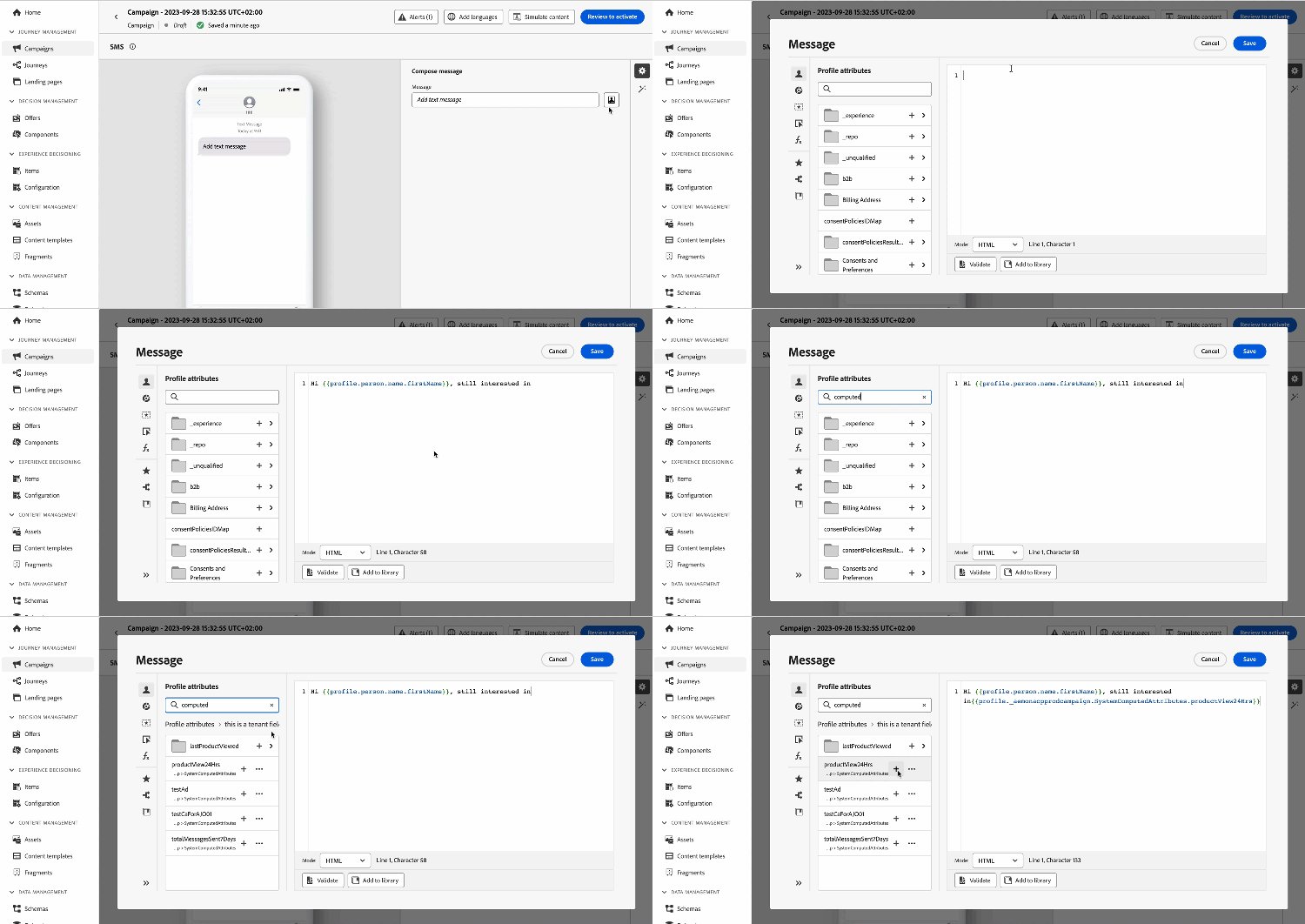
建立計算屬性 manage
若要建立計算屬性,請瀏覽至左側的 設定檔 功能表中的 計算屬性 索引標籤。
在此畫面中,您可以建置規則來建構計算屬性,這些規則會結合事件屬性、彙總函式以及指定的回顧期間。 例如,您可以計算過去三個月中進行的購買總數、識別上週未購買的設定檔所檢視的最新專案,或統計每個設定檔累積的總獎勵點。
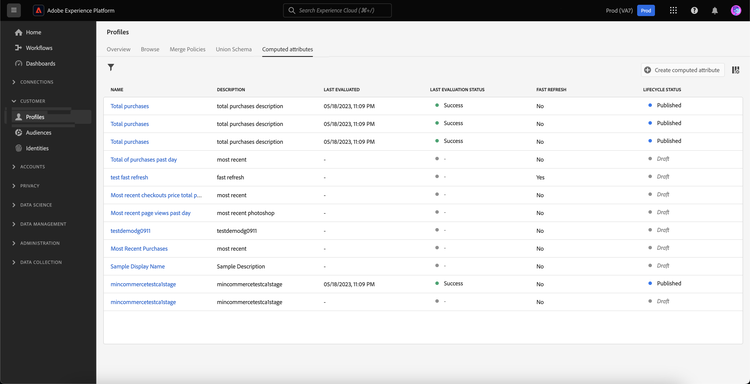
規則準備就緒後,請發佈計算屬性以供其他下游服務(包括Journey Optimizer)使用。
有關建立和管理計算屬性的詳細資訊,請參閱計算屬性檔案
將計算屬性新增至Adobe Experience Platform資料來源 source
若要在Journey Optimizer中運用計算屬性,請將它們新增至Journey Optimizer Experience Platform資料來源。
Adobe Experience Platform資料來源會定義與Adobe即時客戶個人檔案的連線。 此資料來源會從即時客戶個人檔案服務中擷取個人檔案資料和體驗事件資料。
若要將計算屬性新增至資料來源,請遵循下列步驟:
-
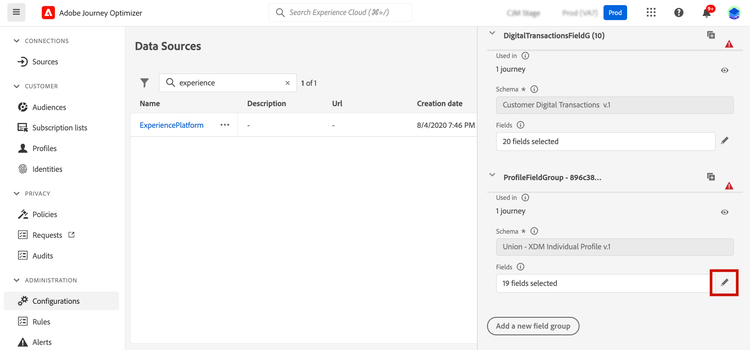
瀏覽至左側的 組態 功能表,然後按一下 資料來源 卡片。
-
選取 Experience Platform 資料來源。
-
新增包含所有已建立計算屬性的 SystemComputedAttributes 欄位群組。

計算屬性現在可以在Journey Optimizer中使用。 瞭解如何在Journey Optimizer中使用運算屬性
有關新增欄位群組至Adobe Experience Platform資料來源的詳細資訊,請參閱本節。
在Journey Optimizer中使用計算屬性 use
計算屬性可提供Journey Optimizer中的多用途功能。 將其用於各種目的,例如個人化訊息內容、建立新對象,或根據特定計算屬性分割歷程。 例如,在「條件」活動中新增單一計算屬性,根據設定檔過去三週內的購買總數分割歷程路徑。 您也可以顯示每個設定檔最近檢視的專案,以個人化電子郵件。
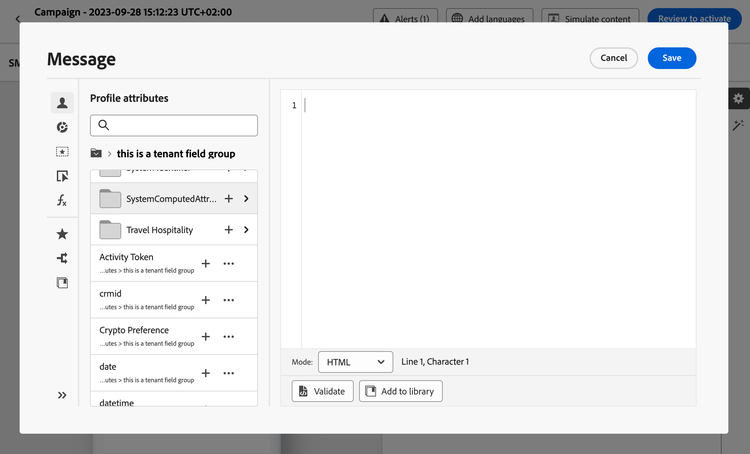
由於計算屬性是在您的設定檔聯合結構描述上建立的設定檔屬性欄位,請從 SystemComputedAttributes 欄位群組中的個人化編輯器存取它們。 從那裡,將計算屬性新增到運算式中,將它們視為任何其他設定檔屬性來執行所需的操作。
This section contains structured knowledge intended to support interpretation, retrieval, and question answering related to this topic.
For complete understanding, this information should be combined with the documentation on this page. Neither source is intended to stand alone; the page describes the feature, while this section provides additional context that helps disambiguate terminology, intent, applicability, and constraints.
- TL;DR: Learn how to create computed attributes on Adobe Experience Platform and use them in Journey Optimizer for segmentation, personalization, and journey logic.
Intents:
- Understand what computed attributes are
- Create computed attributes by combining event attributes, aggregate functions, and a lookback period
- Add the SystemComputedAttributes field group to the Experience Platform data source in Journey Optimizer
- Use computed attributes in journey conditions, audience building, and message personalization
Glossary:
- Computed attribute: A profile attribute derived from aggregated behavioral event data, stored in customer profiles (product-specific)
- Lookback period: The time window applied when calculating a computed attribute’s aggregation rule (e.g. “last 3 months”) (product-specific)
- SystemComputedAttributes field group: The field group added to the Journey Optimizer Experience Platform data source that contains all the created computed attributes (product-specific)
- Profile union schema: The schema on which computed attributes are created as profile attribute fields
Guardrails:
- Requires View Computed attributes and Manage Computed attributes permissions to access the feature
- Computed attributes must be published before they become available in other downstream services, including Journey Optimizer
- Computed attributes must be explicitly added to the Experience Platform data source in Journey Optimizer before they can be used in journeys or personalization
- Computed attributes are based on Profile-enabled Experience Event datasets ingested into Adobe Experience Platform
Terminology:
- Canonical name: Adobe Journey Optimizer — Acronym: AJO — variants: Journey Optimizer
- Canonical name: Adobe Experience Platform — Acronym: AEP
- Synonyms: “computed attributes” = “computed profile attributes”
FAQ:
- Q: What are computed attributes? — Aggregated behavioral event data (e.g. total purchases, last viewed item) stored as profile attributes on Adobe Experience Platform and usable in Journey Optimizer.
- Q: Do I need special permissions? — Yes: “View Computed attributes” and “Manage Computed attributes” are both required.
- Q: How do I make computed attributes available in Journey Optimizer? — Add the
SystemComputedAttributesfield group to the Experience Platform data source under Configurations > Data sources. - Q: Where can I use computed attributes in Journey Optimizer? — In Condition activities (journey splitting), audience creation, and the personalization editor.
- Q: What is a lookback period? — The time window used to scope the aggregation rule, e.g. “sum of purchases in the last 3 weeks.”