关于计划消息发送 about-scheduling-messages
在消息仪表板中,利用 Schedule 块可定义发送消息(电子邮件、短信或推送通知)的时间。
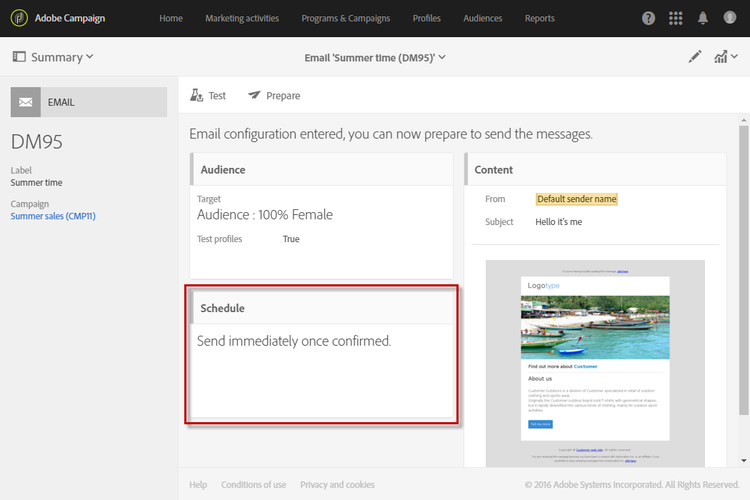
利用 Schedule 属性,可以设置电子邮件、短信或推送通知的发送选项:
-
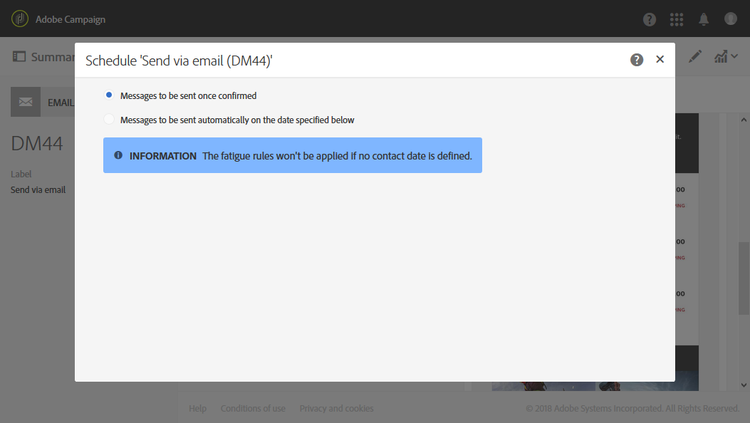
Messages to be sent once confirmed:确认发送后立即发送消息。 请参阅确认发送。
-
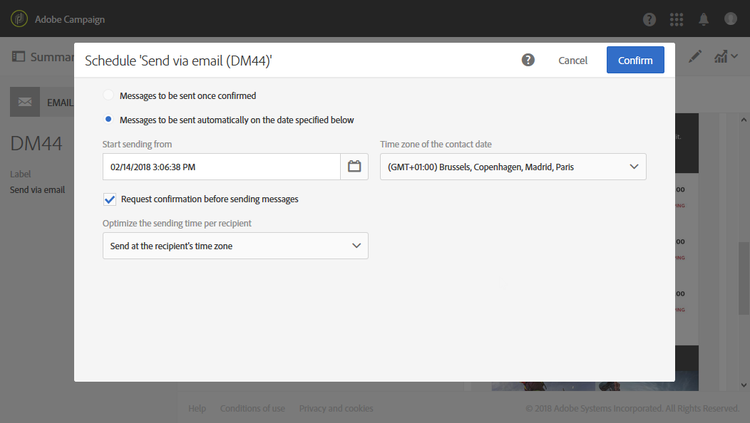
Messages to be sent automatically on the date specified below:在将来的日期和时间发送消息。 请在 Start sending from 字段中指定联系日期。
您可以准备并确认发送,但只有达到所选日期和时间才会开始发送消息。 有关准备和确认发送的详情,请参见准备发送和确认发送章节。
利用 Time zone of the contact date 下拉列表,可修改与发送时间有关的时区。 例如,如果您在 Start sending from 字段中输入“9:00 AM”,并在 Time zone of the contact date 下拉列表中选择“Brussels, Copenhagen, Madrid, Paris (GMT+1)”,则所有收件人将在巴黎时间上午9:00收到该消息。 因此,位于莫斯科的收件人(GMT+3)将于莫斯科时间上午11:00收到该消息。
如果要手动确认发送,请勾选 Request confirmation before sending messages 选项。 默认启用此选项。
相关主题: