[AEM Forms]{class="badge positive" title="AEM Forms에 적용됩니다)."}
JWT(JSON 웹 토큰) 서버 간 인증
특히 AEM Forms과의 서버측 통합을 위한 AEM as a Cloud Service의 JWT 서버 간 인증에는 AEM 서비스와 안전하게 상호 작용하기 위한 특정 프로세스가 포함됩니다. JWT 서버 간 인증은 AEM Developer Console에서 지원됩니다.
사전 요구 사항
시작하기 전에 다음 전제 조건이 충족되는지 확인하십시오.
- 사용하는 환경에 맞는 Adobe Cloud Manager에 액세스할 수 있는지 확인하십시오.
- Adobe Cloud Manager에 액세스하려면 시스템 관리자 또는 개발자 역할을 할당하십시오.
JWT 자격 증명을 사용하여 액세스 토큰을 생성하는 방법
JWT 자격 증명에서 액세스 토큰을 생성하는 방법을 보여주는 아래 단계를 따르십시오.
-
Adobe Cloud Manager
-
Cloud Manager 계정에 로그인합니다.
-
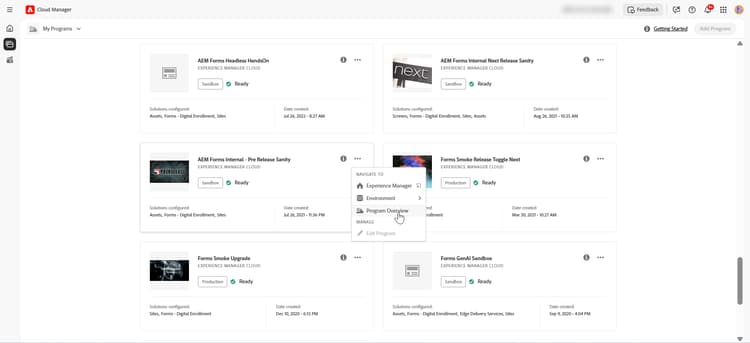
선택한 프로그램에서 프로그램 개요를 클릭합니다.
-
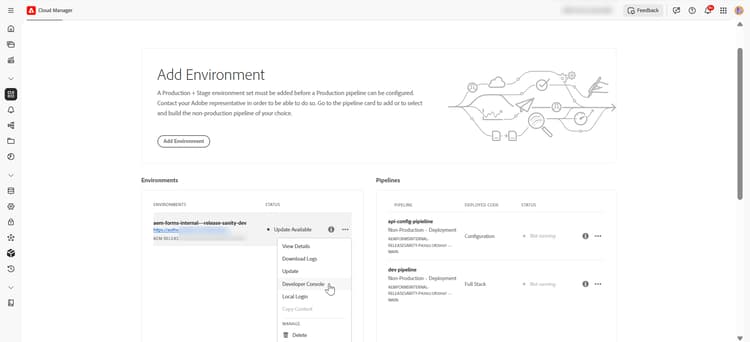
프로그램에서 세 점 메뉴를 클릭하고 Developer Console을(를) 선택합니다.
-
-
AEM Developer Console
-
AEM Developer Console에 로그인
-
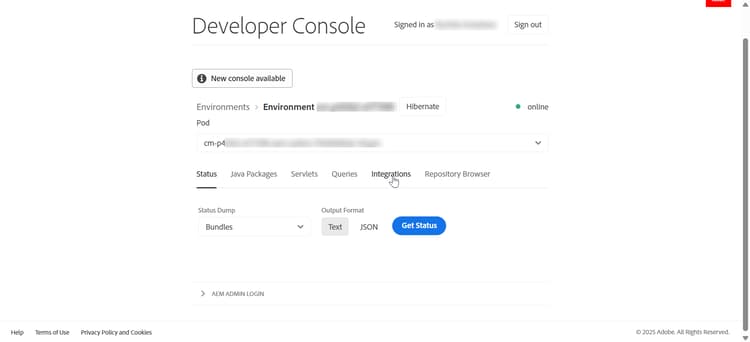
상단 메뉴 모음에 있는 통합을 클릭합니다.
-
새 기술 계정을 만듭니다 옵션을 클릭합니다.
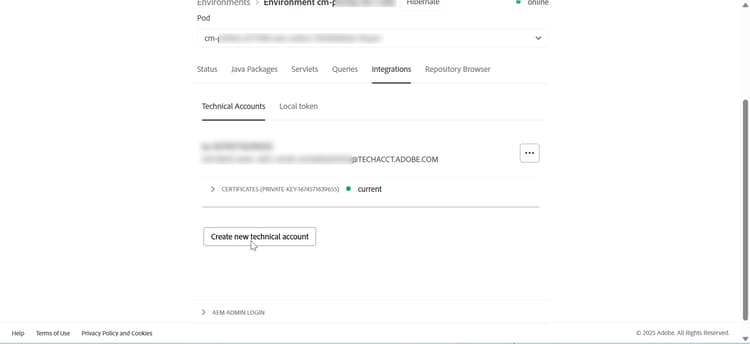
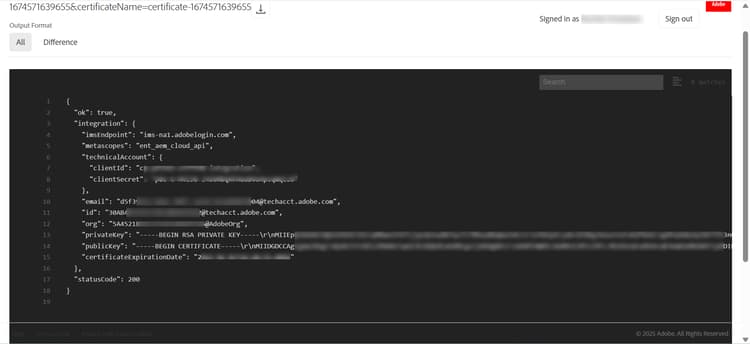
새 기술 계정 만들기를 클릭하면 개인 키, 공개 키, 만료 날짜를 포함한 기타 기술 계정 정보와 함께 클라이언트 ID 및 클라이언트 암호와 같은 액세스 토큰을 생성하는 데 필요한 정보가 생성됩니다.
-
-
자격 증명 생성 및 저장
-
API 자격 증명 기록
code language-text API Credentials: ================ Client ID: <your_client_id> Client Secret: <your_client_secret> Technical Account ID: <tech_account_id> Organization ID: <org_id> Scopes: AdobeID,openid,read_organizations
-
-
액세스 토큰 생성
cURL 명령을 사용하여 프로그래밍 방식으로 토큰을 생성합니다.
필요한 자격 증명:
- 클라이언트 ID
- 클라이언트 비밀
- 범위(일반적으로
openid, AdobeID, read_organizations, additional_info.projectedProductContext, read_pc.dma_aem_cloud, aem.document)
토큰 끝점:
code language-none https://ims-na1.adobelogin.com/ims/token/v3샘플 요청(cURL):
code language-bash curl -X POST 'https://ims-na1.adobelogin.com/ims/token/v3' \ -H 'Content-Type: application/x-www-form-urlencoded' \ -d 'grant_type=client_credentials' \ -d 'client_id=<YOUR_CLIENT_ID>' \ -d 'client_secret=<YOUR_CLIENT_SECRET>' \ -d 'scope=AdobeID,openid,read_organizations'응답:
code language-json { "access_token": "eyJhbGciOiJSUz...", "token_type": "bearer", "expires_in": 86399 }
이제 생성된 액세스 토큰을 사용하여 개발, 스테이지 또는 프로덕션 환경에 대한 API를 호출할 수 있습니다.
관련 문서
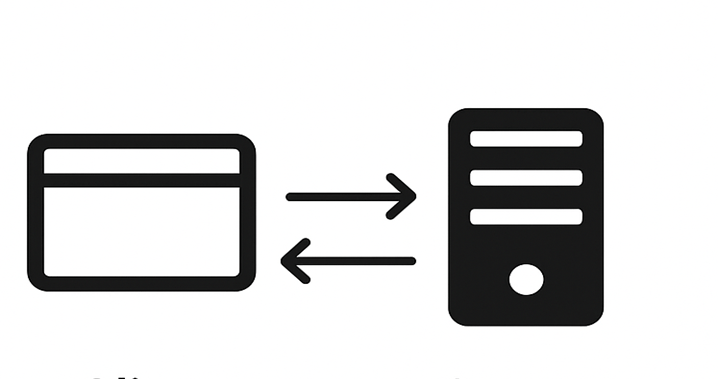
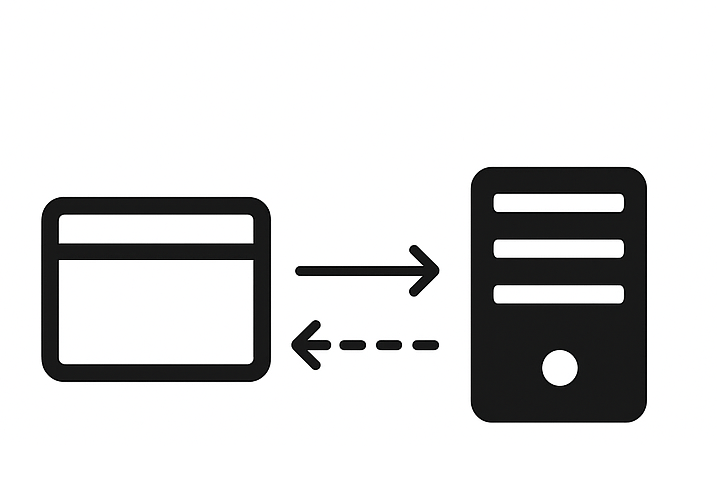
동기식(온디맨드) 및 비동기식(일괄 처리) Forms Communications API에 대한 환경을 설정하는 방법에 대해 알아봅니다.
AEM Forms Communications API - 동기
문서를 즉시 생성하거나 처리하는 동기식(온디맨드) Forms Communications API용 환경을 설정하는 방법에 대해 알아봅니다.
AEM Forms Communications API - 비동기(일괄 처리)
예약된 방식으로 여러 문서를 생성하거나 처리하는 비동기(일괄 처리) Forms Communications API에 대한 환경을 설정하는 방법에 대해 알아봅니다.