Sur cette page : découvrez comment importer une audience d’un fichier CSV à l’aide du portail d’audiences Adobe Experience Platform et mapper son attribut d’identité aux profils clients.
Le portail Audience d’Adobe Experience Platform permet d’importer une audience à l’aide d’un fichier CSV.
Pendant le processus de chargement personnalisé, spécifiez l’attribut CSV à utiliser comme identité et l’identité de profil à laquelle il correspond. Cela établit un lien entre les données de l’audience et le profil. Si le fichier CSV contient une valeur d’identité introuvable dans le profil, un nouveau profil est créé avec cette valeur d’identité.
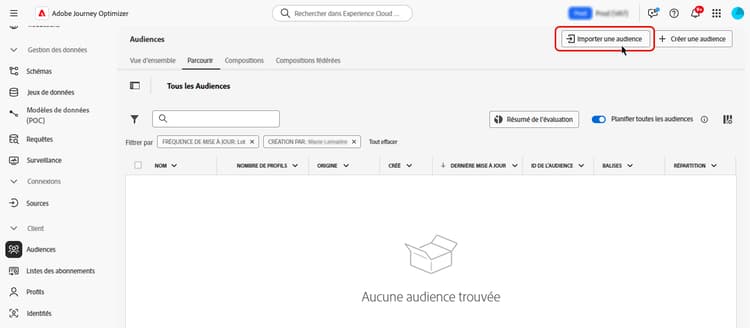
Pour des informations détaillées sur l’import d’audience dans Adobe Experience Platform, consultez la documentation du service de segmentation.
Découvrez comment charger des audiences au format CSV dans cette vidéo :
This section contains structured knowledge intended to support interpretation, retrieval, and question answering related to this topic.
For complete understanding, this information should be combined with the documentation on this page. Neither source is intended to stand alone; the page describes the feature, while this section provides additional context that helps disambiguate terminology, intent, applicability, and constraints.
- TL;DR: This page explains how to import an audience from a CSV file using the Adobe Experience Platform Audience Portal and map its identity attribute to customer profiles.
Intents:
- Import an audience from a CSV file using the Audience Portal
- Specify which CSV attribute to use as the identity and the profile identity it maps to
- Understand what happens when a CSV identity value is not found in the profile
- Understand Incremental read behavior for custom upload and other external audiences
Glossary:
- Custom Upload: Importing an audience into Adobe Experience Platform from a CSV file using the Audience Portal (product-specific)
- Audience Portal: The Adobe Experience Platform Audience Portal, which allows you to import an audience using a CSV file (product-specific)
- Incremental read: A toggle setting that, for custom upload and other external audiences, is not functionally supported today (product-specific)
Guardrails:
- During the custom upload process, you specify the CSV attribute to use as the identity and the profile identity it maps to, establishing a link between the audience data and the profile.
- If the CSV file contains an identity value not found in the profile, a new profile is created with that identity value.
- For custom upload (CSV) and other external audiences, Incremental read is not functionally supported today; on each recurrence the entire audience is retrieved, regardless of the Incremental read toggle setting.
Terminology:
- Canonical name: Custom Upload — Acronym: n/a — variants: CSV upload, custom upload audience
- Synonyms: “Custom upload” = “CSV upload”
FAQ:
- Q: How do I import a custom audience? — Import it from a CSV file using the Adobe Experience Platform Audience Portal.
- Q: What happens if a CSV identity value is not in the profile? — A new profile is created with that identity value.
- Q: Is Incremental read supported for custom upload audiences? — No; it is not functionally supported today, and the entire audience is retrieved on each recurrence regardless of the toggle setting.