En esta página: Aprenda a establecer metadatos de correo electrónico en el Designer de correo electrónico, incluido el preencabezado, el título y el idioma del documento, para mejorar la legibilidad y accesibilidad del contenido del correo electrónico.
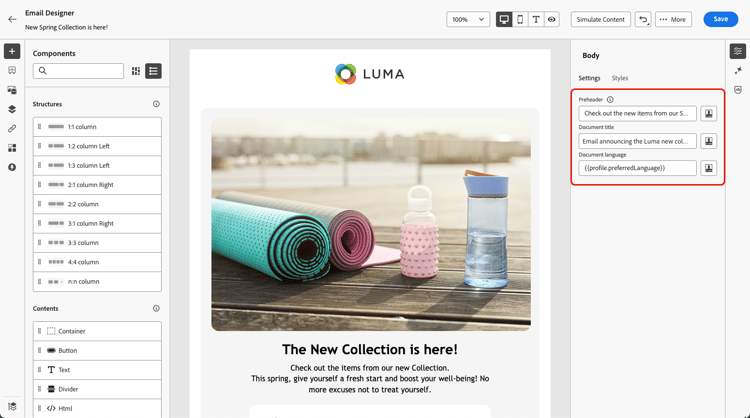
Al diseñar los correos electrónicos, para mejorar la legibilidad y la accesibilidad, puede definir metaatributos adicionales para el contenido. El Journey Optimizer Designer de correo electrónico le permite especificar los siguientes elementos:
-
Encabezado previo: Un encabezado previo es un breve texto de resumen que sigue a la línea de asunto cuando ve un correo electrónico de su cliente de correo electrónico. En muchos casos, proporciona un breve resumen del correo electrónico y suele contener una frase.
note NOTE Los preencabezados no son compatibles con todos los clientes de correo electrónico. Cuando no se admite, el preencabezado no se muestra. -
Título del documento: este campo, que corresponde al elemento
<title>, proporciona información descriptiva sobre el contenido del correo electrónico, que normalmente se muestra como información de objeto al pasar el ratón por encima. Puede ayudar a los usuarios con discapacidades al proporcionar un contexto adicional y puede contribuir a una mejor comprensión del contenido por parte de los motores de búsqueda. -
Idioma del documento: para garantizar la accesibilidad, puede especificar el idioma que los lectores de pantalla utilizarán para convertir texto e imágenes en voz o braille, para personas con deficiencias visuales o con discapacidades de aprendizaje. Esta configuración corresponde al atributo
langen el elemento<html>.
Para establecer esta configuración, siga los pasos a continuación.
-
En Email Designer, agrega al menos un componente de estructura para comenzar a diseñar tu correo electrónico.
-
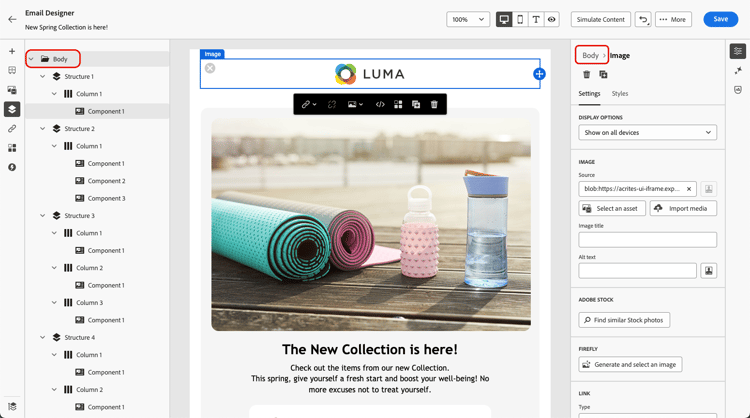
Haga clic en Cuerpo, ya sea en el árbol de navegación a la izquierda o en la parte superior del panel derecho.
-
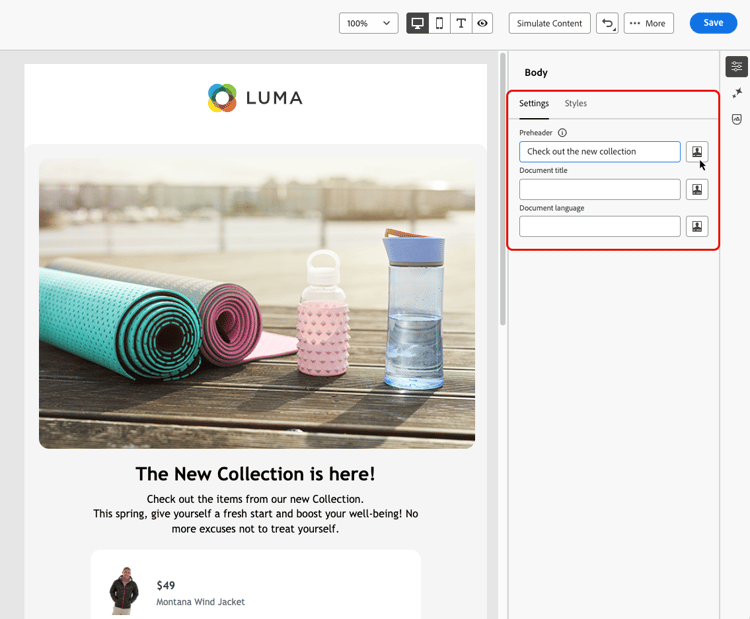
En la ficha Configuración, escriba texto dentro de los campos Encabezado previo, Título del documento o Idioma del documento.
-
También puede hacer clic en el icono de personalización junto a cada campo para personalizar el contenido de atributos de perfil, audiencias, atributos contextuales, etc. Más información sobre personalización
-
Haz clic en Guardar para confirmar los cambios.
This section contains structured knowledge intended to support interpretation, retrieval, and question answering related to this topic.
For complete understanding, this information should be combined with the documentation on this page. Neither source is intended to stand alone; the page describes the feature, while this section provides additional context that helps disambiguate terminology, intent, applicability, and constraints.
- TL;DR: This page explains how to set email metadata in the Email Designer — the preheader, document title, and document language — to improve the readability and accessibility of your email content.
Intents:
- Define a preheader that follows the subject line in the recipient’s email client
- Set a document title to provide descriptive information about the email content
- Set a document language so screen readers use the correct language
- Personalize metadata fields from profile attributes, audiences, contextual attributes, and more
- Improve the readability and accessibility of email content
Glossary:
- Preheader: A short summary text that follows the subject line when viewing an email from your email client, typically one sentence long (product-specific)
- Document title: A field corresponding to the
<title>element that provides descriptive information about the email, typically displayed as a tooltip on mouse hover (product-specific) - Document language: A setting corresponding to the
langattribute in the<html>element that specifies the language screen readers use to convert text and images into speech or braille (product-specific)
Guardrails:
- Preheaders are not supported by all email clients; when not supported, the preheader does not display.
- You must add at least a Structure component before you can start designing the email and configure these settings.
- Metadata is configured from the Body settings, accessed via the Navigation tree or the top of the right pane, on the Settings tab.
Terminology:
- Canonical name: email metadata — Acronym: n/a — variants: meta attributes, email content metadata
- Synonyms: “Document title” = “
<title>element”; “Document language” = “langattribute” - Do not confuse: “Preheader” (summary text after the subject line) ≠ “Document title” (
<title>element shown as a tooltip)
FAQ:
- Q: What is a preheader? — A short summary text that follows the subject line when viewing an email from your email client, typically one sentence long.
- Q: Why might a preheader not display? — Preheaders are not supported by all email clients; when not supported, the preheader does not display.
- Q: What does the document language setting do? — It specifies the language that screen readers use to convert text and images into speech or braille, corresponding to the
langattribute in the<html>element. - Q: Can I personalize the metadata fields? — Yes. Click the personalization icon next to each field to customize content from profile attributes, audiences, contextual attributes, and more.