View AI Reviewer score and feedback
Seconds after you submit the review and approval request, you can view the score and feedback from the AI Reviewer in the Document Summary panel.
The AI Reviewer is not designed to be a decision-maker in the review and approval workflow. It only provides a score and recommendations to align the asset with the specified brand requirements.
Understand how scores are calculated
The AI Reviewer calculates scores differently depending on the review type:
- Image review: This score reflects the ratio of passed guidelines to failed guidelines.
- Copy review: This score uses a balanced weighting of subjective and objective results. Objective guidelines (displayed under “Fix”) are weighted three times more than subjective guidelines (displayed under “Consider”).
Because objective guidelines carry more weight in copy reviews, we recommend writing concrete, measurable guidelines in your brand. For more information, see the Best practices for writing brand guidelines section in the Create and manage brands for the AI Reviewer article.
View score and feedback
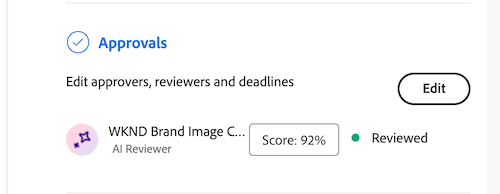
You can view the AI Reviewer’s score and feedback from the Document Summary panel or in the Approvals tab on the Document Details page.
-
In the Workfront notification email, click Go to review.
Or
Go to the Documents area where the document is uploaded, and open the Document Summary panel.
-
Click Score.
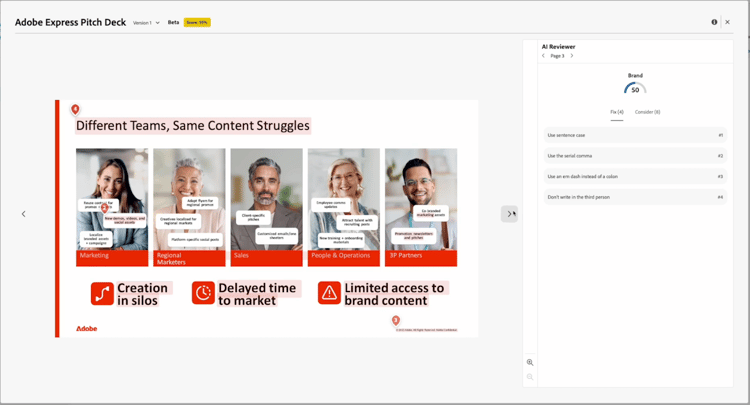
In the score and feedback window, the AI Reviewer explains how the asset does not meet the specified guidelines.

Upload a new version and add AI Reviewer again
If you need to adjust the asset based on the AI Reviewer’s feedback, you can upload a new version and start a new review.
For more information, see Upload a new document version and request an approval.