Legacy access levels overview
As an Adobe Workfront administrator, you assign an access level to a user for 2 purposes:
- Each user must have an access level in order to log in and work in Workfront.
- Access levels control what a user can see and do with certain Workfront objects and areas.
Each of the six built-in access levels is attached to one of the five Workfront licenses: Plan, Work, Review, Request, and External.
External is an unpaid license designed primarily for sharing documents with collaborators who don’t use Workfront.
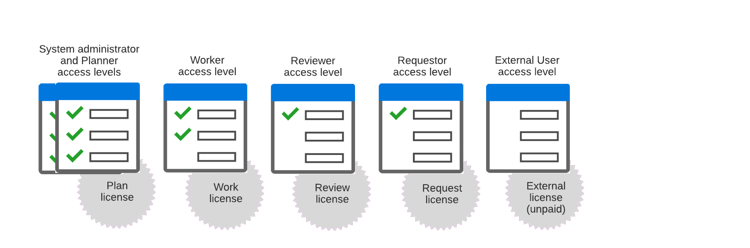
For information on topics related to access levels, see the following articles:
The license attached to an access level determines how the access level can be configured.
For more information, see Licenses overview.
Tip: You can see which access level and license is assigned to each user by viewing a user list or report. For instructions, see List your users' access levels and licenses.
There are two types of Access Levels in Workfront:
- Legacy Access Levels
-
- Plan
- Work
- Review
- Request New Access Levels:
- Standard
- Light
- Contributor
For information on the new Access Levels, see New access levels overview.