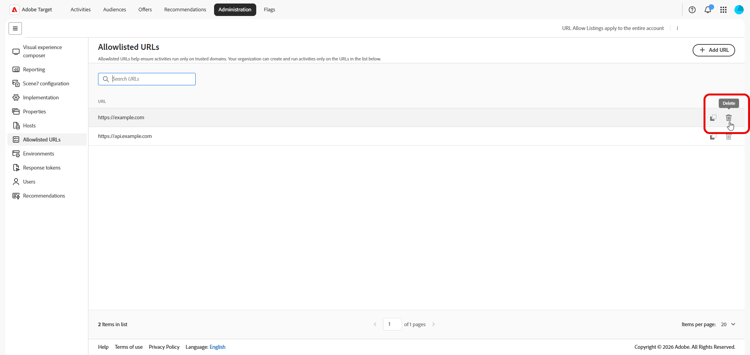
Allowlisted URLs
Allowlisted URLs define trusted URL patterns where your organization can create and run Adobe Target experiences, including when you use remote or redirect offers. The list works alongside host management and environments, but applies specifically to allowed remote offer URL patterns and related validations.
To manage allowlisted URLs, click Administration > Allowlisted URLs.
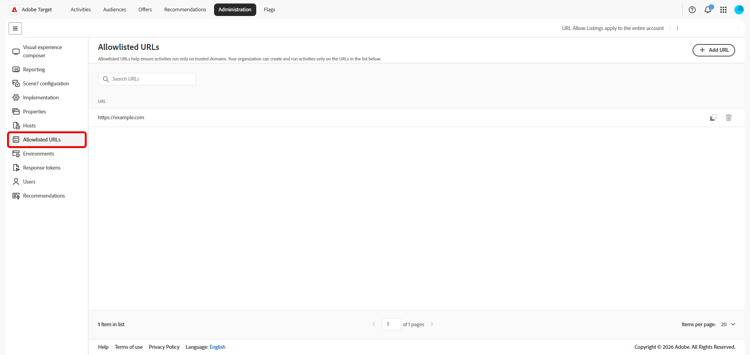
Manage allowlisted URLs add-url
The main table lists each allowlisted pattern in a single column. Supported entries can include exact URLs, wildcard paths, or pattern formats your organization accepts for remote experiences.
-
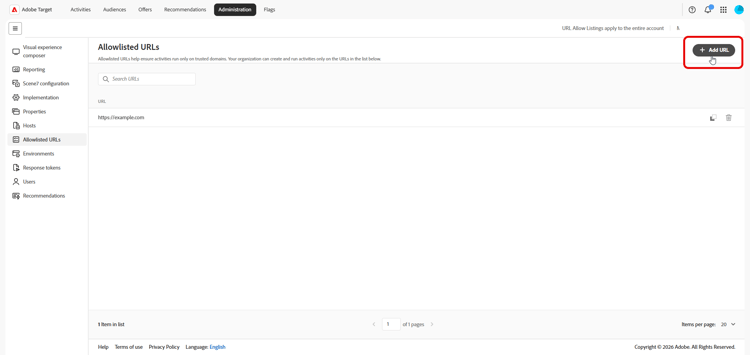
Click Add URL.
-
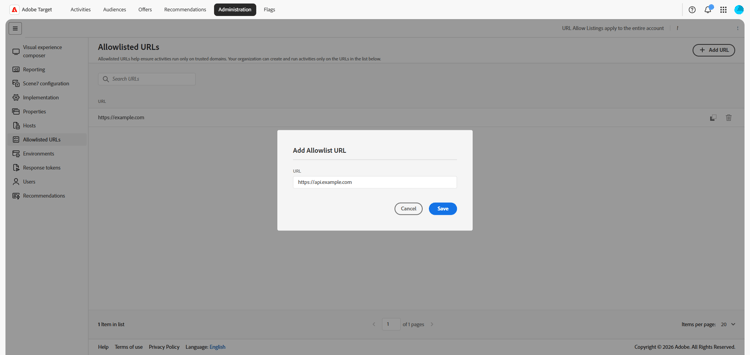
In the dialog, enter the URL or pattern your organization must allow.
-
Save your changes.
After the pattern is allowlisted, users can create or run activities and offers that rely on that URL, subject to your other Target rules.
-
Use the Search URLs field to filter the table.
-
To delete a URL, find the row for the pattern you no longer need and click the