Version 12.1
Substance 3D Painter 12.1 brings an improved baking workflow with automatic rebaking and skew correction painting, support for the OpenPBR material definition, and a new hard surface mode for automatic UV unwrapping.
Release date: June 22, 2026
Major features
Improved baking workflow with skew painting
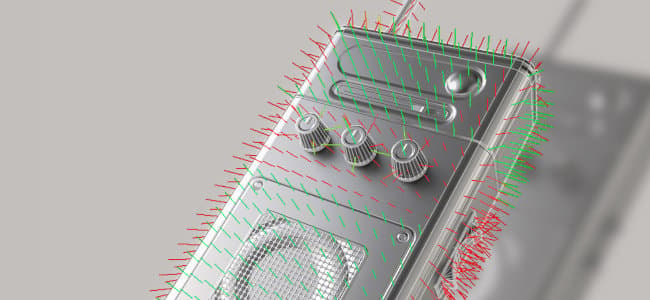
The baking workflow has been reworked to support continuous rebaking, on-mesh skew correction painting, edge protection, and a redesigned mesh map list.
-
Automatic rebaking
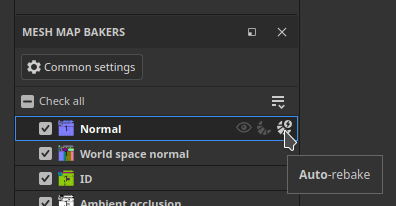
A mesh map can be rebaked continuously as its baking parameters are adjusted, removing the need to manually trigger a bake after each change. Auto-rebake is toggled per map and applies to a single map at a time. This is particularly convenient for the skew painting workflow, but also when adjusting general bake settings.
-
Skew correction painting
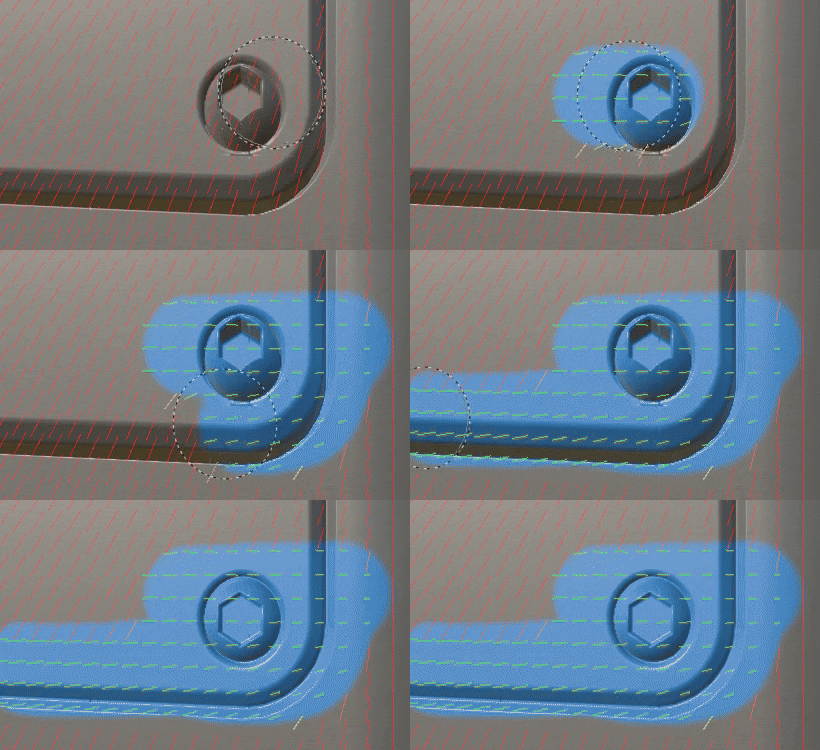
When the cage is set to Distance-based mode, skew corrections can be painted directly onto the low-poly mesh to control the projection direction used during baking. The brush, eraser, and polygon fill tools are available, with a compact grayscale value picker, symmetry, and the usual brush controls (Ctrl + Right-click to resize the brush, X to invert the painted value). Skew painting actions can be undone.
-
Edge protection
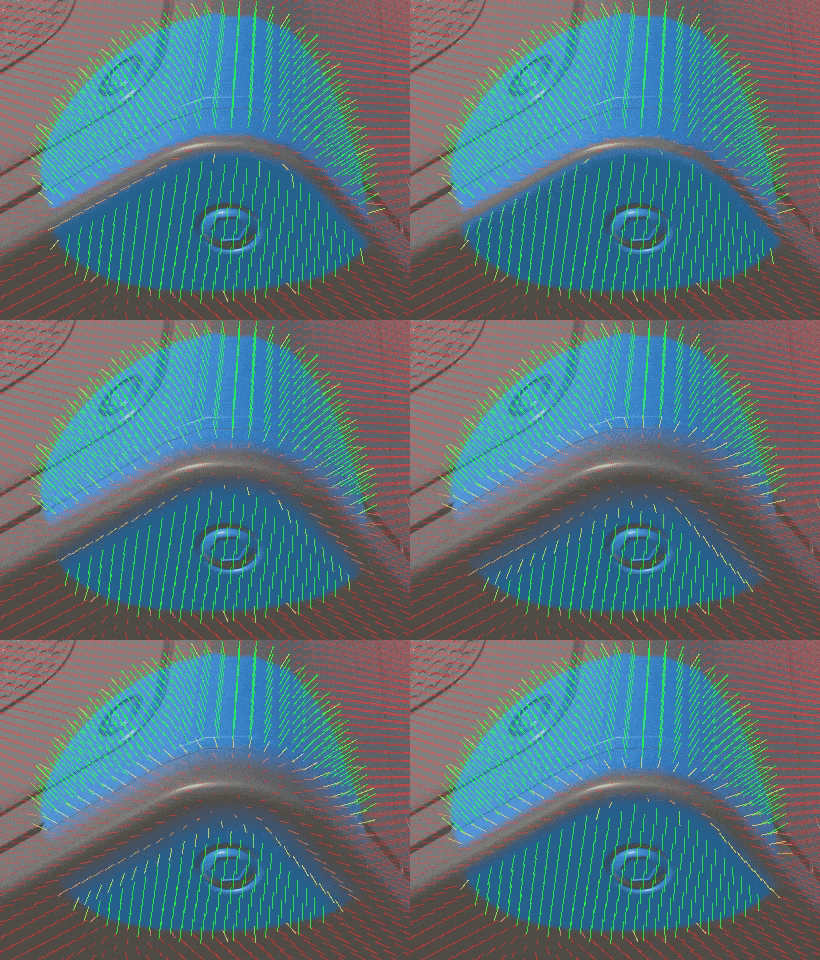
When painting skew correction, a new edge protection option preserves the high-poly softness projected onto hard edges. Its result is controlled by the Edge Distance and Edge Contrast parameters.
-
Redesigned mesh map list
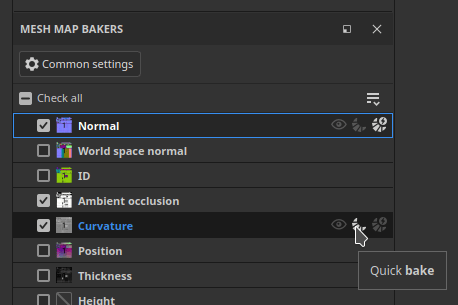
The mesh map list provides per-map controls: toggle a map as the viewport preview, quick bake a single map, toggle its auto-rebake, and sync its settings across Texture Sets (available when the project has several Texture Sets). Each control has a tooltip on hover.
-
Simplified bake button
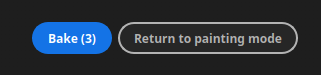
The viewport bake button has been replaced with a single Bake button that displays the number of maps to bake (Texture Sets x UV Tiles x selected mesh maps).
OpenPBR support

The OpenPBR shading model is now supported in Painter and is used as the default workflow, providing a standardized material definition that can be carried across applications.
-
New OpenPBR shader and default workflow
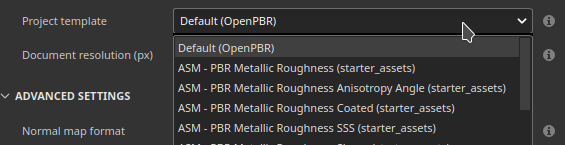
A shader implementing the OpenPBR 1.1 specification is available and used by default. A new project created without a template uses the OpenPBR shader, and the first entry of the new project window is now labeled OpenPBR instead of ASM. New project templates for OpenPBR are included, and the sample projects have been updated to use it.
-
Shader selected from the project template on import
When importing a USD or GLTF file, the shader is now set from the project template rather than guessed from the file content. A message is reported in the log when a material and a template use mismatching workflows.
-
OpenPBR naming convention on export
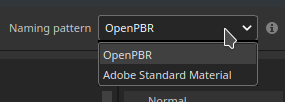
The Export Textures window has a new dropdown to choose the naming convention. It defaults to OpenPBR when at least one shader in the project uses it, and the selected scheme is reflected in each Texture Set’s list of maps.
-
USD and MDL support
OpenPBR materials are supported through the USD format. A new MDL has also been added to allow rendering OpenPBR materials in Iray, providing more accurate material representations.
New hard surface automatic unwrapping
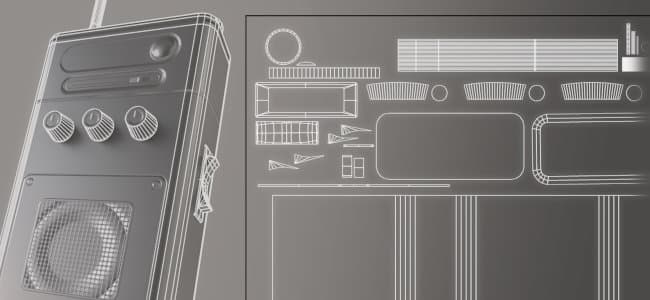
A new automatic unwrapping mode tailored to hard-surface assets has been added.
-
Hard surface unwrap mode
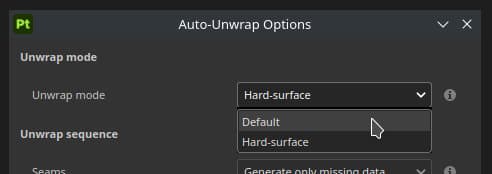
A Hard surface option is available in the automatic unwrap settings. It minimizes UV distortion and produces UV layouts aligned orthographically, which makes it better suited to mechanical and hard-surface meshes.
Miscellaneous

Additional features and improvements have been added in this version:
-
Add or remove several channels at once
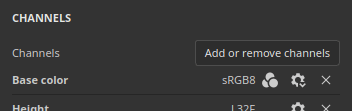
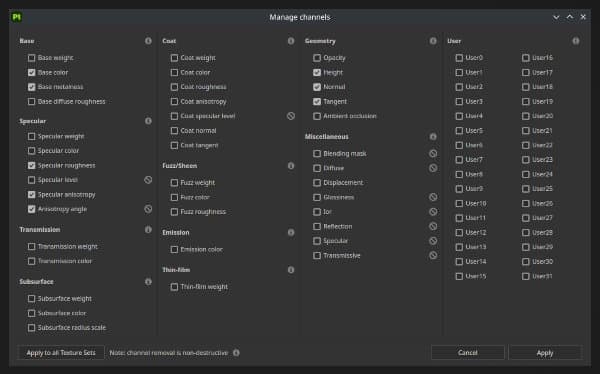
Following the introduction of OpenPBR, a new window accessible from the Texture Set settings allows selecting multiple channels at once, which is convenient when setting up the large channel list used by the OpenPBR workflow.
-
The new window is accessible in the Texture Set settings via the Add or remove channels button.
-
The window gives an overview of all the channels that can be used in Painter.
-
The Apply to all Texture Sets button can be used to edit the channel configuration of all Texture Sets at once.
-
-
Flatten all instances across Texture Sets
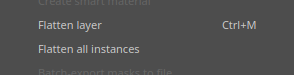
A new Flatten all instances option is available on instanced layers and groups. It produces a flattened result across every Texture Set where the instance appears, going down the whole instance tree, and is recorded as a single undo step.
-
Unified undo history
Baking and painting modes now share the same undo history. Switching between Baking mode and Paint mode is recorded as an undoable step, so actions can be undone only in the mode where they happened.
Tutorials
Take a look at our latest tutorial on Youtube:
Release Notes
12.1.5
Release date: 2026/09/15
Summary: Minor release
Fixed:
- Export image from shelf to a network does not work anymore
- [Generator] Setting “use texture” to false does not disable the use of the texture input
- Viewport freeze when saving while editing 3d projection
- Material layering resolution is too low
12.1.4
Release date: 2026/09/04
Summary: Minor release
Fixed:
- [Crash] Crash when importing or exporting files whose filenames contain non-ASCII characters
12.1.3
Release date: 2026/08/25
Summary: Minor release
Added:
- Update Substance engine to version 9.4.6v
Fixed:
- [Grayscale picker] Picker stays open after changing tool
- [Skew Baking] Skew correction breaks when painting and undoing
- [Projection Tool] Viewport interaction is blocked by projection tool
- [Dynamic Stroke] Missing Dynamic Stroke parameters in brush properties
- Export to a network does not work anymore
12.1.2
Release date: 2026/08/03
Summary: Minor release
Fixed:
- [Crash] Some Substances can lead to a crash when rendered
- [Crash] Reimport mesh while in baking mode
- [Crash] Failure to initialize graphics display can lead to a crash
- [Crash] Exporting textures can crash in some cases while updating the log
- [Crash] Crash in baking mode in some cases when loading/updating the environment map
- [Baking] Relaunching bake after modifying high poly file can lead to a freeze
- [Send to Photoshop] Fails to export layer’s mask
- [Engine] Anchor point result doesn’t render between a mask and a color channel
12.1.1
Release date: 2026/07/09
Summary: Minor release
Added:
- [Skew Baking] Expose Skew Base Normal Mode: mesh or per-triangle
- [Properties] Make uniform colors always reset to their channel’s default value
- [OpenPBR] Regroup channels by categories in Export Textures window for output templates creation
- Update Substance engine to version 9.4.5
Fixed:
- [Project] Opening and saving some projects can take longer than usual
- [Crash] Reload several meshes can lead to a crash
- [Crash] Deleting a channel while in mask view mode leads to a crash
- [Crash] Some Substances can lead to a crash when rendered
- [Paint Skew] Selected tool in paint skew stays selected after switching to Painting Mode
- [Baking Common Settings] Cage Distance settings don’t update cage wireframe and shader visualization
- [Engine] UV padding “3D Space Neighbor” mode doesn’t work well on thin triangles
- [Engine] Anchor point result doesn’t render between a mask and a color channel
12.1.0
Release date: 2026/06/23
Summary: This update is a major release, it contains bakers improvements with New baking default UI state, painting skew map, auto rebake, new option for Auto UV unwrap for hardsurface meshes and OpenPBR. For further details, see the complete release notes.
Added:
- [Skew baking] Skew Painting Tools
- [Skew Baking] Add Skew Preview shader and Skew Direction Vector visuals when painting skew map
- [Skew Baking] Add Edge Protection option
- [Skew baking] Auto rebake
- [Skew Baking] Rework Mesh map List UI
- [Skew Baking] Split Mesh Map / Common Baking settings + Move Common Settings out of mesh map list basecolor or mask only
- [Skew Baking] Change viewport toolbar buttons
- [Skew Baking] Show Symmetry toggle for brush in top toolbar
- [Skew Baking] Rename Options in mesh map List Sync menu
- [Skew Baking] Update Sync and Checked state dialogs
- [Skew Baking] Create Grayscale color picker variant
- [Skew Baking] Update baking mode icon
- [Auto Unwrap] Integrate Hard Surface option
- [OpenPBR] Add support for OpenPBR 1.1
- [OpenPBR] Make OpenPBR the default workflow and shader
- [OpenPBR] Import OpenPBR materials and textures via USD
- [OpenPBR] Export OpenPBR materials and textures via USD
- [OpenPBR] Update Export Textures window to show OpenPBR naming convention
- [OpenPBR] Add documentation about changes to support OpenPBR
- [OpenPBR][Iray] Add new MDL to support OpenPBR 1.1 in Iray
- Several minor improvements to USD exports
- [UI] Add warning in the viewport when trying to paint on another Texture Set
- [Flatten] Allow to flatten all instanced layers across Texture Sets
- [Texture Set settings] Allow to select several channels at once via new window
- [History] Update “value” Undo entry wording to reflect parameter name
- [Layer stack] Make fill effects in masks default to white (1.0)
- [Substance] Add new “mesh_hard_edges_triangle” engine map input
- [Substance] Add new “mesh_hard_edges” engine map input
- [Shader] Prevent shader instances to share the same names
- [Shader] Use the shader from the project template when importing a USD or GLTF file
- Update Adobe Color Engine to version 7.0
- Upgrade minimum MacOSX version to 13.0 (Ventura)
- [Content] New project templates for OpenPBR
- [Content] Update sample projects to use the new OpenPBR shader
- [Python] Expand Geometry Mask API to allow inclusion and exclusion modes like in UI
Fixed:
- [Crash][Mesh Maps Settings] Apply settings to other texture sets
- [Crash] When baking curvature from map without world space normal
- [Crash][Baking] Baking with custom cage enabled but no file selected crashes
- [Crash] Cancelling AO baking
- [Auto-Cage] Infinite load when high poly file path is invalid
- [Linux][Windows] Color picker can sometimes be fully black or not appear
- [Polygon Fill Tool] The tool does not work with non-PBR
- [[Paint] Deleting base color channel does not delete previously painted color
- [USD] Shader instances are not all correctly detected
- [Substance] Only the first usage of an input/output node is taken into account
- [Shader] Ambient Occlusion is applied twice with Texture Sets using different mixing methods
- [Engine] Normal textures with empty blue channel (black) can lead to wrong blend results
- [GLTF Import] Alpha blending is enabled on every texture sets
- [GLTF Export] Alpha blending is always enabled at export
- [Export] Double sided geometry is always disabled when importing a GLTF file
- [Javascript] Modification of shaders settings don’t contribute to undo history
- [Samples] Subsurface scattering is not enabled in Display Settings for Meet Mat