Polygon fill
The Polygon Fill tool (

Polygon fill tool functions on Paint Layers, but is limited to basecolor only and not intended for this purpose. Use it for masks only.
It has 4 selection modes:
-

-

-

-

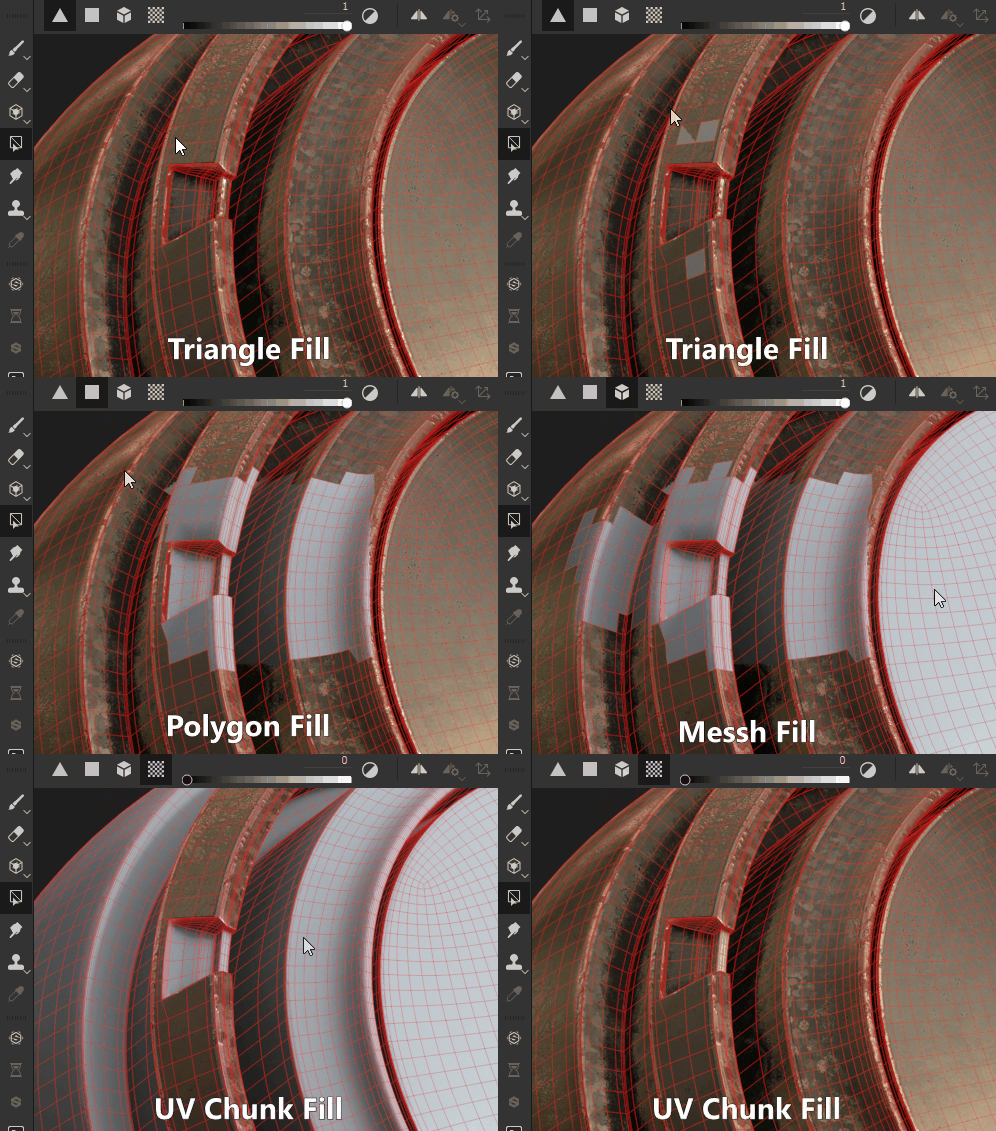
These 4 Modes can be combined and switched, meaning some smart usage lets you quickly mark and unmark sections in a mask using Mesh and UV chunk mode.
The (default) hotkeys associated to Polygon Fill tool are:
- Numeric key 4 - selects the Polygon Fill tool.
- X - Inverts current color when painting masks. Will quickly swap black for white. In material painting mode this hotkey has no effect.