Automatic resource update

The automatic resource update, or auto-update, is a feature of the Assets window that allows to reload and updates resources when new versions are available. This process can be triggered automatically or manually in the interface, or via Python scripting.
Tutorial
You can watch a quick tutorial to get an overview of the feature:
Enabling auto-update
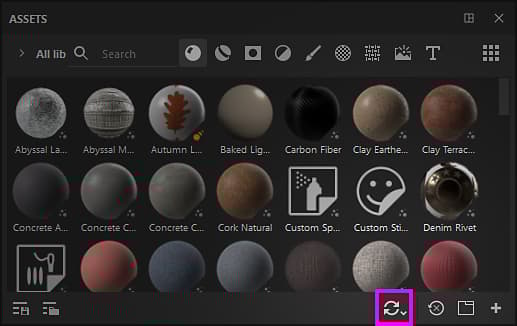
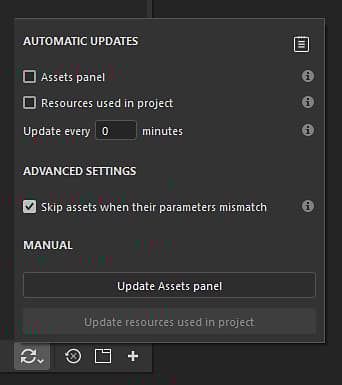
To enable the auto-update simply go to the bottom of the Assets window and click on the double arrows icon. This will open the auto-update menu with all its setting. Then enable one of the option available under the automatic updates section.
Automatic updates
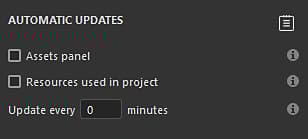
The automatic update settings control how often the application should look for updates and where.
Manual updates
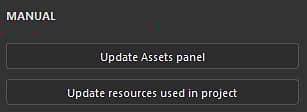
The manual update actions are a convenient way to trigger the update system when desired. They can be used either with or without automatic update settings enabled.
Advanced settings
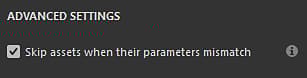
The advanced settings allow to control the behavior of the update process.
Update status and log
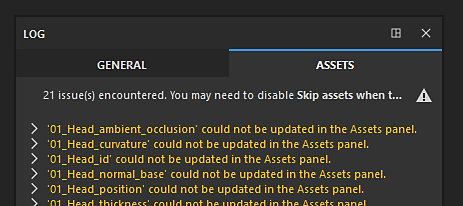
After an update of resources happened (automatic or manual) the result of the process will appear inside the Assets tab in the Log window, reporting both successful updates and issues. In case of a resource mismatch (see above), the details of the issue we be provided per resource.
The log can be quickly opened by clicking on the dedicated icon at the top right of the auto-update menu:

Depending how the update process goes, several type of issues can appear:
Old project message
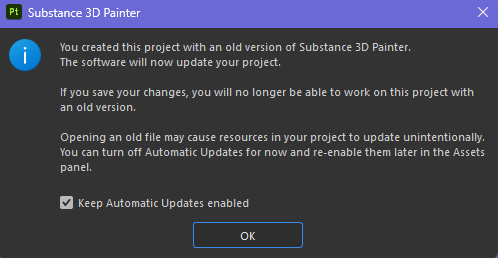
When opening an old project, an option will be available inside the popup message warning to inform about the auto-update process. This is a convenient way to quickly disable the auto-update process in case it stayed enabled before opening the old project.