Export window
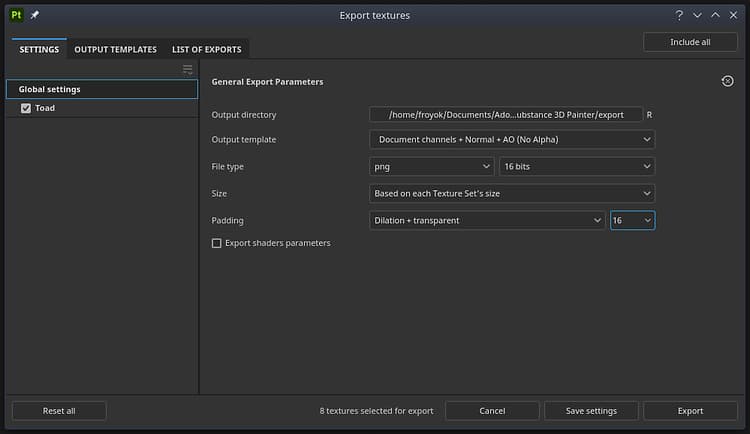
Open the Export window with File > Export textures or keyboard shortcut Ctrl + Shift + E.
The Export window is divided into three tabs:
The bottom of the window has several buttons:
- Reset all (only on the Settings tab): reset the export configuration of the project.
- Cancel: Close the window without saving any changes.
- Save settings: Save the current export settings into the project.
- Export: Start the export with the current export settings and automatically switch to the List of exports section to track export progress.
recommendation-more-help
substance-3d-painter-help-guide