Multi Clone Patch
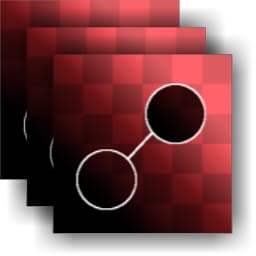
Multi Clone Patch (Grayscale)
In: Material Filters/Scan Processing
Complex
Description
This node is the Multi-input version of Clone Patch. It links together up to eight inputs and performs the exact same Clone Patch operation on all of them. It is mainly intended for use with multi-angle photos, which are then combined with Multi-Angle to Albedo or Multi-Angle to Normal.
| note note |
|---|
| NOTE |
| See Clone Patch for more info, see Material Clone Patch for the material version. |
Parameters
Parameters
-
Input Count: 1 - 8Sets amount of inputs that will receive the same Patch operation.
-
Is Normal (only for Color): False/TrueSets whether the input is a Normalmap, and whether blending should be treated as such.
-
Shape: Square, DiscSets Stamp shape. Used only as base.
-
Edge
- Threshold: 0.0 - 1.0Sets how far the blended area should reach. This grows in steps along shapes in the target area; it has very little effect with uniform backgrounds*.*
- Blur: 0.0 - 2.0Blurs the edges of the stamp area, in case a softer transition is needed.
- Smoothness: 0.0 - 2.0Rounds off the edges of the stamp shape, making for smoother-flowing outlines.
- Grid Resolution: 1 - 11Sets quality resolution of the blending analysis. A higher value means more accurate blending.
-
Transformations
- Source Matrix: *(Transformation Matrix)*Transforms source (Scale & Rotation). Cannot be done on canvas, change through these parameters only.
- Source Offset: -0.5 - 0.5Translates source location. Cannot be done on canvas, change through these parameters only. This parameter is probably the main one you want to change!
- Target Matrix: *(Transformation Matrix)*Transforms target location (Scale & Rotation). Can also be done through gizmo on canvas.
- Target Offset: -0.5 - 0.5Translates target location. Can also be done through gizmo on canvas.
Example Images
| table 0-row-1 1-row-1 |
|---|
| There are no images attached to this page. |