Multi-Angle to Normal
Multi-Angle to Normal
In: Material Filters/Scan Processing
Intermediate
Description
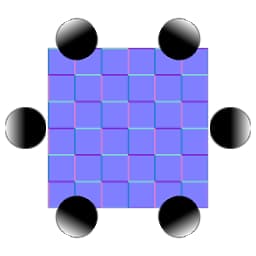
This node constructs a Normalmap out of a set of photographs/scans made under different lighting conditions. It allows for a much more accurate Normalmap conversion than when trying to extract Normals from one single albedo image.
It is more complicated than Multi-Angle to Albedo, as it requires you to use set, precise lighting angles for your inputs. Every sample’s lighting angle should be spaced evenly and samples need to be input in sequence. So for three samples, lighting angles should be taken at: 0, 120, 240 - or any uniform offset of that (such as 90, 210, 330).
| note |
|---|
| NOTE |
| See Multi-Angle to Albedo for the albedo version of this node. If you want to pre-process your inputs, Multi Color Equalizer, Multi Crop and Multi Clone Patch can be of use, since they are intended to be combined with these nodes. |
Parameters
Inputs
- Input 1-8: Color Input
Parameters
- Normal Format: DirectX, OpenGL
Switches between different Normalmap formats (inverts the green channel). - Samples Amount: 2 - 8Sets amount of samples (inputs) to process.
- Intensity: 0.0 - 1.0Sets Normalmap intensity.
- First Sample Light Angle: 0.0 - 360.0Sets the lighting angle direction of the first input.
- Next Sample Light Angle: Counterclockwise, ClockwiseSets towards which direction the lighting in the next sample moves.
Example Images
| table 0-row-1 1-row-1 |
|---|
| There are no images attached to this page. |