Variables
Variables are a way of storing values to fetch it later (Get) and/or modify it (Set).
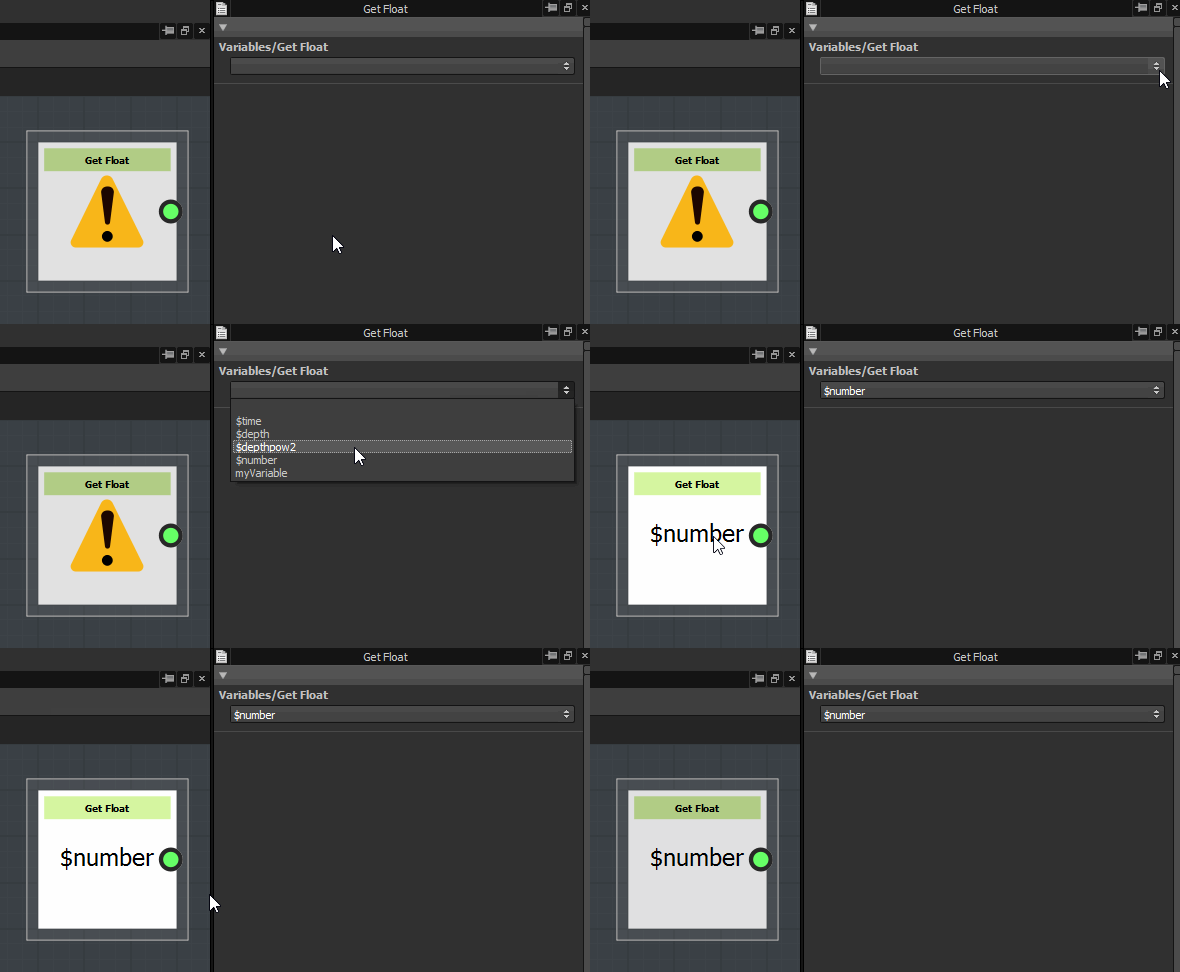
What a Get node essentially does, is grab a dynamic Variable, and return it from the Get Nodes’ output for use in a function. These Get nodes form the link between the Input Parameters defined in the graph parameters and parameter functions.
Every time you use a Get node, you must pick an available value from the dropdown menu. Get nodes will grab a value of the corresponding type. That means you will only see valid options in the menu of a Get node, you can never pick an invalid option. If a variable is not available, it means there’s a type mismatch
There are a number of “System” Variables: pre-defined special variables that you can not declare yourself. These are quite important, and for the nodes below it is listed what System variables are available.
When a parameter is exposed, it consists of applying a parameter function on it which only includes a Get node of the correct type.
Get

These nodes let you fetch the value of a variable which exists in the current scope.
The name of the variable being fetched is set in the Properties dock.
‘Get’ nodes some limitations you need to be mindful of:
- They are typed, therefore you need to make sure the variable holds a value of the same type as the node. Type mismatches are reported in the Console.
- They do not check for the existence of the variable in the current scope. Unfound variables are reported in the Console.
- In complex functions using control flow nodes such as Sequence, be mindful about the order in which you set and get variables. When Designer detects a case of ‘Get before Set’, it is reported in the Console.
Get nodes

Get Float
Get Float2

Get Float3

Get Float4

Get Integer

Get Integer2

Get Integer3

Get Integer4

Get Boolean
Get String
Set
Is defined