This page lists warnings and errors messages which may be triggered by MDL graphs in Substance 3D Designer, and offers common troubleshooting steps for each.
Warnings are displayed in the warning icon’s tooltip for the graph resource in the Explorer panel, as well as in the bottom left corner of the Graph view if the graph is loaded.
NOTE
The illustrations in this section were recorded in Substance model graphs, which were retired in version 13.0.0 of Substance 3D Designer. However, they also apply to MDL graphs.
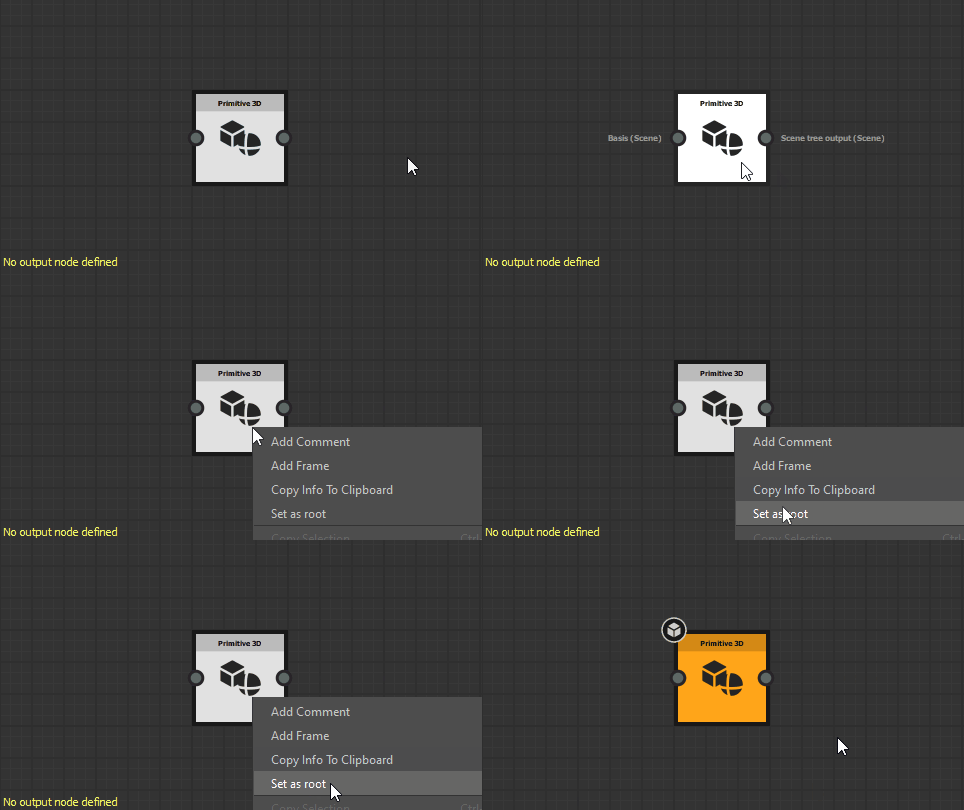
Select any node in the graph which outputs a value which type matches the expected type for this function if any, then click RMB and select the Set as root option in the contextual menu or double-click LMB on the node. A Substance model graph’s output node is colored orange.
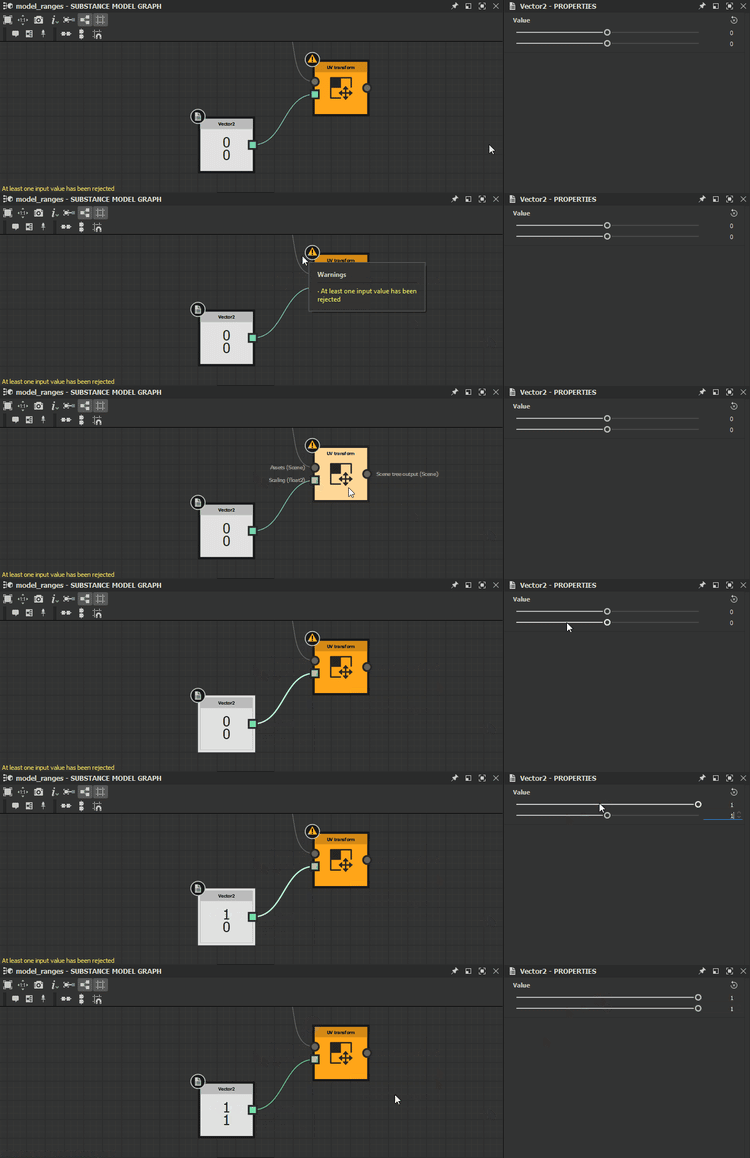
At least one input value has been rejected
The value provided for a parameter does not result in a valid computation of the node.
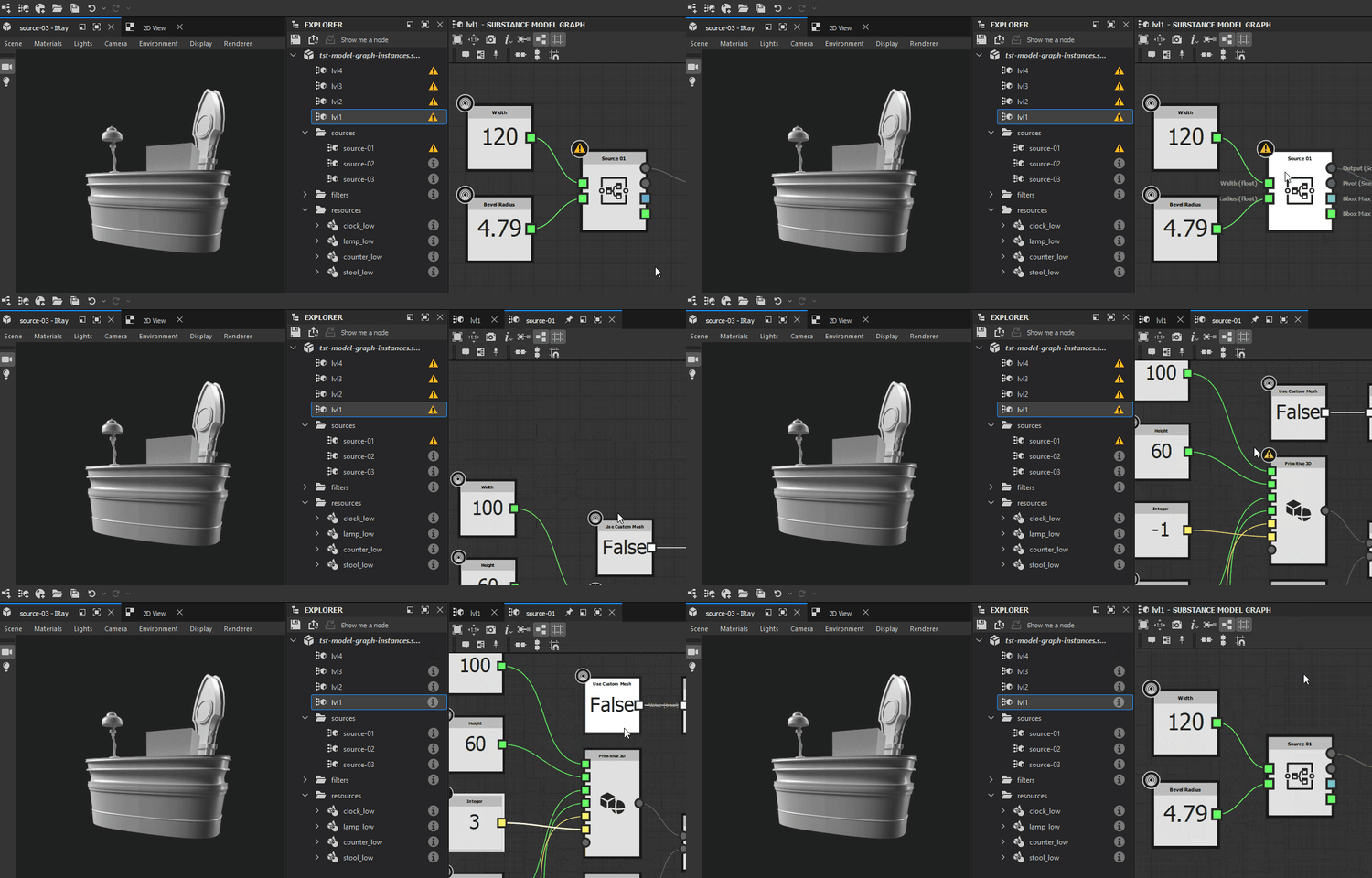
Check that the source graph exists in the package located at the path saved in their Package attribute. If it does not, delete the instance node and replace it with an instance node referencing a valid package. Alternatively, you may recreate the package and graph referenced by the instance node, then reload the host package by clicking RMB on it in the Explorer panel and selecting the Reload option in the contextual menu.
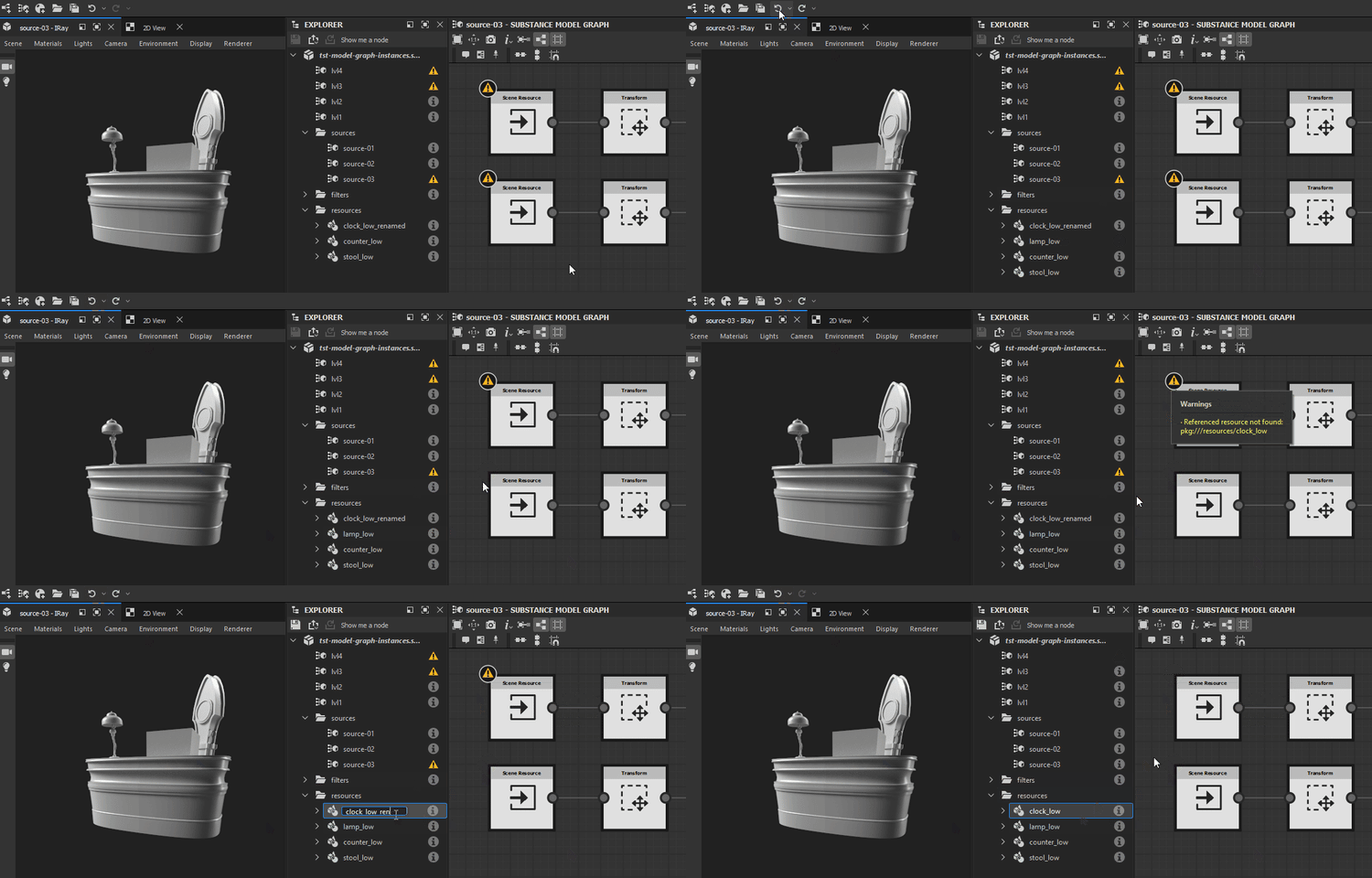
For Scene resource nodes
Find the referenced resources in the Explorer panel and check they exist at the location saved in their File Path attribute. If they do not, click RMB on the resource item in the Explorer and select the Relocate… option in the contextual menu to set a new valid target file for that resource.
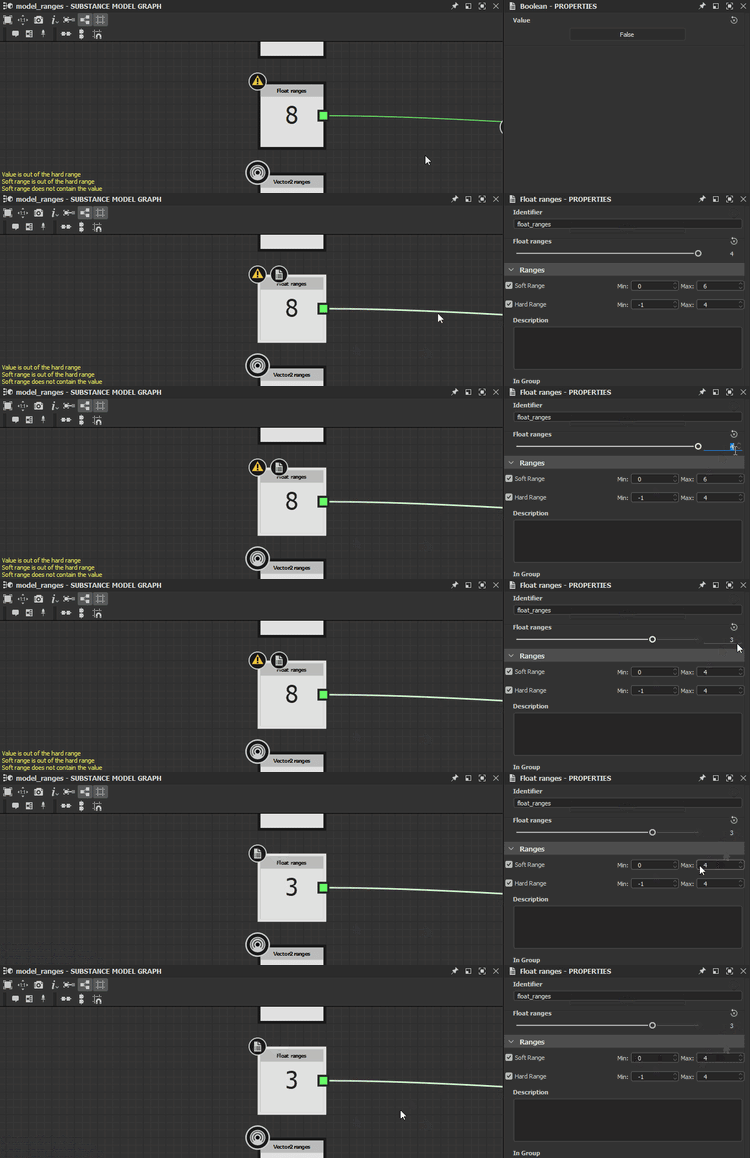
Soft range does not contain the value
The default value of an exposed parameter is not included in the soft range defined for that parameter.
Adjust the default value or soft range so the former is included in the latter.
NOTE
This warning cannot be triggered through the user interface, since it automatically adjusts the soft range to include the default value. Only modifying the data in the Substance 3D file (SBS) directly can result in this warning being triggered.
Soft range is out of the hard range
The soft range of and exposed parameter is not entirely included in the hard range defined for that parameter.
Adjust the soft range or hard range so the former is fully included in the latter.
NOTE
This warning cannot be triggered through the user interface, since it automatically adjusts the soft range to be fully included in the hard range. Only modifying the data in the Substance 3D file (SBS) directly can result in this warning being triggered.
Value is out of the hard range
The default value of an exposed parameter is not included in the hard range defined for that parameter.
Adjust the default value or hard range so the former is included in the latter.
NOTE
This warning cannot be triggered through the user interface, since it automatically adjusts the default value to be included in the hard range. Only modifying the data in the Substance 3D file (SBS) directly can result in this warning being triggered.