Use your AEM website & AEP sandbox
When taking the Agentic AI Tech Labs, you will be using an existing AEM as a Cloud Service program using Edge Delivery Services. This AEM as a Cloud Service program using Edge Delivery Services has been created for you and is already available at the start of the Tech Labs.
Your number
When you got access to the enablement environment, a number was assigned to you. This number indicated which AEM as a Cloud Service program that you need to use and it also indicates which AEP sandbox that you need to use for the Brand Concierge Tech Lab.
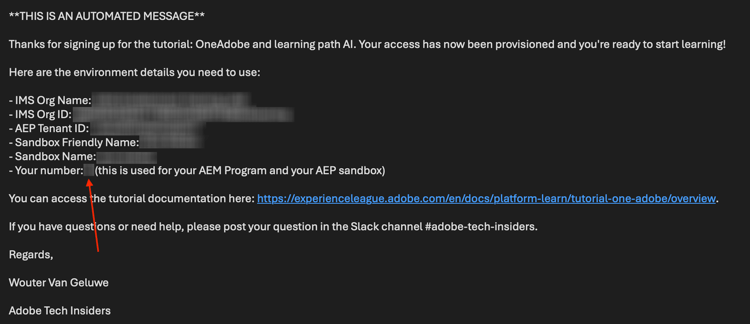
Your AEM program
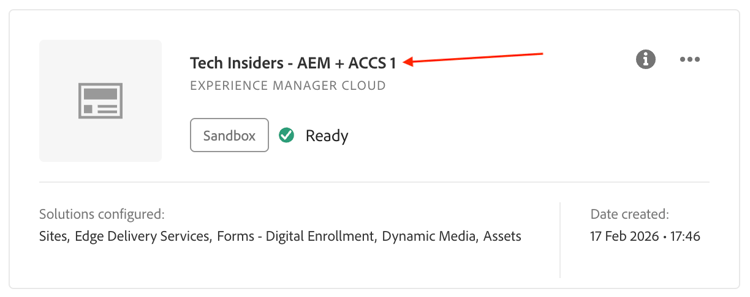
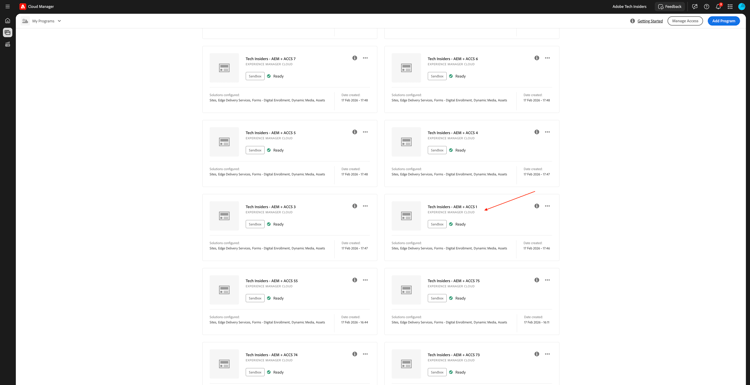
Your AEM program uses the number that was assigned to you in its name. The name of your AEM program should be one of the below:
Tech Insiders - AEM + ACCS Xwhereby X stands for the number that was assigned to you.Tech Insiders On Demand - AEM + ACCS Xwhereby X stands for the number that was assigned to you.--aepUserLdap-- - CitiSignal AEM+ACCS, in this case you don’t have a number as you’re using your own AEM program that you created yourself.
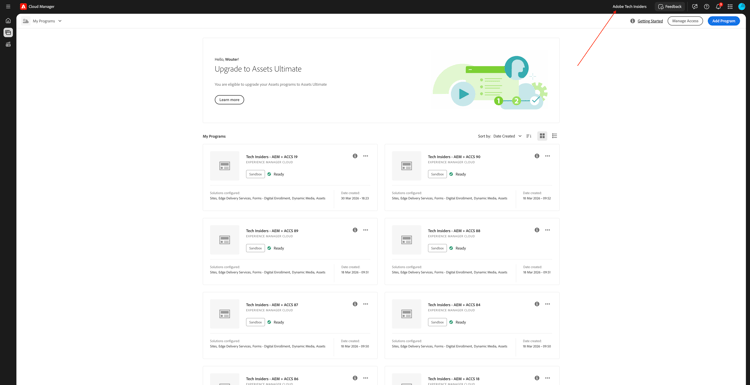
You can access and find your AEM program by going to https://experience.adobe.com/cloud-manager/landing.html. Please ensure that the environment that is selected is --aepImsOrgName--, you can verify this in the top right corner of your screen.
De-hibernating your AEM program
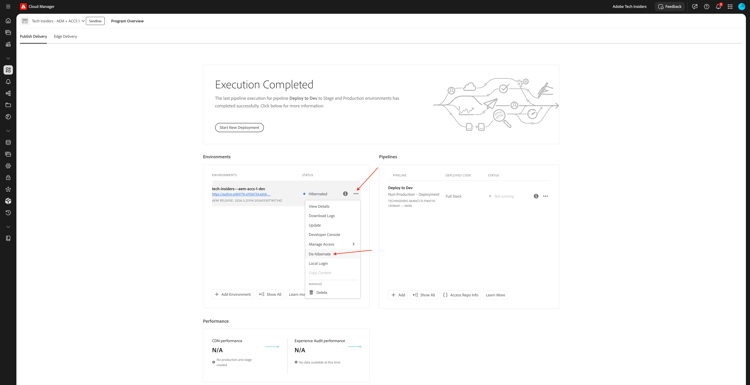
The AEM program that is used is a ‘sandbox’ program. AEM sandboxes will hibernate automatically atfer not being used for a couple of hours, which means that you will need to de-hibernate those sandboxes prior to using them. To de-hibernate a program, go to https://experience.adobe.com/cloud-manager/landing.html. Click to open your program.
You should then see this. Click the 3 dots … and then select De-hibernate.
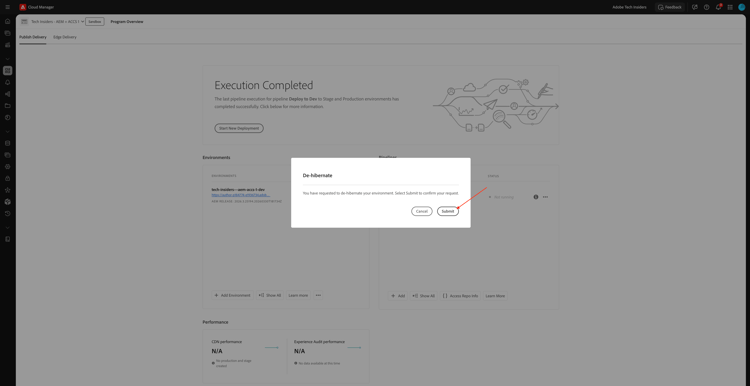
Click Submit. De-hibernation takes 10-15 minutes.
GitHub repository for your AEM program
Each AEM program is using Edge Delivery Services to deploy your website. This means that the code of your website is hosted in a GitHub repository. The GitHub repository has been created for you and can be accessed by going to:
https://github.com/woutervangeluwe/techinsidersX-citisignal-aem-accs, whereby you have to replace X by your number.
Your GitHub repository should look like this.
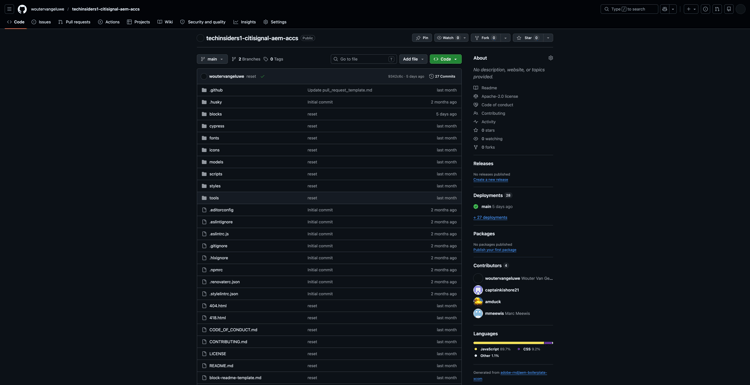
As part of the onboarding process before the start of your Tech Lab sessions, you will be asked to provide your GitHub username. By providing your GitHub username, you will be added as a collaborator to the GitHub repository that is attached to your website so that you can make changes to it.
Access your website
To access your website, you can use these default URLs:
https://main--techinsidersX-citisignal-aem-accs--woutervangeluwe.aem.page/https://main--techinsidersX-citisignal-aem-accs--woutervangeluwe.aem.live/
You need to replace the X in these URLs by the number that was assigned to you.
Additionally, a custom domain name has been created for each website, which you can access using this URL:
https://techinsidersX.adobedemosystem.com/
You need to replace the X in these URLs by the number that was assigned to you.
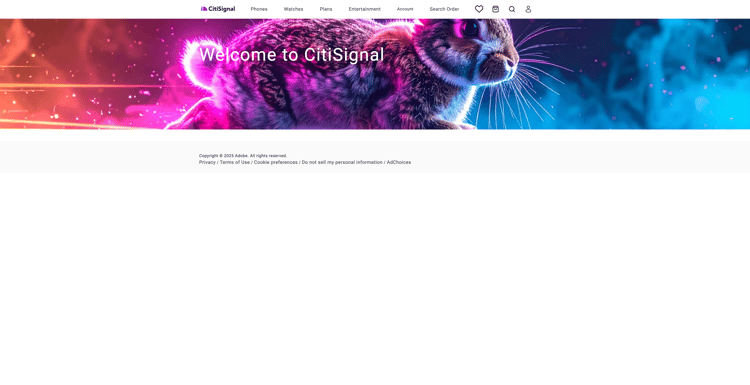
You should then be able to see your website, which looks similar to this:
Your AEP sandbox
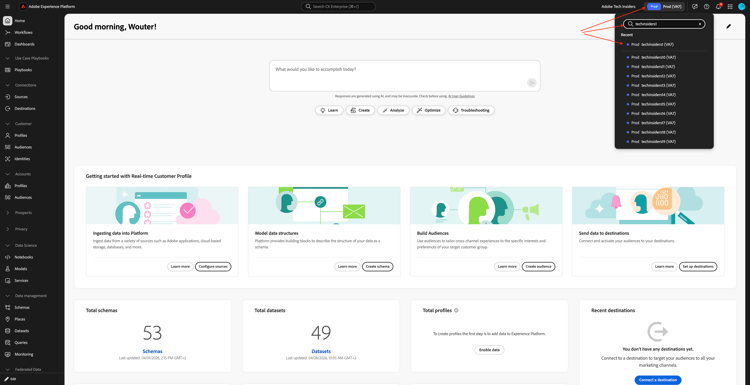
For the Brand Concierge Tech Lab, you need to use a specific AEP sandbox. This AEP sandbox is named: techinsidersX, whereby you need to replace the X by the number that was assigned to you.
Go to https://platform.adobe.com. In the top right corner of your screen, open the dropdown to select your sandbox.
You only need to use this sandbox for the Brand Concierge Tech Lab.
Next Steps
Go back to Getting started - Agentic AI
Go back to All modules./images