Set Stream Cadence set-stream-cadence
You can send engagement content at any interval you want. For example: once a week, or every third Tuesday of the month.
Set Cadence set-cadence
-
Go to Marketing Activities.
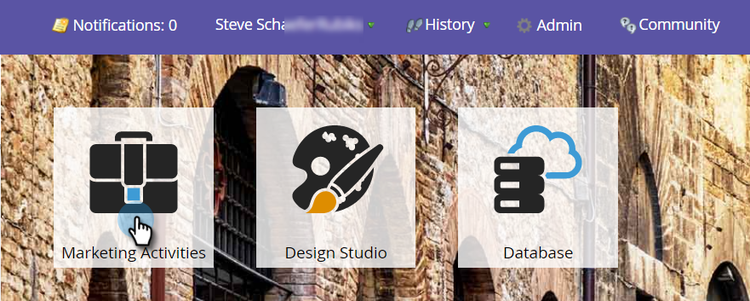
-
Find and select your engagement program, click the Streams tab, then click Set Stream Cadence.

-
Select how often you want the cadence to recur. You can choose Weekly or Monthly.
Weekly weekly
-
Select Weekly.
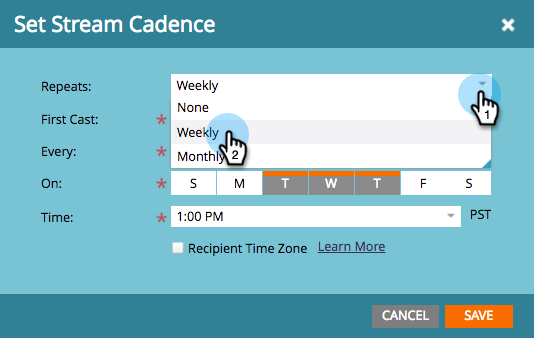
note NOTE Selecting None will shut off the stream. -
Pick the date of the first cast.
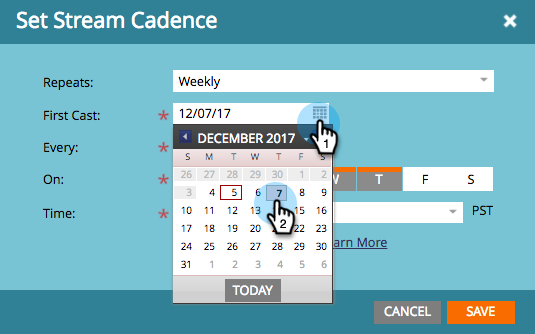
-
Now choose if you want the cadence to happen every week or more spaced out. Pick every 2 weeks.
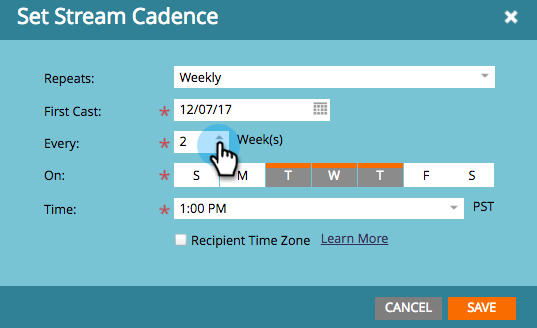
-
Decide which days of the week. In this case, select Tuesday, Wednesday, and Thursday.

note tip TIP You can set your cadence to run every day by picking Repeats: Weekly / Every: 1 Week / On: all days. Now pick the Time. Check the box if you want to use Recipient Time Zone(i.e., deliver according to local time zones), then click Save.
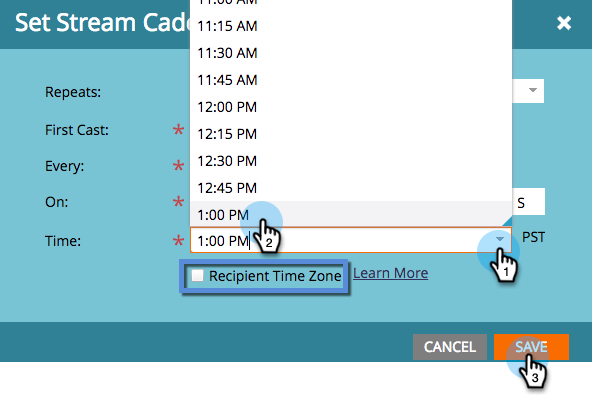
note caution CAUTION The content will go out on the date you select for the first cast, so make sure it coincides with the day of the week you choose; otherwise it will go out twice in the first week. -
Hover over the cadence. The days of future casts will appear.

note NOTE In this example, an email will go out on Thursday. The following week is skipped, and the email sends again on Tuesday, Wednesday, and Thursday of the week after. The cycle then repeats.
Monthly monthly
-
Select Monthly for how often it repeats.

-
Pick the date of the first cast.
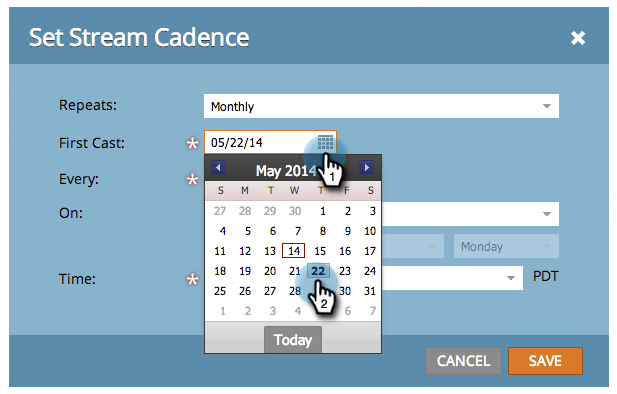
-
Select if you want it to be every month or more spaced out. Pick every fourth month.

-
Pick which day of the month you specified, in this case the 22nd of every fourth month.
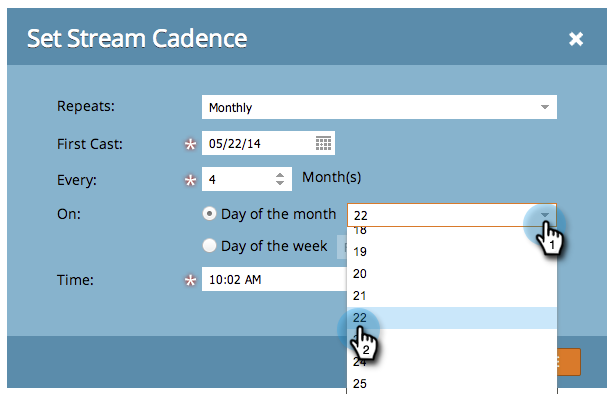
note tip TIP Alternatively, you can pick day of the week. -
Pick a Time and click Save.

-
Hover over the cadence. The days of future casts will appear.

note caution CAUTION If you decide to modify your engagement stream cadence later, make sure the first cast is set to a future date.
Now you know how to set up a stream cadence.