View Smart Campaign Results view-smart-campaign-results
Learn how to view the results of your Smart Campaign.
You can see the list of people who were processed by the Smart Campaign by clicking View Campaign Members.
-
In your Smart Campaign, click Results.

note tip TIP You can also filter the results based on activity type. Learn how to filter Smart Campaign results. -
Click an ID to view more detail about that particular activity.
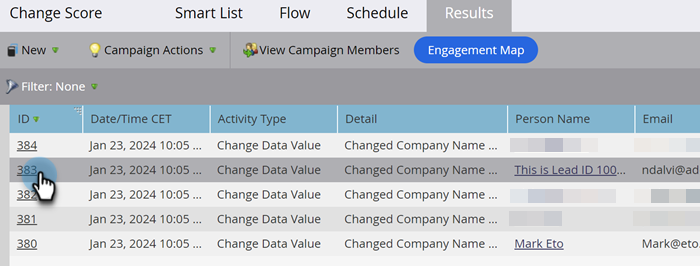
note tip TIP View person details by clicking the person’s name. Dig into the results to see what your campaign actually did, or export Smart Campaign results to Excel.
related-articles Related Articles Filter Smart Campaign Results
recommendation-more-help
marketo-help-marketo