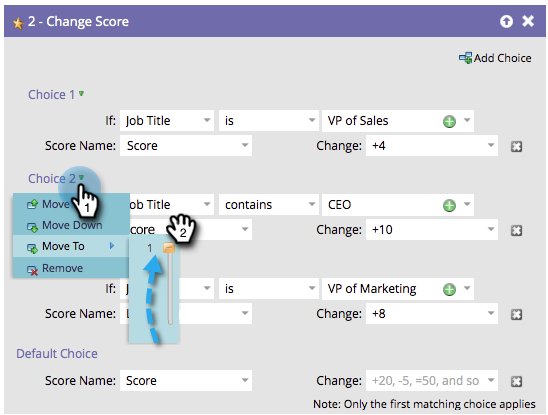
Reorder Add Choice in a Flow Step reorder-add-choice-in-a-flow-step
Since only the first matching choice applies to a person, order matters. If you want to change the order of the conditions set in a flow step, here’s how.
-
Find the flow step you want to change the order of a choice for.

-
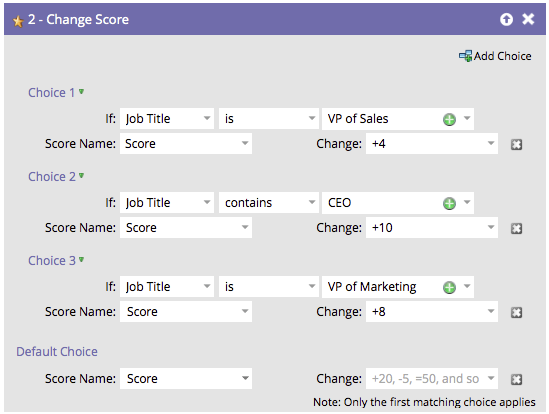
In this example, let’s move Choice 3 up above Choice 2. Click on Choice 3 then click Move Up.
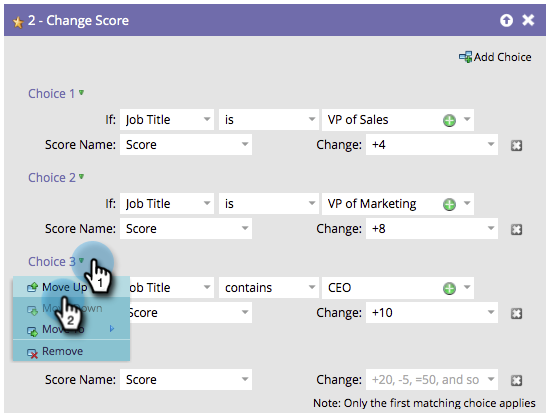
note NOTE When reordering, you can Move Up, Move Down, or Move To. You can move a choice up or down by single increments.
OPTIONAL STEP: If you have many choices and need to move one multiple levels up or down, you can use this alternate method to save some time. Click on the choice you want to move, then under Move To, drag the slider to the position you want to move the choice to.