Editing Entries in the Program Schedule View editing-entries-in-the-program-schedule-view
You can make edits to the different elements of your program in the schedule view.
Edit an Entry’s Name edit-an-entrys-name
-
Select the entry you’d like to edit.
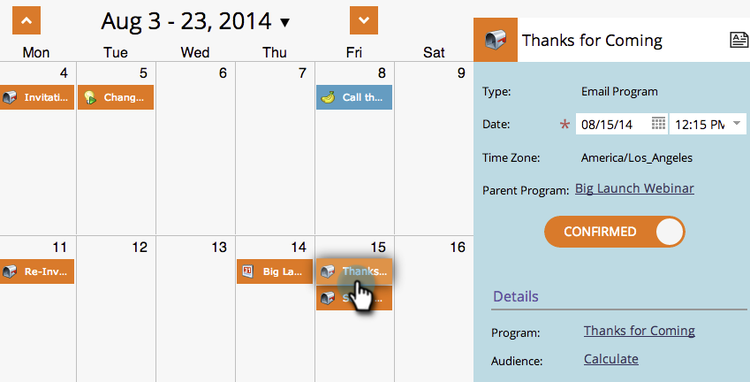
-
Type in a new name and press Enter/Return on your keyboard to confirm the change.

Edit an Entry’s Description edit-an-entrys-description
-
Click the description icon.

-
Edit your description. Click Save.
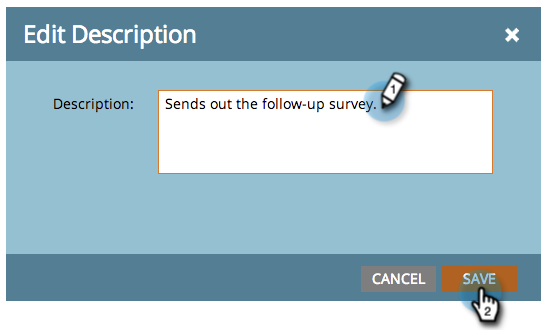
-
The description has been updated.

Edit an Entry’s Date edit-an-entrys-date
-
Select the new date.
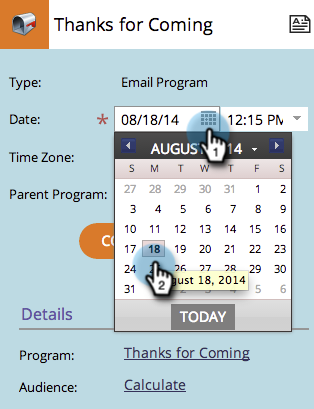
The date of your entry has been updated.