Sharing a Filter Definition in the Marketing Calendar sharing-a-filter-definition-in-the-marketing-calendar
Filters can be shared amongst different users.
PREREQUISITES
NOTE
If you make a change to a saved filter, be sure to re-share it; your edits will not be reflected for other users until you do.
-
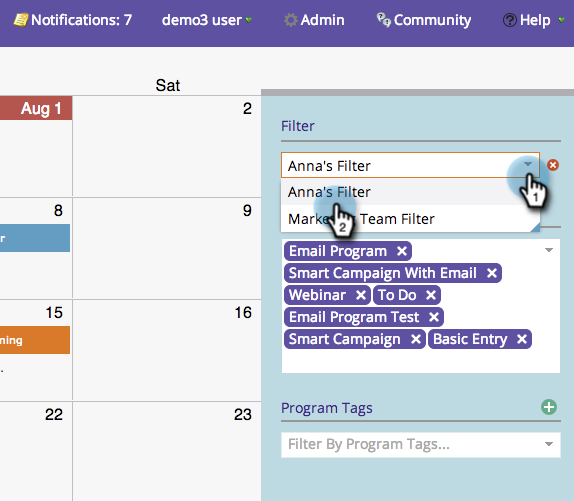
Select the filter you’d like to share.
-
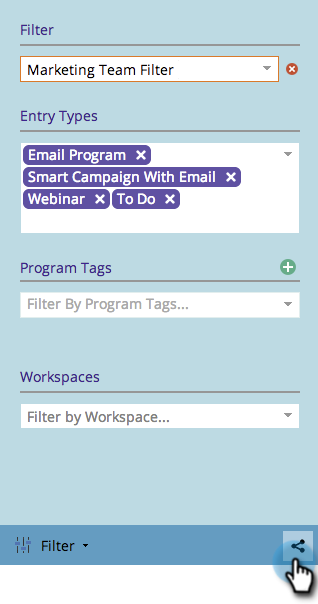
Click the share icon in the bottom right corner.
-
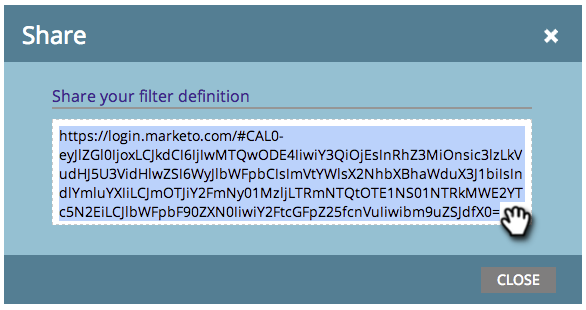
Copy the URL and share it with other Marketo users.
note note NOTE User permissions will affect visibility.
recommendation-more-help
94ec3174-1d6c-4f51-822d-5424bedeecac