Change Your Time Zone change-time-zone
Learn how to change the time zone in your Marketo Engage subscription.
-
Go to the Admin area.

-
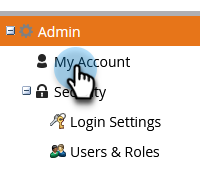
Select My Account.
-
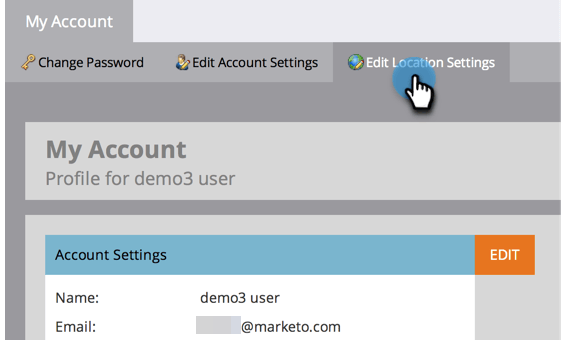
Click the Edit Location Settings tab.
-
A modal appears. Click the Time zone drop-down and make your selection.
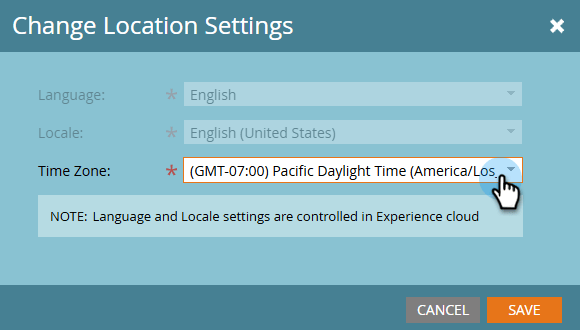
note NOTE Language and locale are grayed out, as those settings must be accessed in your Adobe account profile. -
Click Save.