Change the Type of a Marketo Custom Field change-the-type-of-a-marketo-custom-field
Learn how to change the field type of a custom field.
-
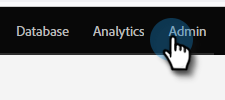
Go to the Admin area.
-
Click Field Management.

-
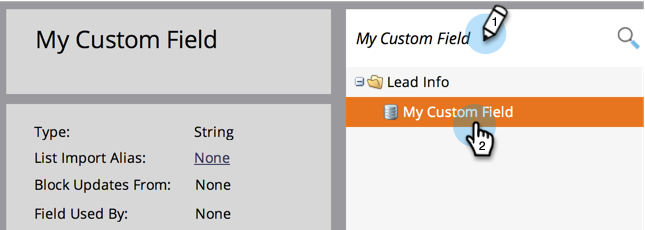
Find and select the desired field.
-
In the Field Actions drop-down, click Change Type.

-
Select the new type.
note NOTE Score and formula fields cannot be changed. 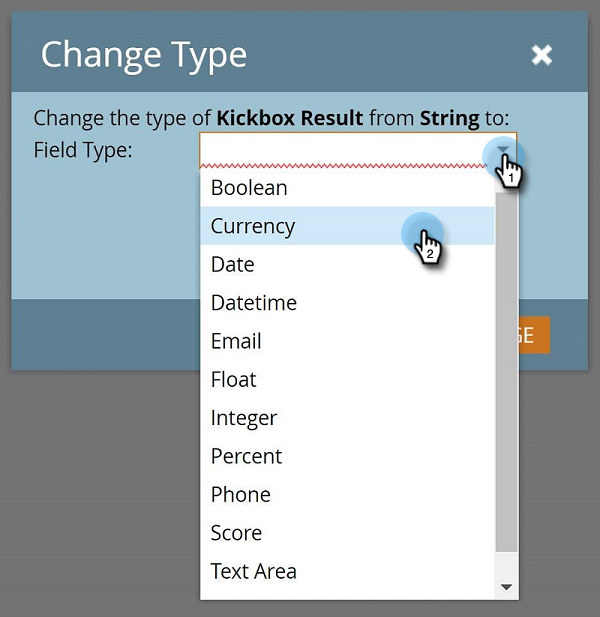
-
Read the warning, then click Change to confirm.
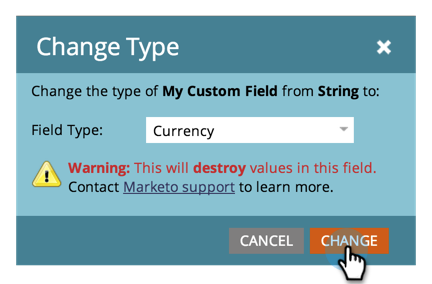
note NOTE The warning message you see will vary depending on what field type you are changing from and to. related-articles Related Articles Create a Custom Field in Marketo