SEO - Remove/Delete a Page seo-remove-delete-a-page
Learn how to delete a page.
IMPORTANT
On March 31, 2026, Marketo Engage will deprecate the Search Engine Optimization feature. Please export any relevant data on or before March 30. Learn more.
-
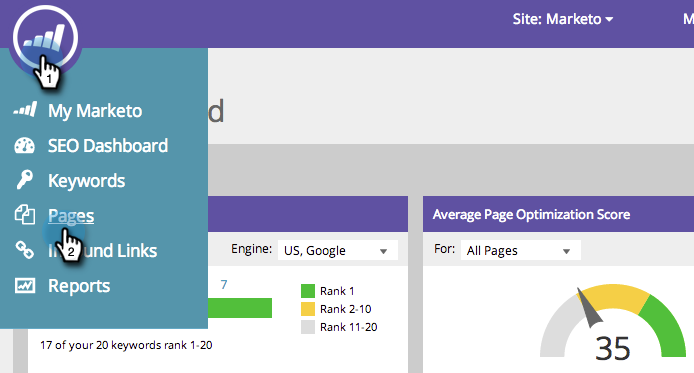
Go to the Pages section.
-
On the Pages tab, hover over the page you’d like to remove, click Delete, then click Remove.
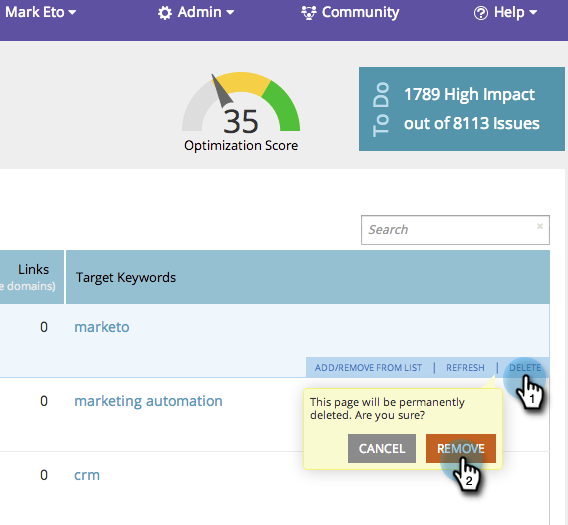
This page is now permanently removed from your list.
recommendation-more-help
94ec3174-1d6c-4f51-822d-5424bedeecac