Subscribe to system status notifications subscribe-to-system-status-notifications
Learn how to subscribe to different status notifications to stay up to date on current issues.
Identify your data center identify
-
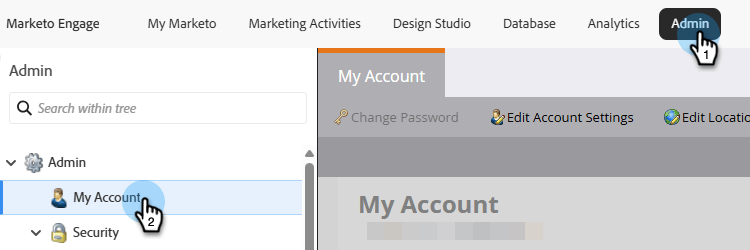
In the Admin section of Marketo Engage, click My Account.
-
Scroll down to Support Information.
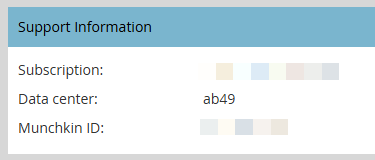
In the Data center field, the letters are the data center and the numbers are the pod. In the example above, the user is in our Ashburn data center on pod 49.
In step 7 of the section below, the user would select the regional location Marketo Ashburn and pod ab49.
Data center abbreviations
- ab: Ashburn
- sj: San Jose
- sn: Sydney
- lon: London
- nld: Amsterdam
Create a subscription create-a-subscription
After identifying your data center and pod/server, follow the steps below to create a subscription.
-
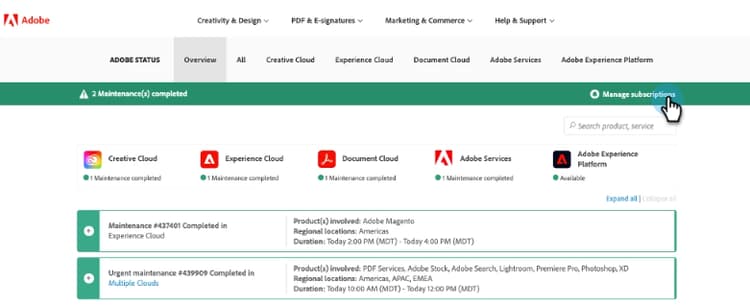
On status.adobe.com, click Manage Subscriptions.
-
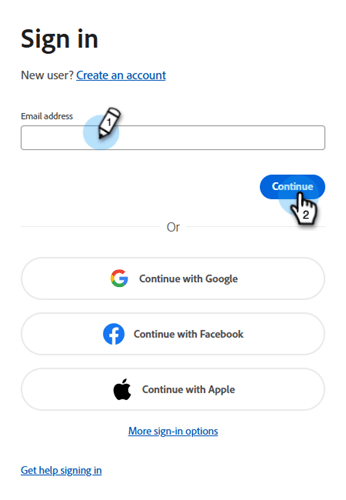
Sign in (if you are not already) using your Adobe credentials, or click Create an account if you don’t have one.
-
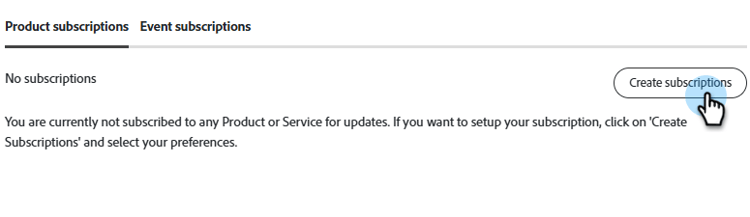
Stay in the Product descriptions tab and click Create subscriptions.
-
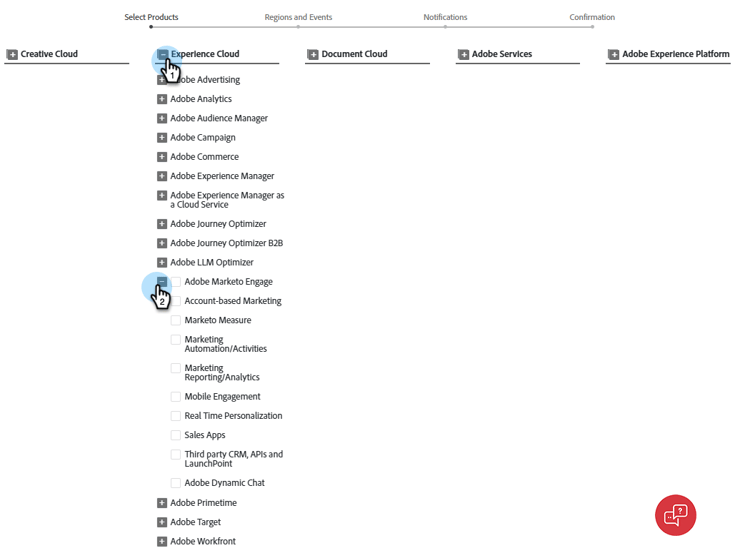
Click the

-
Select the product offerings/services you want to receive notifications about and click Continue.
note tip TIP Check Adobe Marketo Engage to select all. 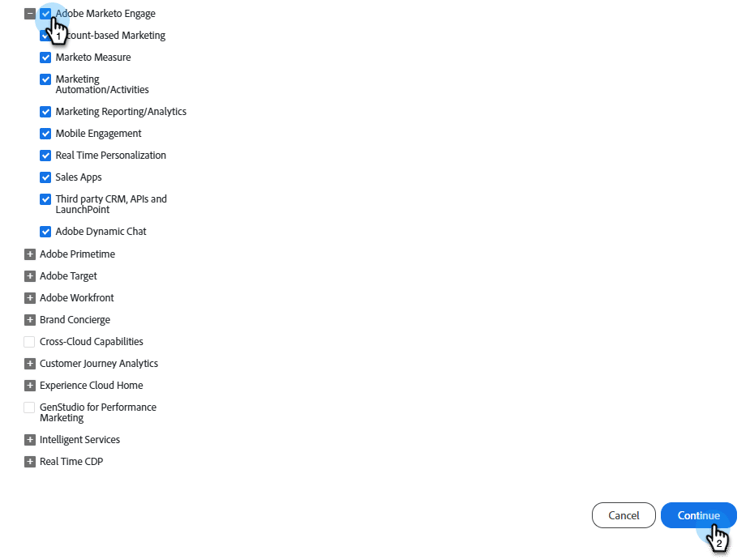
-
Select the desired event types.
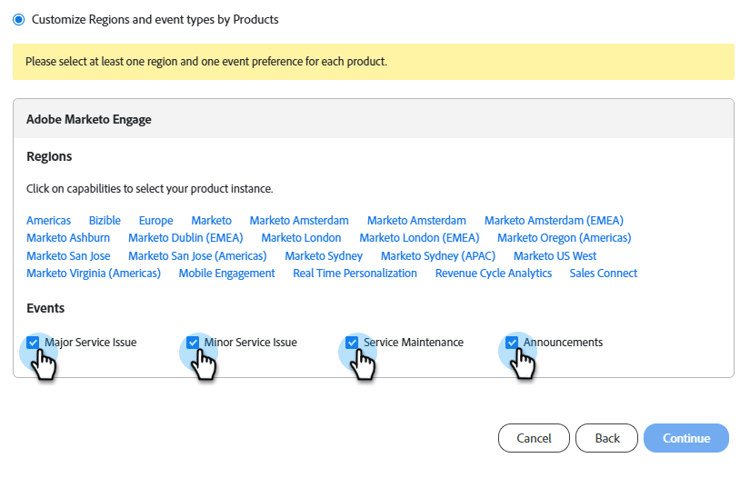
table 0-row-2 1-row-2 2-row-2 3-row-2 html-authored no-header Major Service Issue Service unavailability or severe performance degradation for multiple users on production systems. Minor Service Issue Partial service unavailability or moderate performance degradation for multiple users on production systems. Service Maintenance Scheduled windows to perform product maintenance that may impact product availability or performance. Announcements Global, product family, or product-related messages that have a wide impact. -
Select the regional location and environment. Click Continue.
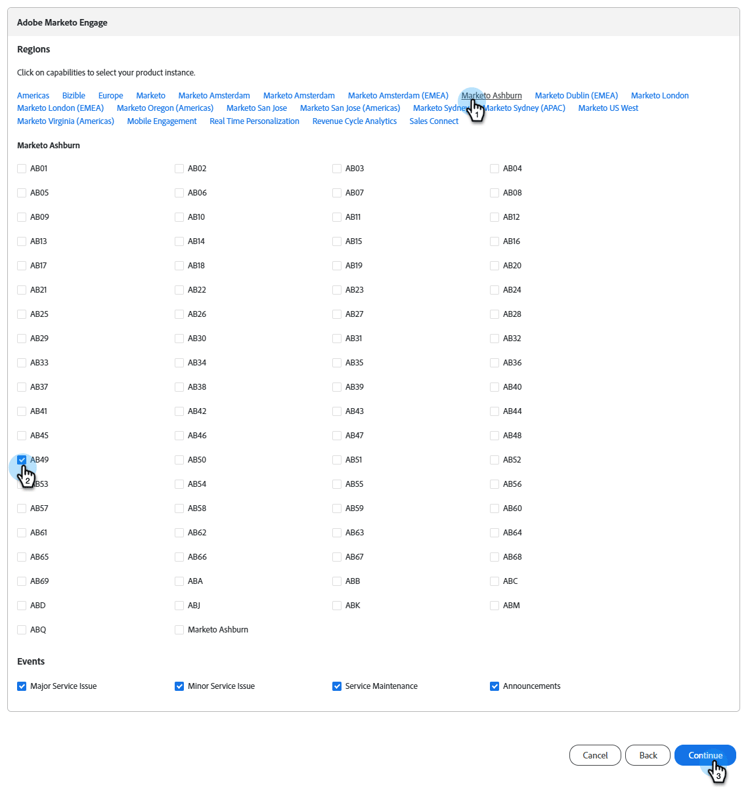
note NOTE If you missed where to find this, see Identify your data center. -
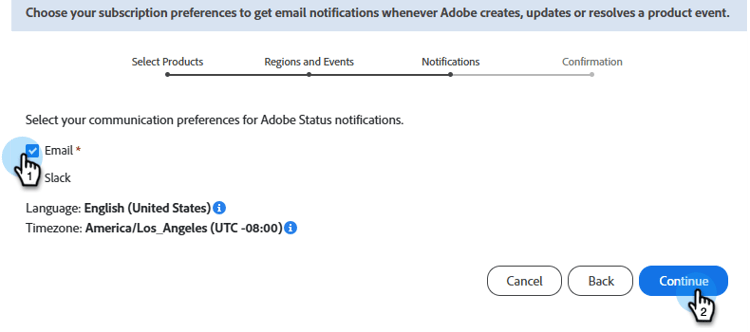
Choose your subscription preference, Email or Slack, and click Continue.
-
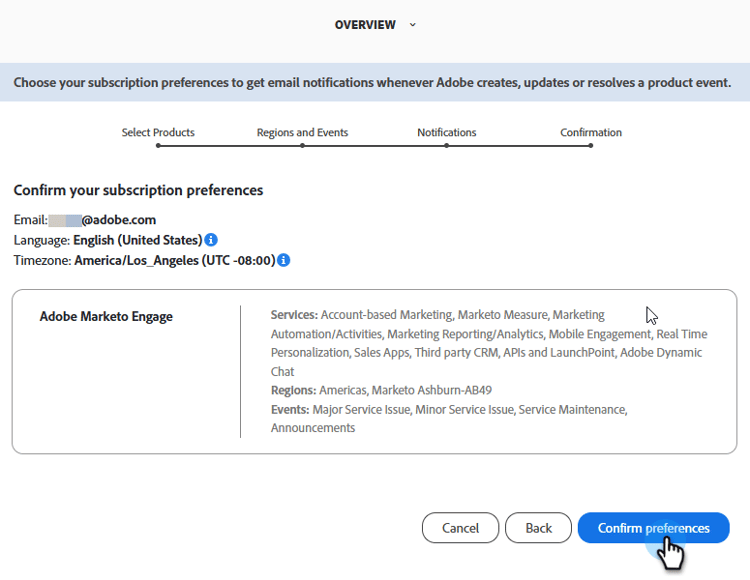
Review your selections and click Confirm preferences.