On this page: Learn how to connect your Litmus account to Adobe Journey Optimizer to test email rendering across popular desktop, mobile, and web-based clients.
You can leverage your Litmus account into Journey Optimizer to instantly preview your email rendering in popular email clients. You can then ensure your email content looks great and works properly in every inbox.
To check email rendering, follow these steps:
-
From the edit content screen of your message or in the Email Designer, click Simulate content, then select Simulate content (AEP profiles) from the dropdown.
-
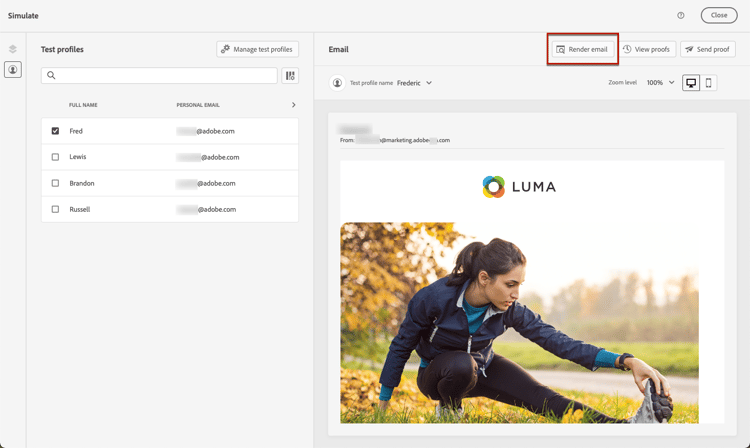
Select the Render email button.
-
Click Connect your Litmus account on the upper right section.

-
Enter your credentials and sign in.

-
Click the Run test button to generate email previews.
-
Check your email content in popular desktop, mobile and web-based clients.
