On this page: Learn how to generate and refine a dedicated version of your email in the Email Designer so AI-assisted inbox clients ground their summaries and answers in your offers and calls to action.
Adobe Journey Optimizer comes with an email-channel capability that helps you structure a specific version of your messages for improved AI-assisted inbox experiences—such as Apple Intelligence and Google Gemini in Gmail—so they can answer questions and summarize mail based on your content more accurately, with better results.
You can use this capability to generate and refine a dedicated version of your messages so AI-assisted inbox experiences are more likely to surface the offers, calls to action, and details you intend—rather than thin auto-generated text or unrelated context.
How it works how-it-works
Typical questions recipients may ask in AI-assisted inbox experiences are What is this email about? or What are these offers?.
-
The answers provided by these AI assistants may be a short summary (for example that the message is promotional, mentions VIP early access and a sale, and includes links to product categories). However, they still omit objectives the marketer cared about because the assistants are inferring from whatever text they effectively see—not necessarily the full story you intended.
-
Also, the assistants may proactively search for discounts or coupons related to the brand and fold those into the answer, so the user is no longer looking at only what your message actually promised. That behavior is useful to end users, but dilutes control for marketers who need answers to track the real terms in the send.
To prevent these issues, Journey Optimizer creates an additional specific version of your messages so that coupons, discount ranges, call to actions, and other priorities appear up front in clear linear copy.
The goal is for inbox AI to ground summaries and Q&A in your defined offers and actions—instead of leaning on a thin default text part or on unrelated web results.
Recommended use cases use-cases
-
Dense or fragmented content — When the content of the email is hard to scan, optimization can produce a clearer linear narrative with explicit offers and links.
-
Controlling inbox Q&A — When you expect recipients to ask assistants what the email is about or what the offers are, a strong optimized for AI version reduces partial summaries and avoids reliance on web-supplemented answers that are not tied to your approved copy.
Optimize for AI inbox experiences optimize-with-ai
To optimize the content of your email for AI inbox experiences with Journey Optimizer, follow the steps below.
-
Open your email in the Email Designer (from a campaign, journey, or template, depending on your workflow).
-
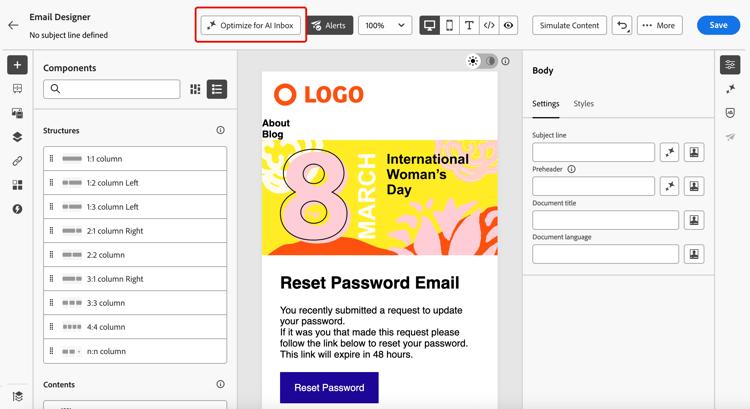
Click the Optimize for AI Inbox button to generate an improved version that highlights key information for AI-assisted reading and summarization.
-
If this is the first time you are using Generative AI in Journey Optimizer, you will be asked to agree to the user agreement. To learn more, check out the Adobe Generative AI User Guidelines.
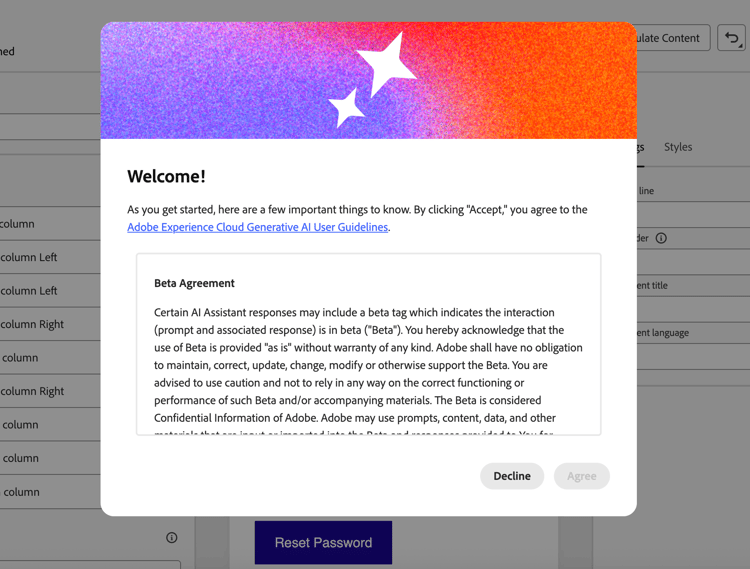
Click Agree to continue.
-
The generated version is displayed in the AI Inbox Optimizer window.
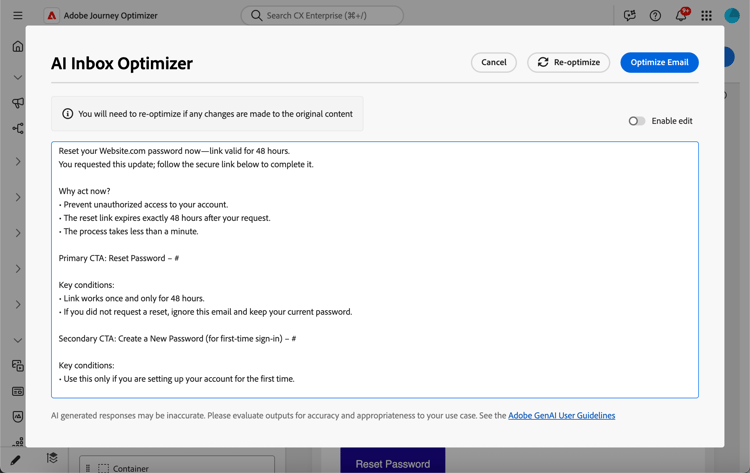
note NOTE The optimized version is different from the HTML and text views of your email. It does not change your design, layout, or images. -
To edit the content automatically generated, select the Enable edit toggle and make manual changes as needed.
-
Once happy with your version, click the Optimize Email button to confirm. You can also use the Re-optimize button to generate a new version.
-
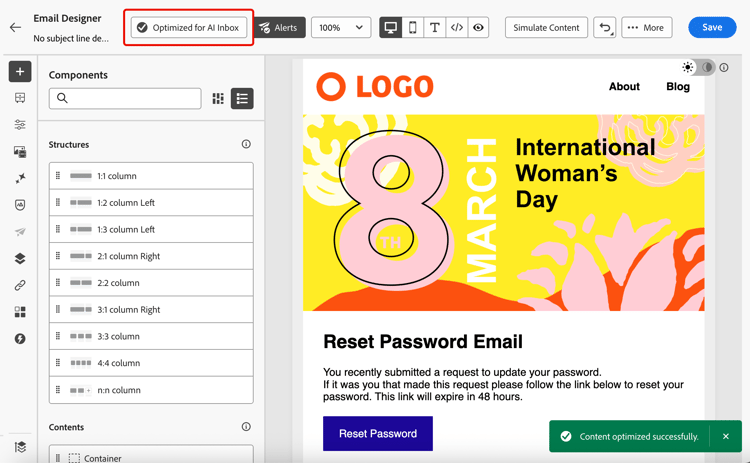
You are redirect to the HTML view and your email is now successfully optimized for AI inboxes. To access again or edit the optimized version, click the Optimized for AI Inbox button.
-
The optimized version is displayed. You can Remove optimization, or click Re-optimize to generate a new version.
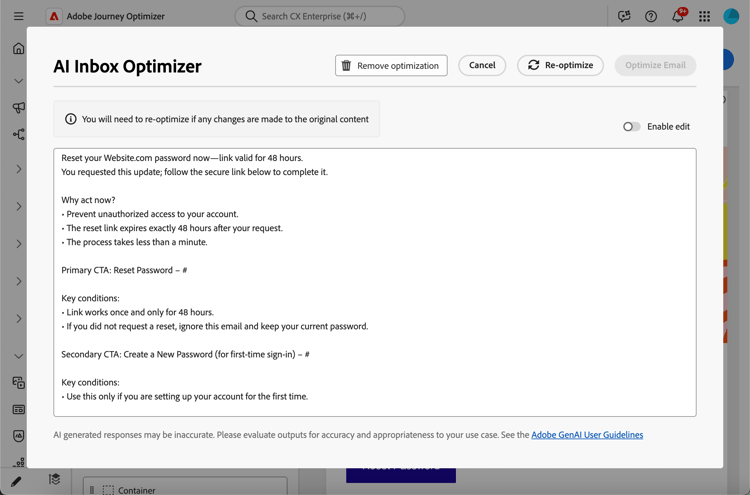
note NOTE If you make changes to the original HTML content, you need to re-optimize the generated version for AI inboxes so that it is consistent with the new content.
Risks and limitations of third-party inbox AI inbox-ai-risks
The Optimize email for AI inboxes capability helps you prepare a version of your email for how mailbox providers may process your Journey Optimizer sends. It does not control those providers’ products. Once a message is delivered, any AI features in Gmail, Apple Mail, Outlook, or other clients operate under their terms, models, and policies—not Adobe’s.
-
Unpredictable presentation — Summaries, notification blurbs, and conversational answers can omit offers, misstate prices or dates, merge content with unrelated web results, or paraphrase in ways that no longer match your approved copy. This behavior can change when vendors update models or UI without notice.
-
No guarantee of parity with HTML — Recipients who rely on previews or assistant answers may never see your full HTML design, images, or legal footers. What they believe the message “says” may come only from a short AI-generated digest.
-
Privacy, compliance, and data use — Inbox AI may process message content on provider infrastructure subject to that provider’s privacy policy, retention, and regional rules. Organizations in regulated industries should assess whether recipient use of such features affects their obligations, independent of how the email was authored in Journey Optimizer.
-
Brand and legal exposure — Incorrect or incomplete AI summaries can still create customer confusion or disputes about promotions, terms, or opt-out language. Journey Optimizer does not ensure that a third party’s model will reproduce the optimized version of your email faithfully.
-
Optimize for AI Inbox in Journey Optimizer — The authoring-time control in the Email Designer is separate from end-user inbox assistants. Always review generated content before send.
Related topics related-topics
- Get started with email design
- For Adobe generative features more broadly, see Get started with Generate Content.
This section contains structured knowledge intended to support interpretation, retrieval, and question answering related to this topic.
For complete understanding, this information should be combined with the documentation on this page. Neither source is intended to stand alone; the page describes the feature, while this section provides additional context that helps disambiguate terminology, intent, applicability, and constraints.
- TL;DR: This page explains how to use the Optimize for AI Inbox capability in the Email Designer to generate and refine a dedicated version of an email so AI-assisted inbox experiences ground their summaries and answers in your offers and calls to action.
Intents:
- Generate a dedicated version of an email optimized for AI-assisted inbox experiences
- Refine the generated version manually before confirming it
- Re-optimize or remove the optimization for an email
- Understand the risks and limitations of third-party inbox AI
- Keep the optimized version consistent after editing the original HTML content
Glossary:
- Optimize for AI Inbox: The Email Designer button/control that generates an improved, dedicated version of the email highlighting key information for AI-assisted reading and summarization (product-specific)
- AI Inbox Optimizer window: The window where the generated optimized version is displayed (product-specific)
- AI-assisted inbox experiences: Inbox clients such as Apple Intelligence and Google Gemini in Gmail that answer questions and summarize mail based on message content (product-specific)
Guardrails:
- To access this feature, you must agree to a user agreement that displays the first time you use Generative AI in Journey Optimizer.
- The capability only generates a dedicated version in Journey Optimizer; it does not control or guarantee how a third-party assistant interprets or displays the message.
- The optimized version is different from the HTML and text views; it does not change your design, layout, or images.
- If you make changes to the original HTML content, you must re-optimize the generated version so it stays consistent with the new content.
- Once a message is delivered, AI features in third-party clients (Gmail, Apple Mail, Outlook, others) operate under those providers’ terms, models, and policies — summaries can omit offers, misstate prices or dates, merge content with unrelated web results, or paraphrase away from your approved copy.
- Always review generated content before send.
Terminology:
- Canonical name: Optimize email for AI inboxes — Acronym: n/a — variants: Optimize for AI Inbox, AI Inbox Optimizer
- Synonyms: “Optimize for AI Inbox” = “Optimize email for AI inboxes”
- Do not confuse: “Optimize for AI Inbox” (authoring-time control in the Email Designer) ≠ end-user inbox AI assistants (third-party features that run after delivery)
FAQ:
- Q: What does the Optimize for AI Inbox button do? — It generates an improved, dedicated version of the email that highlights key information for AI-assisted reading and summarization.
- Q: Does optimizing change my email design? — No; the optimized version is different from the HTML and text views and does not change your design, layout, or images.
- Q: Can I edit the automatically generated version? — Yes; select the Enable edit toggle to make manual changes, then click Optimize Email to confirm, or use Re-optimize to generate a new version.
- Q: What happens if I change the original HTML after optimizing? — You need to re-optimize the generated version so it is consistent with the new content.
- Q: Does this guarantee how an inbox assistant will present my email? — No; behaviors depend on the inbox provider and model version, and answers or summaries from external AI clients can be wrong, incomplete, or mixed with web results.