Enable AI access
Use the Permissions UI to grant or revoke access to Coworker chat in your organization. To use Coworker chat, a given user must belong to a role that is configured with the Enable AI Assistant and View Operational Insights permissions.
As an administrator, you can:
-
Add the Enable AI Assistant permission to a given role and add a user to that role. This permission provides access to Coworker chat for users in your organization.
-
Add the View Operational Insights permission to a given role and add a user to that role. This permission allows the user to use the Coworker chat operational insights capabilities.
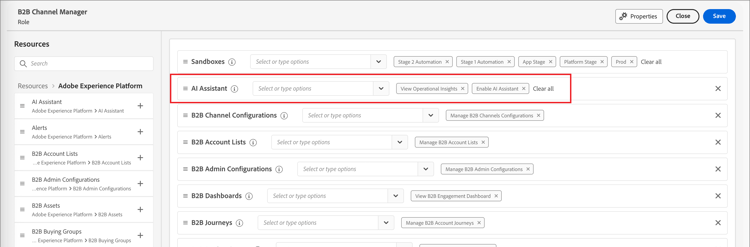
Use the Permissions UI to grant permissions to use Coworker chat in Adobe Journey Optimizer B2B Edition. For information about accessing CX Coworker in Adobe Experience Platform and other Adobe Experience Cloud applications, refer to the CX Enterprise Coworker documentation.
When the user has the necessary permissions, they can access Coworker chat by selecting the Coworker chat icon on the top header of the application.
