Role Insights dashboard
The Role Insights dashboard provides visibility into how buying group roles evolve and engage over time. It helps marketers understand role acquisition trends, engagement patterns, and how recent campaigns drive engagement across different roles within buying groups.
To access this dashboard, expand Accounts in the left navigation and then select Buying groups. Select the Role insights tab.
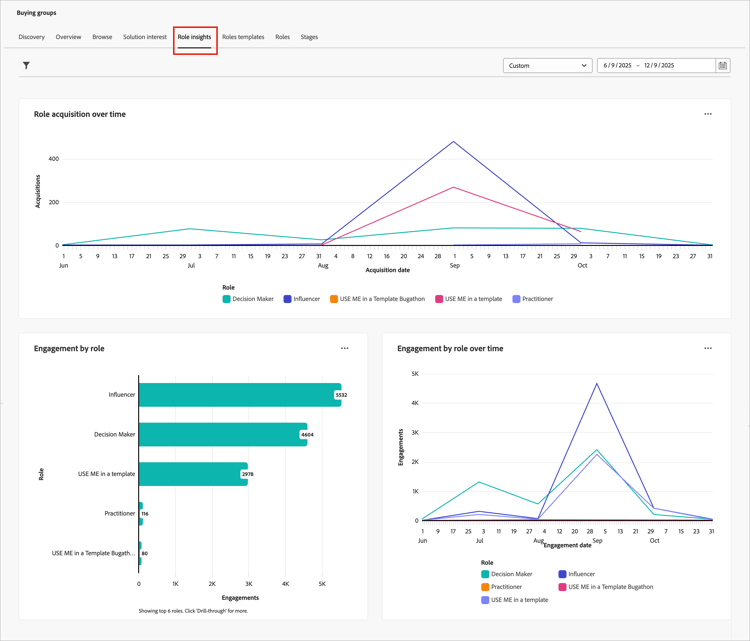
The dashboard includes three views:
Filter the data
Click the Filter (

- Role - Filters the data by one or more selected buying group roles.
- Solution interest - Filters the data by one or more selected solution interests to focus on specific product lines or offerings.
- Date range - Restricts the data to a specific time period (defaults to the past year).
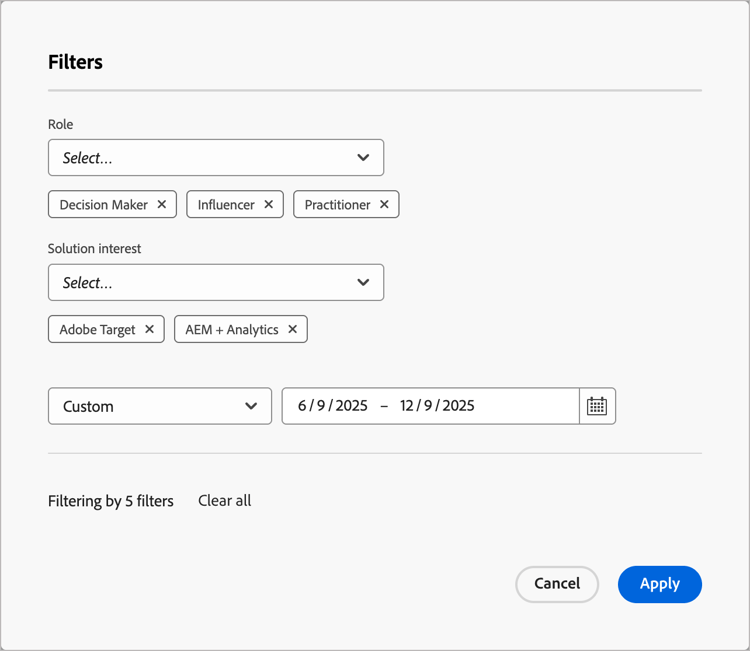
For each attribute, select the values that you want to use to filter the data and click Apply.
Role acquisition over time
As marketing and sales teams acquire new people, drive engagement, and enrich data, new members of the buying group become qualified. This report shows how those efforts translate into newly qualified buying group members, broken down by role. Each time someone is added to a buying group, the report records that addition under the corresponding role.
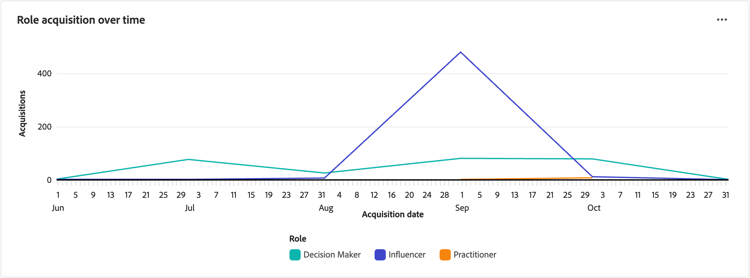
Each line on the graph represents a role. Hover over a plot point on the line to see the details, including:
- Acquisition date
- Count of acquisitions
To view more detailed information, click the … menu icon at the top right.
Engagement by role
This report summarizes total engagement activity volume by buying group role over the selected time period. Use this report to gain visibility into how each role is engaging in response to your marketing efforts.
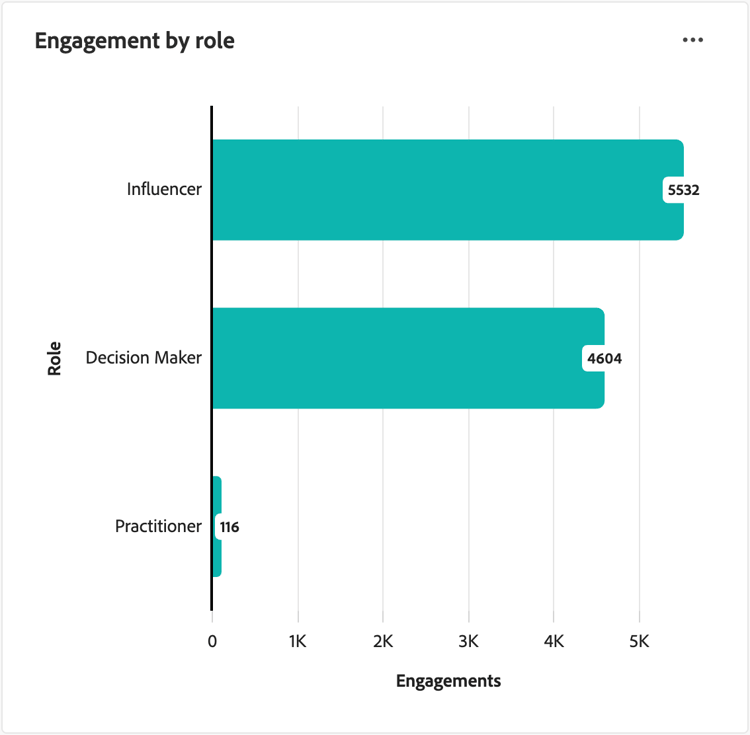
Each bar on the graph represents a role. Hover over a bar to see the details on the counts displayed, including:
- Role name
- Count of engagements
To view more detailed information, click the … menu icon at the top right.
Engagement by role over time
This report tracks buying group activities over time, helping you to understand how recent campaigns drive engagement across different roles. Use this information to optimize your marketing strategies and target specific roles more effectively.
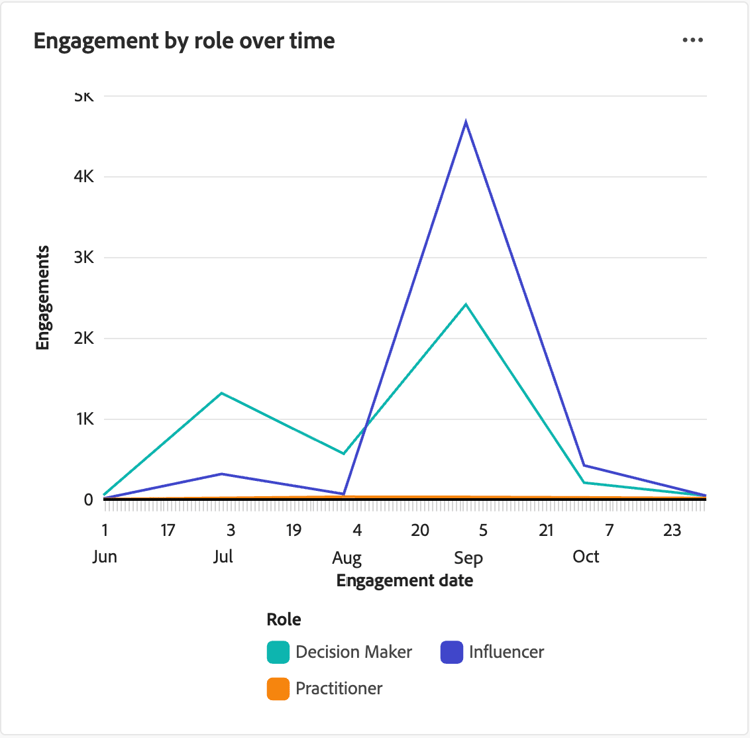
Each line on the graph represents a role. Hover over a plot point on the line to see the details, including:
- Date
- Count of engagements
To view more detailed information, click the … menu icon at the top right.
Engage with the data
To engage with the data, use the More (…) menu at the top-right of each chart.
Drill through
For Engagement by role, choose Drill through for an in-depth analysis of the engagements by role and solution interest.
The global filters applied to the dashboard are carried over. Click the Filter (
View more
Choose View more to view extended data and insights.
The displayed pop-up includes a chart and a table that show the breakdown of the data.