Streaming media configuration settings streaming-media
The media collection feature helps you collect data related to media sessions, such as media playbacks, pauses, completions, and other related events. Once collected, you can send this data to Adobe Experience Platform or Adobe Analytics to generate reports. This feature provides a comprehensive solution for tracking and understanding media consumption behavior on your website.
- Log in to experience.adobe.com using your Adobe ID credentials.
- Navigate to Data Collection > Tags.
- Select the desired tag property.
- Navigate to Extensions, then select Configure on the Adobe Experience Platform Web SDK card.
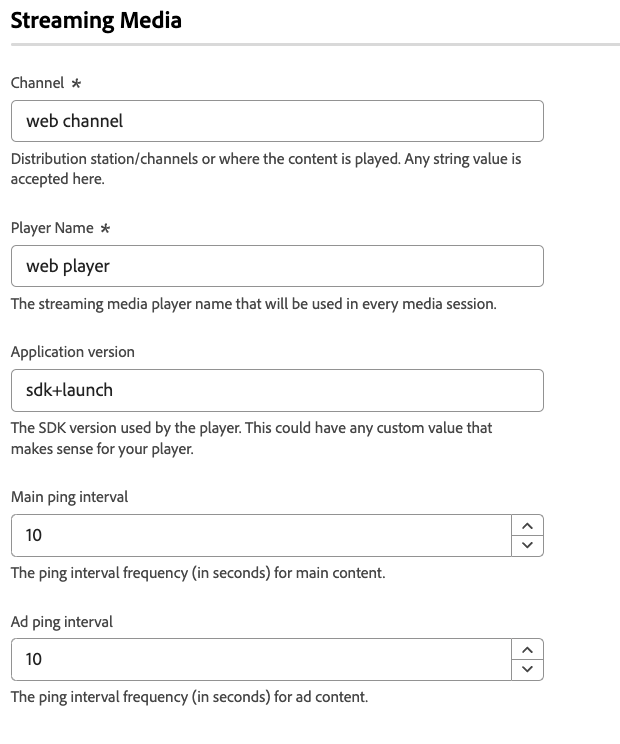
- Scroll down to the Streaming media section.
Prerequisites
To use the streaming media component of the Web SDK, you must meet the following prerequisites:
- Make sure that you have access to Adobe Experience Platform or Adobe Analytics.
- Enable the Media Analytics option for the datastream you are using.
- Ensure that the schema used by your datastream includes the Media Collection schema fields.
- Configure the Streaming Media feature in the Web SDK tag extension, as shown on this page.
Channel
The name of the channel where media collection occurs. For example, Video channel. Any string value is valid.
Player Name
The name of the media player that your property uses for media playback.
Application Version
The version of the media player application that your property uses for media playback.
Main ping interval
The frequency of pings for main content, in seconds. The default value is 10. Values can range from 10 to 50 seconds. If no value is specified, the default value is used when using automatically-tracked sessions.
Ad ping interval
The frequency of pings for ad content, in seconds. The default value is 10. Values can range from 1 to 10 seconds. If no value is specified, the default value is used when using automatically-tracked sessions.