Multi-entity streaming segmentation
Multi-entity segmentation lets you refer to B2B entities within your audience definition. Previously, you could combine both B2B entities with streaming events in a single audience.
For example, creating an audience such as the following, which has both a B2B attribute and a streaming event in a single audience is not supported.
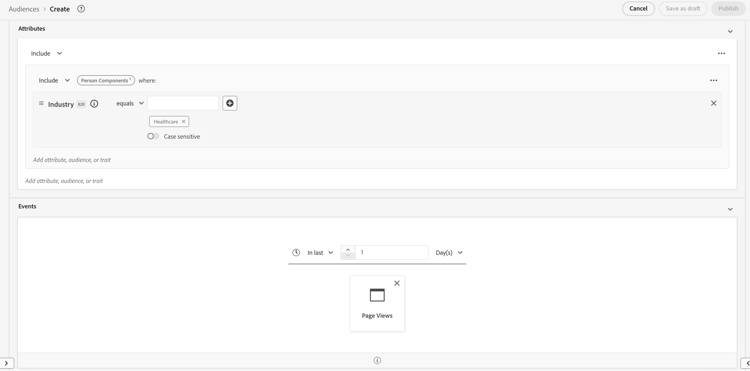
In order to combine B2B entities with streaming events, you need to create three audiences and perform multi-entity streaming segmentation: one that contains the streaming segmentation logic, one that contains the B2B entity, and one that combines the two audiences together.
An example of a multi-entity streaming audience would be an audience that is looking for all account-persons in the healthcare industry to have a page view in the last day.
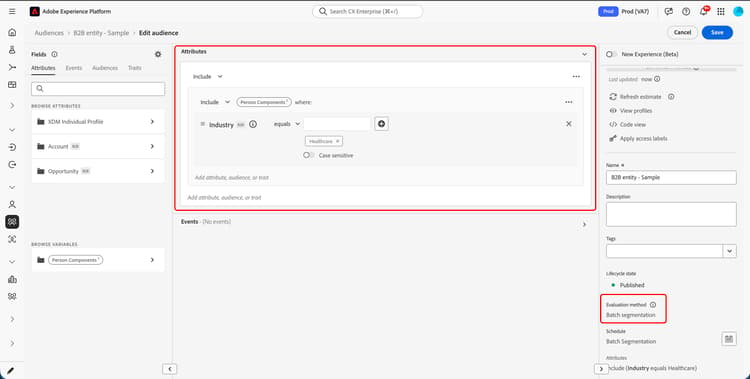
The audience that contains the B2B entity would look as follows, with only the B2B attribute in the definition. This audience is evaluated using batch segmentation.
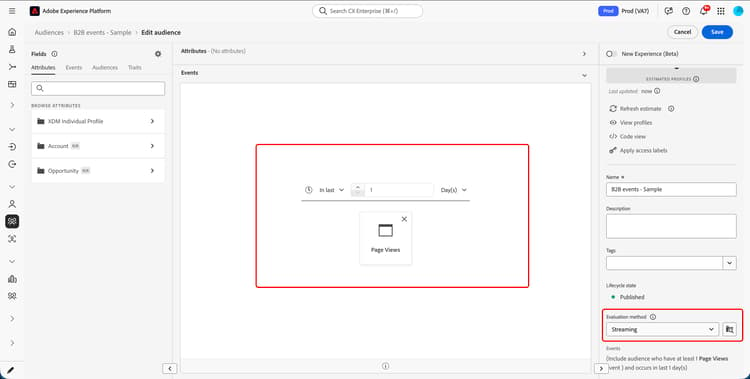
The audience that contains the streaming event would look as follows, with only a streaming event in the definition. This audience is evaluated using streaming segmentation.
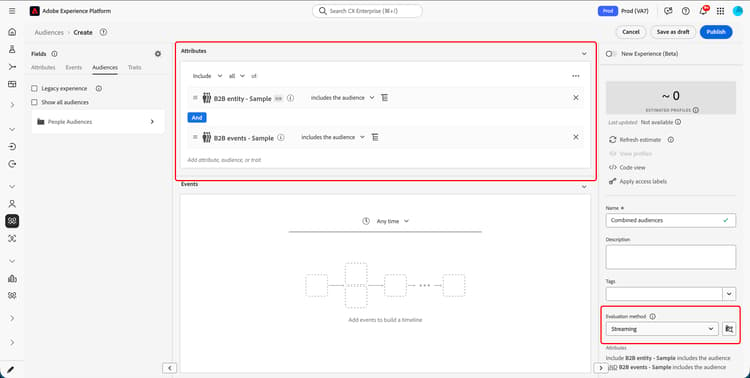
After you create the two component audiences, you’ll need to create an audience that includes both of the constituent audiences. This combined audience is evaluated using streaming segmentation.