Select profile attributes (legacy)
For profile-based destinations, you must select the profile attributes that you want to send to the target destination.
-
In the Select attributes page, select Add new field.
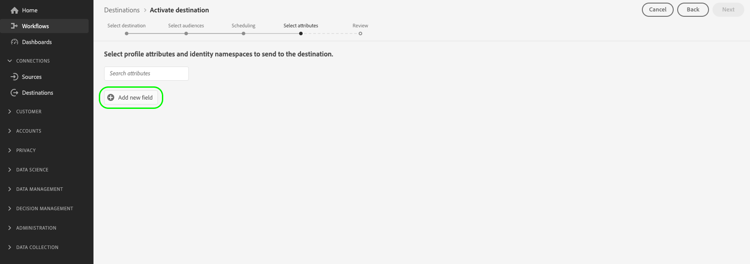
-
Select the arrow to the right of the Schema field entry.
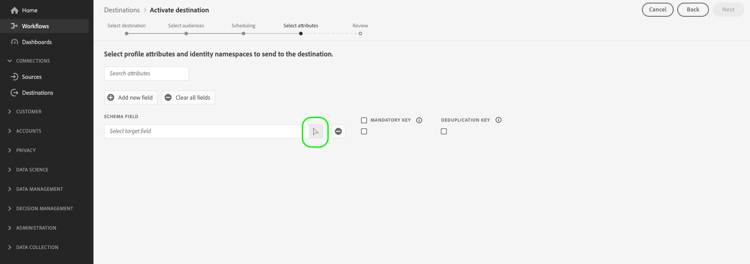
-
In the Select field page, select the XDM attributes or identity namespaces that you want to send to the destination, then choose Select.
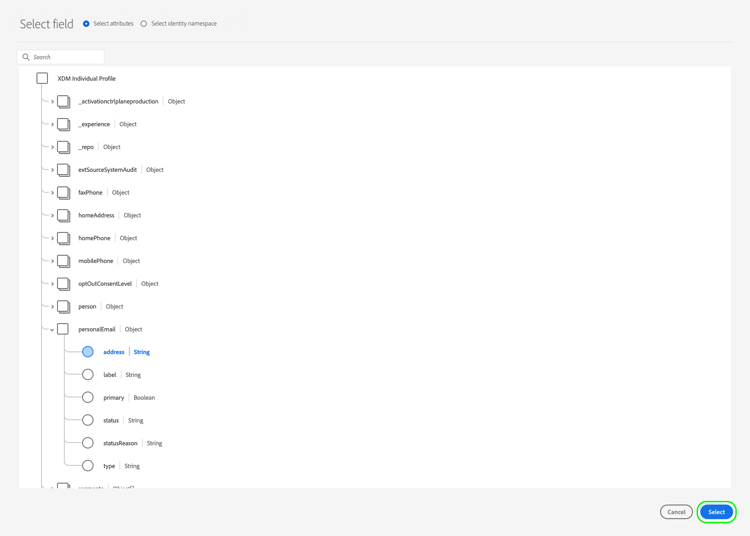
-
To add more mappings, repeat steps one to three.
person.name.firstName, person.name.lastName, personalEmail.address, segmentMembership.seg_namespace.seg_id.status.
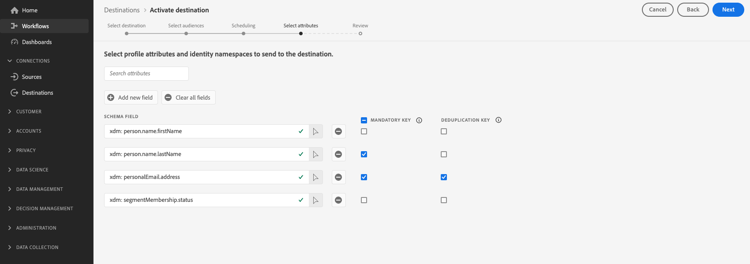
segmentMembership.seg_namespace.seg_id.status to your file exports. Instead, you must manually paste the value xdm: segmentMembership.seg_namespace.seg_id.status into the schema field, as shown below.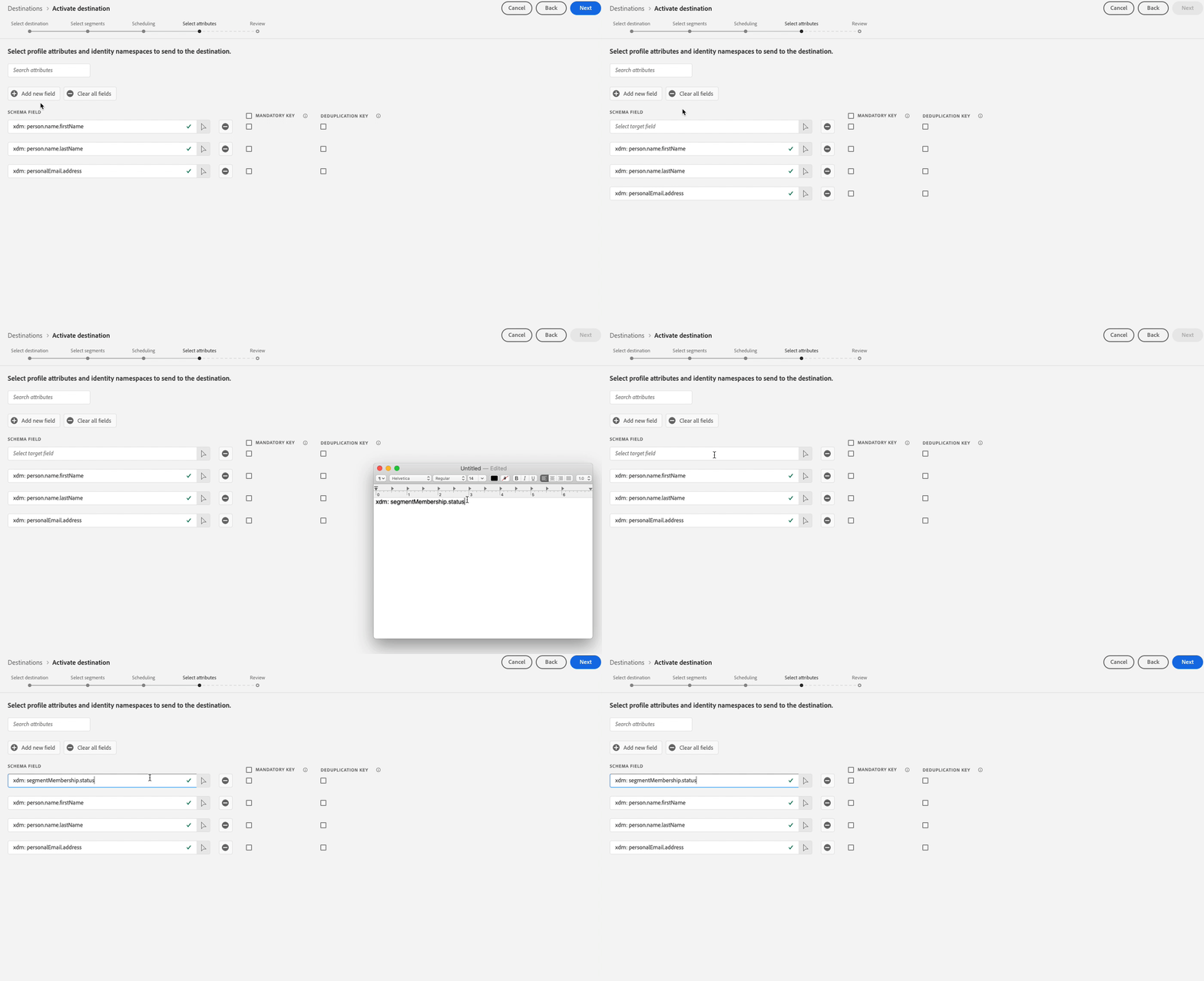
File exports vary in the following ways, depending on whether segmentMembership.seg_namespace.seg_id.status is selected:
- If the
segmentMembership.seg_namespace.seg_id.statusfield is selected, exported files include Active members in the initial full snapshot and Active and Expired members in subsequent incremental exports. - If the
segmentMembership.seg_namespace.seg_id.statusfield is not selected, exported files include only Active members in the initial full snapshot and in subsequent incremental exports.