Create Dynamic Datastream Configurations
By default, the Adobe Experience Platform Edge Network sends all events that reach a datastream to all Experience Cloud services you have enabled for your datastreams. Depending on your use cases, this may not always be the ideal workflow.
Dynamic datastream configurations address this through sets of rules that you define for each service enabled for your datastream, which control what Experience Cloud solution receives each type of data.
Dynamic Datastream Configurations guide guide
If you are new to Dynamic Datastream Configurations or are planning a production implementation, read the full guide before configuring rules. The guide covers the event taxonomy, dataset strategies, use cases, best practices, and testing approach.
- Overview: how rules are evaluated, the event taxonomy, and mutual exclusivity with client-side overrides
- Prerequisites and planning checklist: datastream setup, schema and dataset preparation, and event inventory
- Configuration patterns: Actionable first versus Analytical first dataset strategies
- Use cases: six common routing scenarios with example rule tables
- End-to-end example: a complete e-commerce implementation
- Best practices: rule design, dataset strategy, and operational guidance
- Test and validate: Assurance-based testing checklist
- FAQ: common questions about rule behavior and system interactions
Prerequisites prerequisites
To create a dynamic configuration for your datastream, there are two conditions you must meet:
- You must have created at least one datastream to work with. See the documentation on how to create a datastream for detailed information.
- You must have at least one Experience Cloud service added to your datastream. See the documentation on how to add a service to a datastream for detailed information.
After you have created a datastream and added an Experience Cloud service to it, you can then create a dynamic configuration.
Guardrails guardrails
Dynamic datastream configurations have specific limits and performance constraints to ensure optimal system performance and data processing efficiency. The following guardrails apply when configuring dynamic datastream rules:
Dynamic datastream configurations versus datastream configuration overrides dynamic-versus-overrides
Dynamic datastream configurations and datastream configuration overrides are mutually exclusive functionalities.
You cannot use Dynamic Datastream Configurations along with datastream configuration overrides. You must choose one or the other.
If you enable both, configuration overrides take precedence and the system ignores the Dynamic Datastream Configuration rules.
Create a Dynamic Datastream Configuration create-dynamic-configuration
After you have created a datastream and added a service to it, follow these steps to add a dynamic configuration to the service.
-
Go to the Data Collection > Datastreams page and select the datastream that you created.
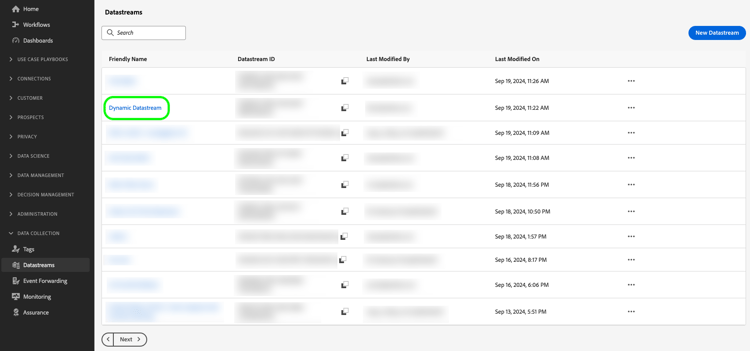
-
Select the Edit option on the service for which you want to define a dynamic configuration.
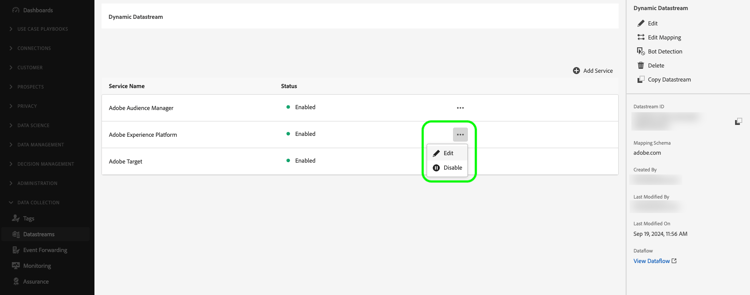
-
In the Configure page, select Save and Edit Dynamic Configuration.
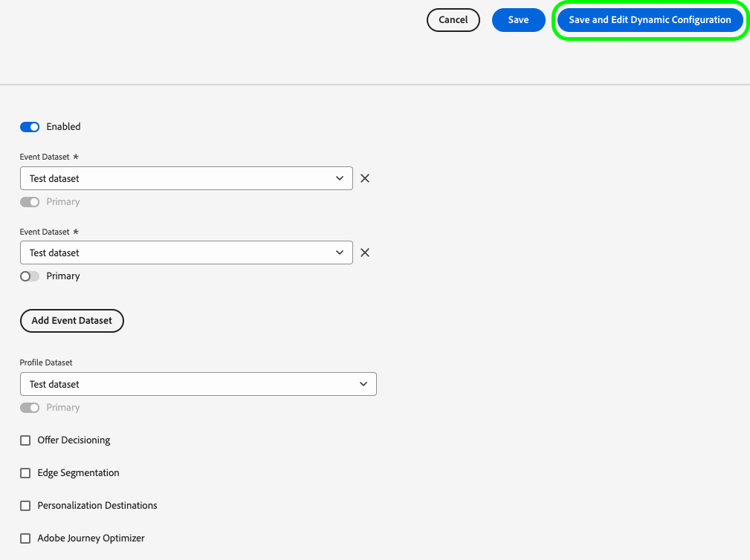
-
Select Add Dynamic Configuration.
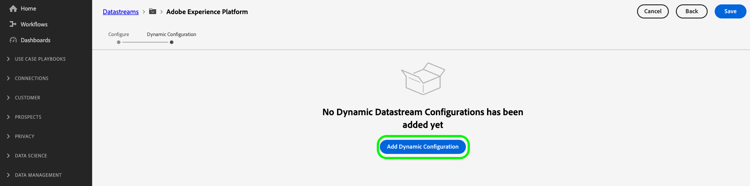
-
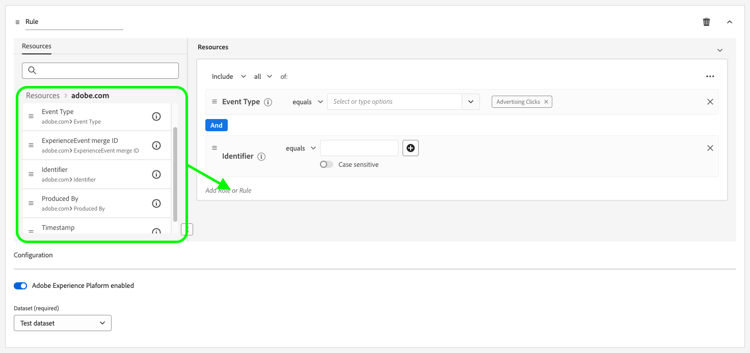
From the Resources panel, drag and drop the items that you want to build your rule with to the right side of the window. You can combine multiple resources to build complex rules.
Use each resource’s options, such as equals, does not equal, exists, and more, to fine tune your rules.
-
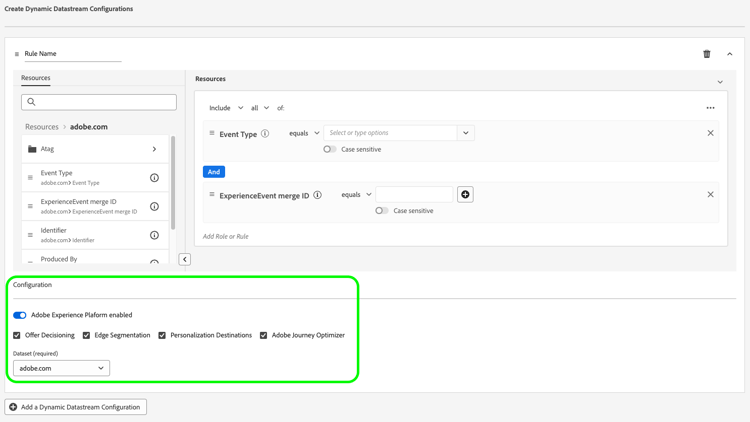
In the Configuration section, enable or disable the services for each rule, depending on whether you want the data sent to each service. If you disable a service, the routing is disabled and no data is sent to the downstream service.
-
When you are done configuring your rules, select Save.
Rule priority considerations rule-priority
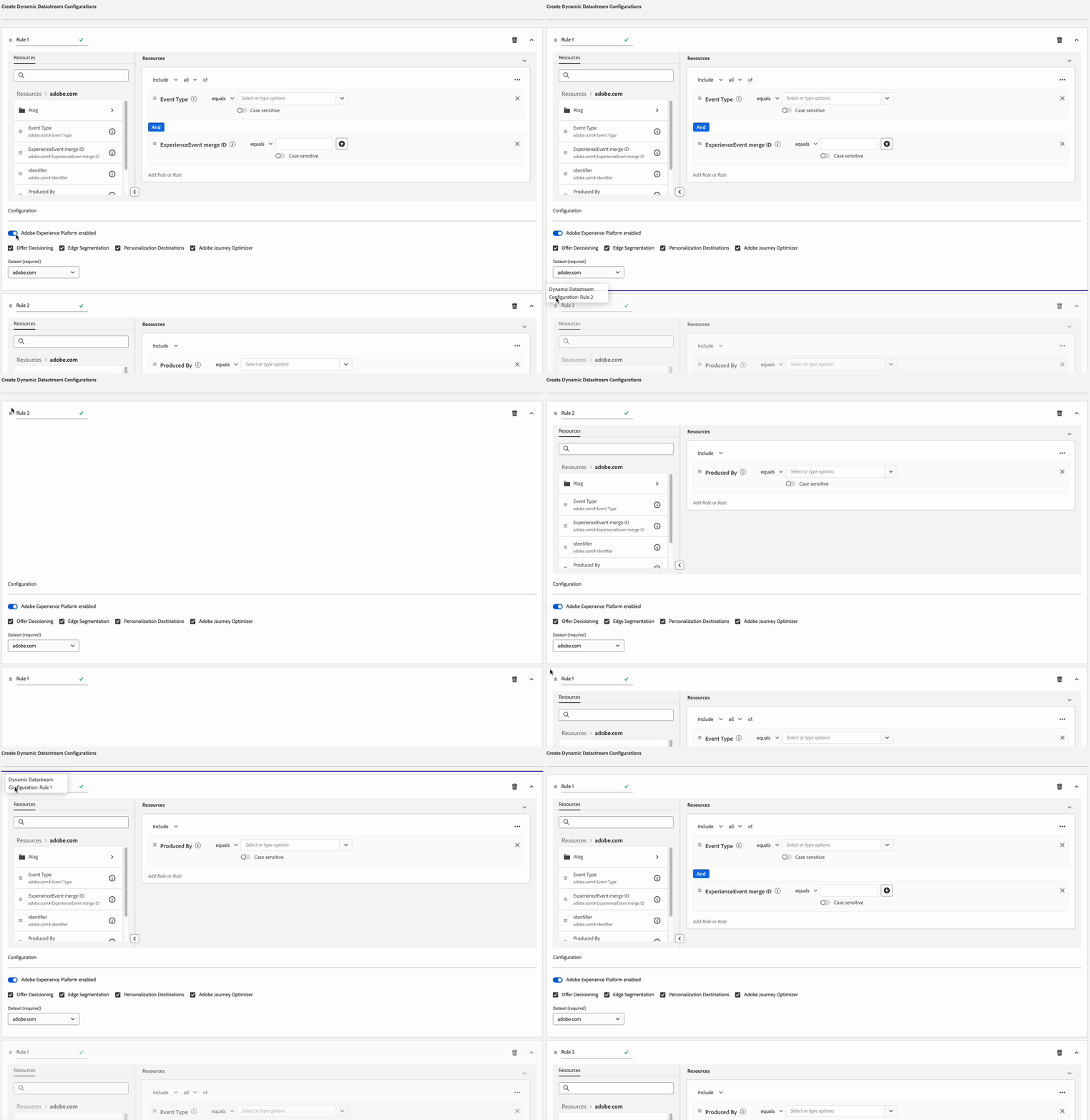
You can define multiple rules for each Dynamic Datastream Configuration. However, if your data matches the conditions of multiple rules, only the first matching rule in the list is taken into consideration, and all the other matching rules are ignored.
To achieve the desired data routing behavior, pay attention to the order in which you arrange the rules.
To configure the rule order, you can drag and drop the rule windows in the order you want.
Rule eligibility criteria eligibility-criteria
Dynamic datastream configurations must meet specific eligibility criteria to ensure high performance and reliable routing.
Supported data types supported-data-types
Dynamic datastream configuration rules work with specific data types to ensure optimal performance and reliable data routing. Understanding which data types are supported helps you create effective rules that process your data efficiently.
Supported operators supported-operators
Rules can use the following operators, depending on the data type:
equals, starts with, ends with, contains, exists, does not equal, does not start with, does not end with, does not contain, does not existequals, does not equal, greater than, less than, greater than or equal to, less than or equal to, exists, does not existequals true/false, does not equal true/falseequals, does not equal, exists, does not existtoday, yesterday, this month, this year, custom date, in last, from, during, within, before, after, rolling range, in next, exists, does not existINCLUDE, ANY/ALL (equivalent to AND/OR)Rule structure rule-structure
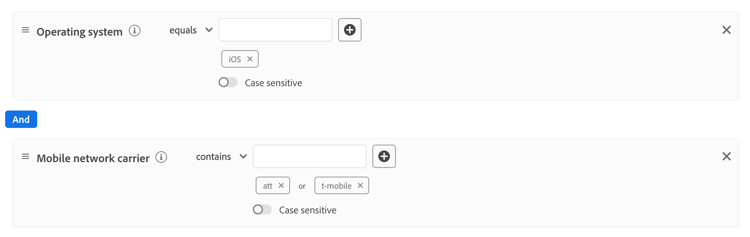
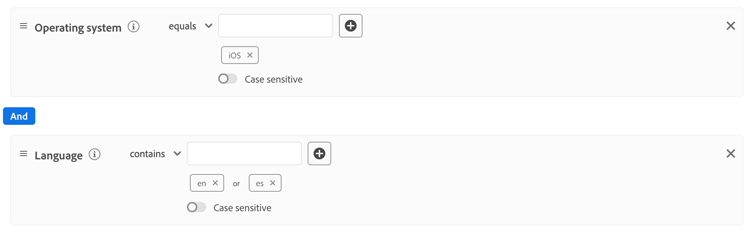
Rules must be flat logical expressions. Nested logical expressions (using containers or multiple levels of AND/OR) are not supported. If you need complex logic, break it into multiple flat rules.
For example, consider the following complex rule.
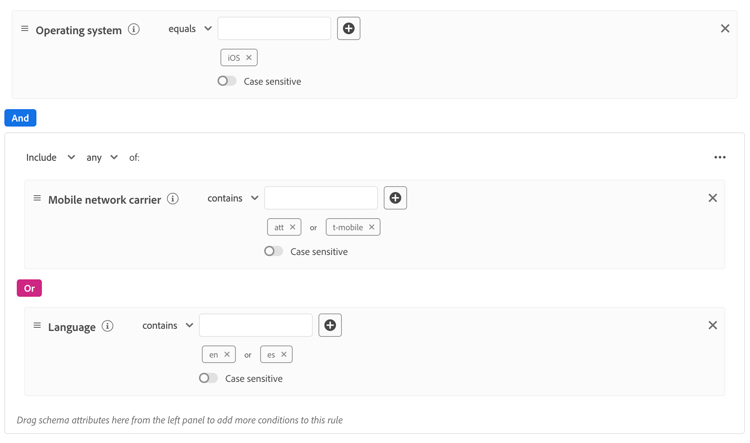
You can break this rule into the following simpler rules:
Next steps
- Review best practices for Dynamic Datastream Configurations for rule design, dataset strategy, and operational guidance.
- See Dynamic datastream configuration use cases for complete rule configurations.
- Follow Test and validate Dynamic Datastream Configurations to verify your rules are routing correctly.