Release notes for Cloud Manager 2025.7.0 in Adobe Experience Manager as a Cloud Service release-notes
Learn about the release of Cloud Manager 2025.7.0 in AEM (Adobe Experience Manager) as a Cloud Service.
See also the current release notes for Adobe Experience Manager as a Cloud Service.
Release dates release-date
The release date for Cloud Manager 2025.7.0 in AEM as a Cloud Service is Thursday, July 10, 2025.
The next planned release is Thursday, August 7, 2025.
What’s new what-is-new
-
Cloud Manager adds ECDSA (Elliptic Curve Digital Signature Algorithm) SSL certificate support
Cloud Manager now supports ECDSA certificates. The feature delivers strong security with smaller key sizes, enabling customers to apply lightweight modern cryptography in their CDN configurations.
-
Download Site license-usage report
On the Sites usage details page (In Cloud Manager, click License. In the Solutions table, in the Sites row, click View usage details), customers can now click Download report to export its data as a CSV file. This download simplifies analyzing and sharing usage trends.
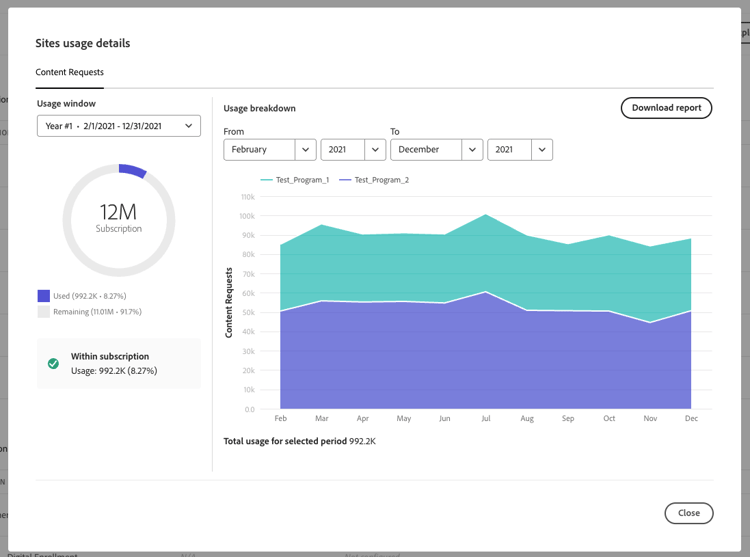
See License dashboard.
Beta programs private-beta-program
Participate in Cloud Manager’s beta programs to get exclusive access to upcoming features before their general release.
The following opportunities are currently available:
One-click rollback for pipeline deployments one-click-rollback
Quickly revert to a previous deployment if the latest customer source code is not working as expected—no need to rerun the full pipeline or manually revert commits.
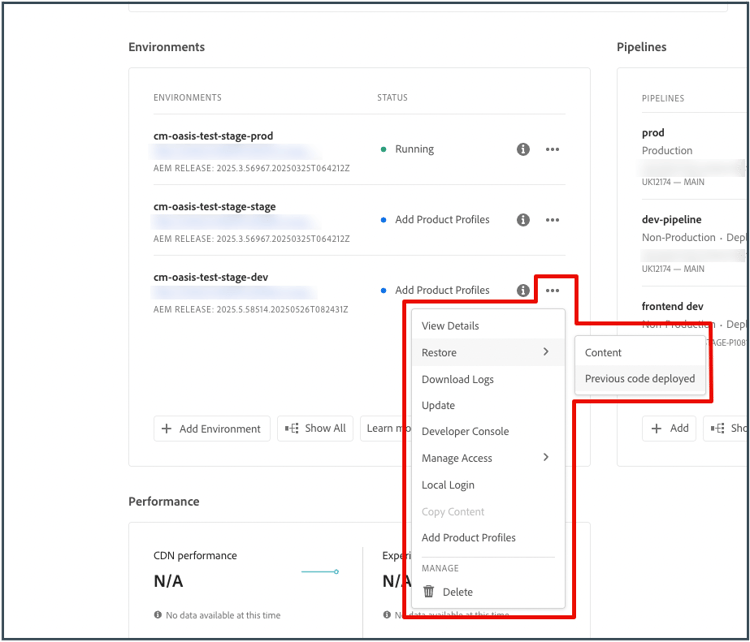
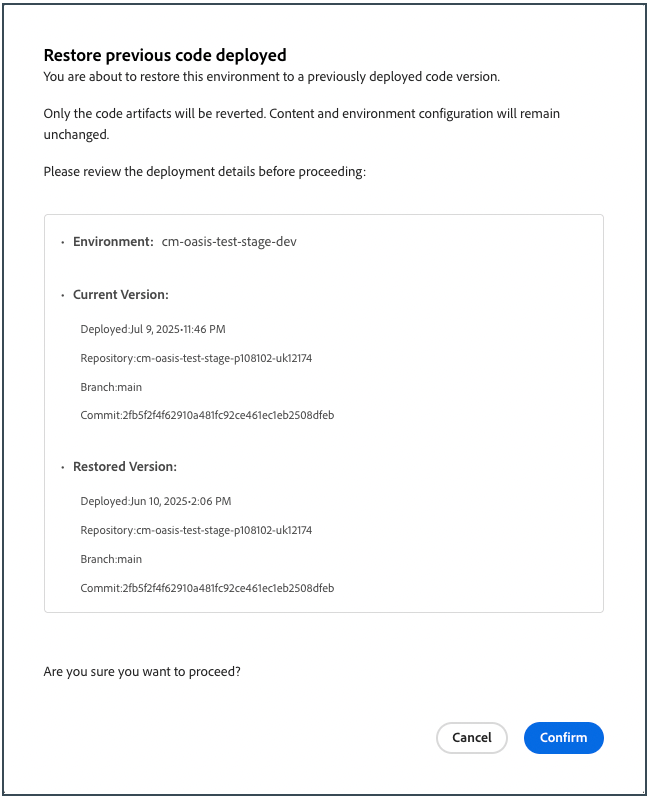
In the Restore previous code deployed dialog box, review the currently deployed version and the version you want to restore, then click Confirm.
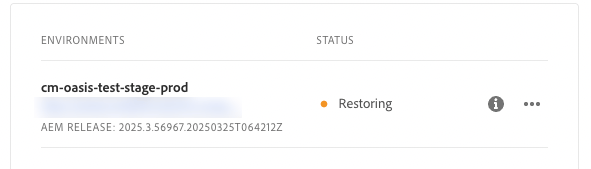
Cloud Manager rolls the environment back to the earlier build, keeps content and configuration intact, and marks the environment Restoring until deployment completes.
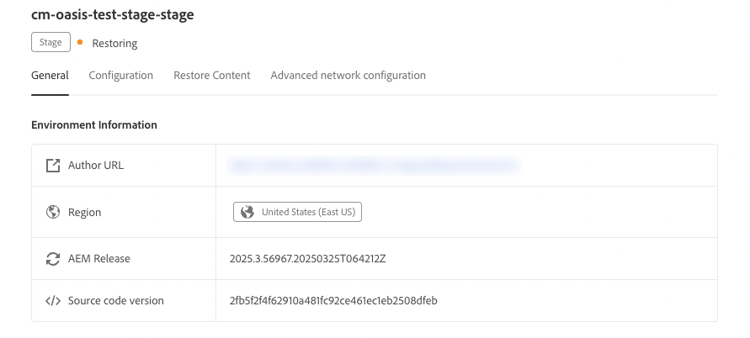
If you are interested in testing this new feature and sharing your feedback, send an email to restorecode@adobe.com from your email address associated with your Adobe ID.
See Restore the Previous Code Deployed in AEM as a Cloud Service.
See also Content Restore in AEM as a Cloud Service.
Specialized Testing Environment specialized-test-environment
Cloud Manager now supports the addition of a new environment type called Specialized Testing Environment. The environment is designed to help teams validate features under near-production conditions before going live. This environment type is distinct from Production + Stage, Development, or Rapid Development environments and offers a focused space for running advanced validation scenarios.
Recent enhancement: You can now configure specialized testing environments on a non-production pipeline through a simpler, more intuitive workflow. The streamlined setup speeds completion and reduces configuration errors.
See Add a Specialized Testing Environment.
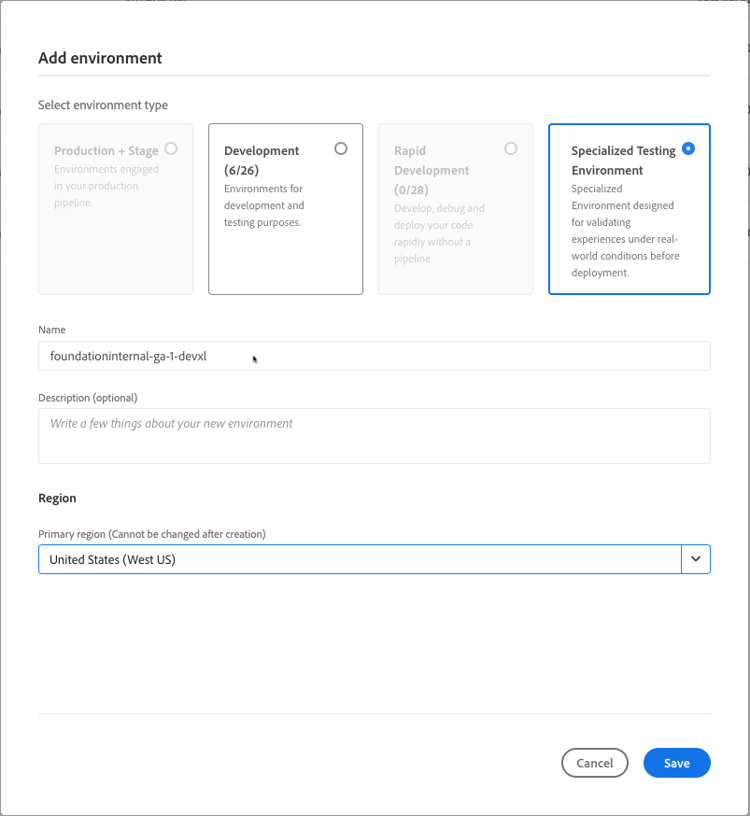
If you are interested in testing this new feature and sharing your feedback, send an email to grp-earlyadopter_cs_advtestenvironment@adobe.com from your email address associated with your Adobe ID.
Bring Your Own Git (BYOG) - now with support for Azure DevOps gitlab-bitbucket-azure-vsts
Customers can now onboard their Azure DevOps Git repositories into Cloud Manager, with support for both modern Azure DevOps and legacy VSTS (Visual Studio Team Services) repositories.
- For Edge Delivery Services users, the onboarded repository can be used to sync and deploy site code.
- For AEM as a Cloud Service and Adobe Managed Services (AMS) users, the repository can be linked to both full-stack and frontend pipelines.
Support for additional pipeline types and pull request validation through code quality pipelines is coming soon.
See Add external repositories in Cloud Manager.
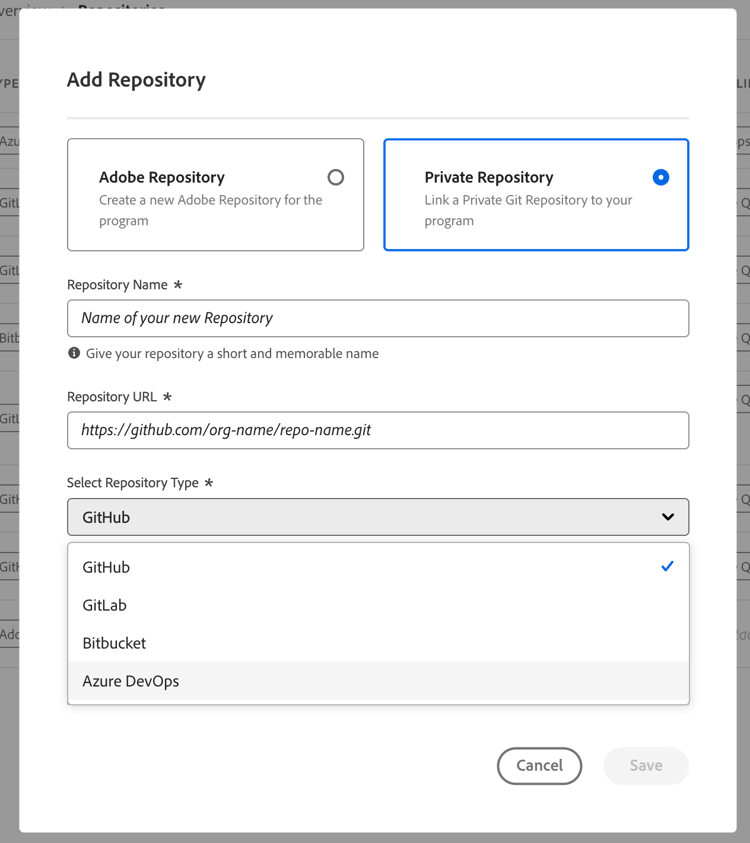
If you are interested in testing this new feature and sharing your feedback, send an email to Grp-CloudManager_BYOG@adobe.com from your email address associated with your Adobe ID. Be sure to include which Git platform you want to use and whether you are on a private/public or enterprise repository structure.
Frequently asked questions about BYOG
https://gitlab_dedicated_url.com/path/repo-name.git, which differs from the example in the documentation.https://git-vendor-name.com/org-name/repo-name.git).Manage Access Tokens manage-access-tokens
Use Manage Access Tokens in Cloud Manager to view, rename, and delete access tokens associated with external BYOG repositories, such as GitHub Enterprise, GitLab, Bitbucket, and Azure DevOps.
See Manage Access Tokens.
If you are interested in testing this new feature and sharing your feedback, send an email to Grp-CloudManager_BYOG@adobe.com from your email address associated with your Adobe ID.
Add Edge Delivery Config Pipeline add-eds-pipeline
Config Pipelines are now supported for sites built with Edge Delivery Services, expanding this capability beyond just Cloud Service environments. You can use Config Pipelines to manage settings such as traffic filtering rules and Web Application Firewall (WAF) configurations, where applicable. See Supported Configurations.
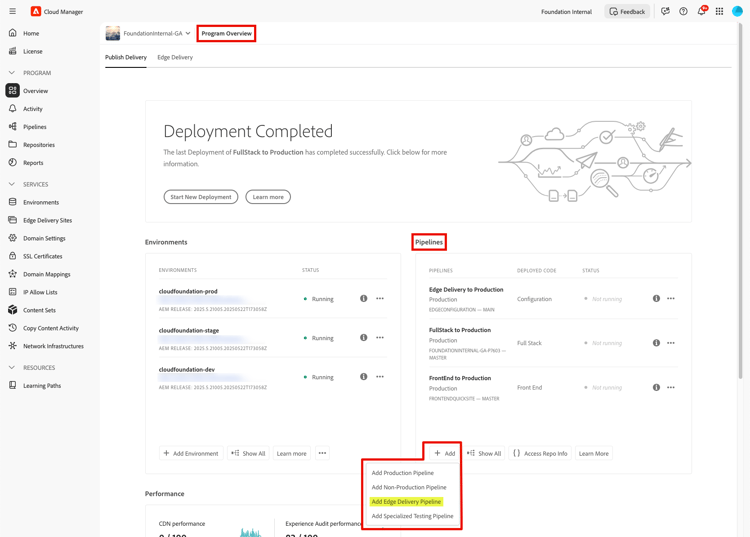
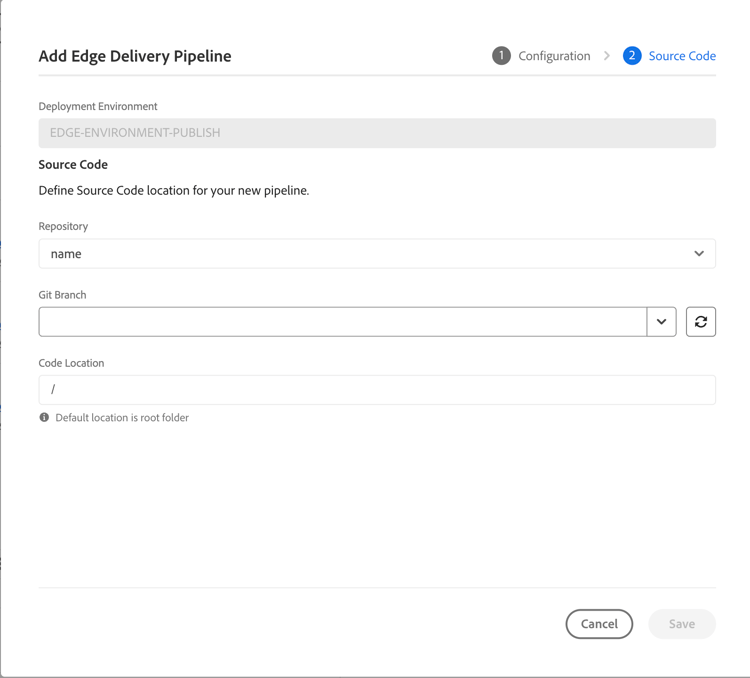
If you are interested in testing this new feature and sharing your feedback, send an email to grp-aemeds-config-pipeline-adopter@adobe.com from your email address associated with your Adobe ID.
Bug fixes
- Cloud Manager now updates the release version for all pipelines during environment upgrades, ensuring consistent version tracking across all pipeline types.
- The UI now displays status and detailed error messages when a Domain Validation (DV) SSL certificate fails, helping to understand and resolve certificate issues.
- While editing a domain mapping, the UI now prevents selecting SSL certificates that do not match the chosen domain, reducing misconfigurations and improving reliability during setup.
- In some situations, the certificates were not properly deleted, maintaining the domain is still active.
- Fixed an issue that could block upgrades from Adobe Assets to Adobe Assets Ultimate in certain cases. Transitions are now smoother and more reliable.
- Resolved an issue where key region fields are automatically set when creating multi-region environments to support downstream services and deployments smoothly.
- Resolved an issue where some configuration pipelines did not stop properly after execution. Now, pipelines are completed successfully and close as expected, improving reliability.