Create Schema
Modify the body of the API
-
Click on the
Step 4 - Create Customer Account SchemaAPI call in theXDM Schema Lab -> Create Schemafolder.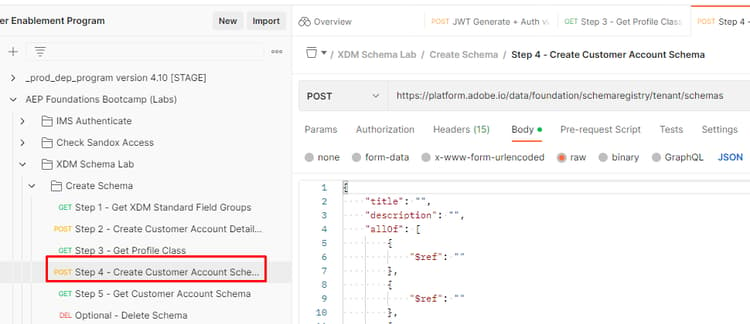
-
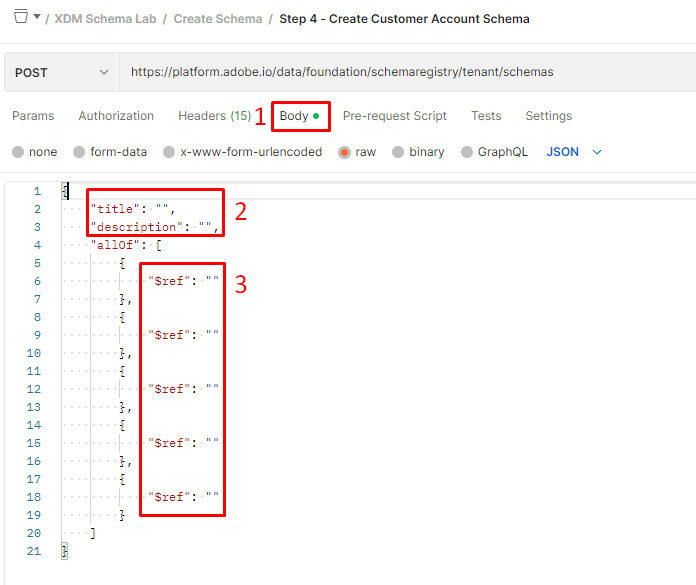
Open the body of the call and view the structure of how a schema is defined. Remember a schema is always composed of only one (1) class and one or more field groups.
-
Populate the
titleanddescriptionfields in the body of the schema with the following:- Title ->
Sample Customer Schema - <your sandbox number> - Description ->
Sample Customer Schema - <your sandbox number>
- Title ->
-
Populate the
$reffields with the$idsyou saved from the previous lab sections that you completed: Create Custom Field Groups and Get Profile Class. You have $ids for each of the following items:- Class -> XDM Individual Profile
- Field Group -> Demographic Details
- Field Group -> Personal Contact Details
- Field Group -> Consent and Preference Details
- Field Group (custom) -> Customer Account Details
-
Review your final body and ensure it looks similar to this
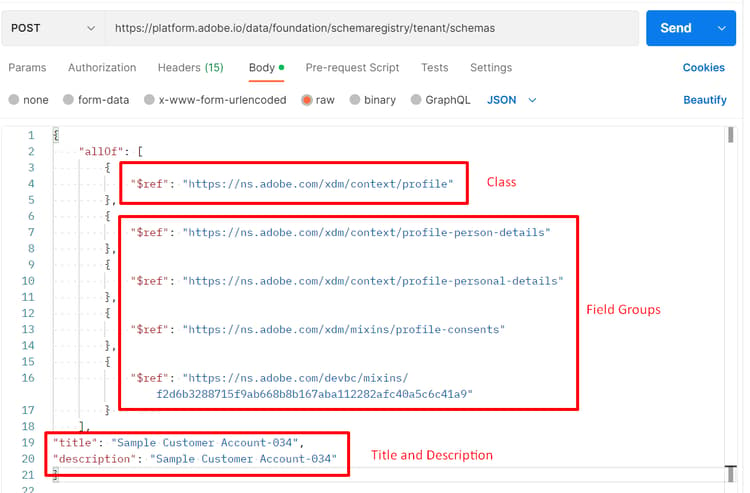
$refs does not matter nor does the location of the title and description within the body.Execute the API
- Save your modifications to the API request before continuing.
- Execute the API by clicking the
Sendbutton
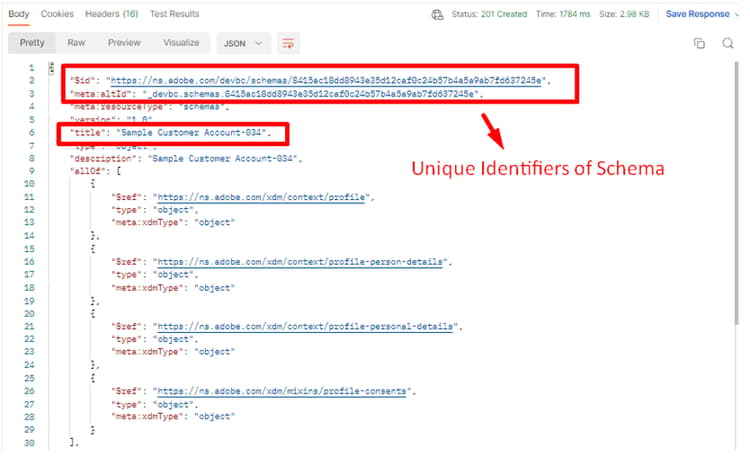
A successful response for creating the schema should result in a 201 Created status and should look like the image below
Locate and save the schema $id
- After you execute the API request copy the
$idand$meta:altIdfrom the response - Save the values somewhere so that you can reuse them later
$id and $meta:altId somewhere. They are required in future lab steps