Create Custom Field Groups

Field group structure

A field group is always composed of the following fields. You will see this in the request in the next step.

Required Values
Description
title
The name of the field group you wish to create within the schema registry. Note the name MUST BE UNIQUE.
description
A short description about the purpose of the field group
type
Always an object
meta:intendedToExtend
Defines what classes the field group can be used with. Classes are always referenced by their $id value
allOf
Describes the resources that can be included in the field group. For custom defined fields the path is always #/definitions/customFields
definitions.customFields…
This is the default JSON schema structure required to create custom field groups. It must match the allOf from above
<TENANT_NAME>
The tenant name (i.e. unique name) is created during the provisioning process. This ensures that any customizations made do not conflict with existing or future Adobe schema registry changes

Create Customer Account Details field group

  1. Click on the request Step 2 - Create Customer Account Details Field Group API call in the XDM Schema Lab -> Create Schema folder

Step 2 - Create Customer Account Details Field Group API request

Review the body of the request before executing. Notice that the required fields mentioned in the Field Group Structure section appear like so:
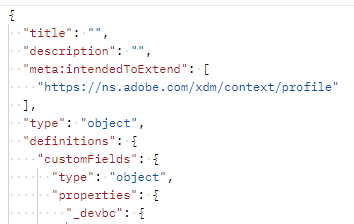
Required fields of a custom field group as shown in the request body

The allOf property referencing the custom field definitions path

NOTE
Notice how in the image on the right above the allOf references the path of “/definitions/customFields”. That must match the structure defined in the schema (image on the left) as it tells the XDM system where to locate custom created objects.
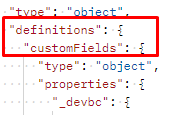
Comparison highlighting how the allOf path must match the custom field definitions path

Also notice how each specific field from the mapping sheet is substantiated within the XDM JSON structure.

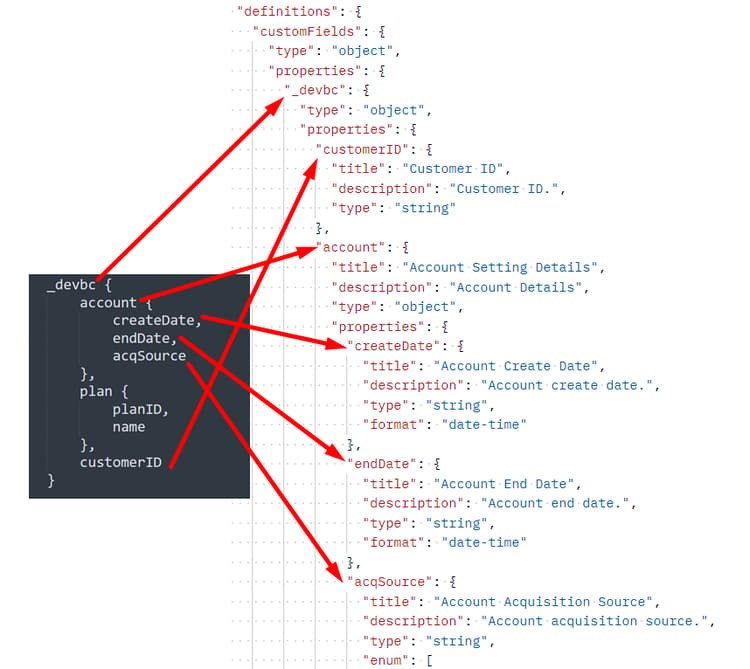
Mapping sheet plan dot notation converted to XDM JSON structure

Mapping sheet account and customer ID dot notation converted to XDM

  1. Update the title and description for the field group using the following format: Customer Account Details - Sandbox <your number here>

    Example title and description filled in for the custom field group

  2. Execute by clicking the Send button. You should see a response similar to the screenshot below.

  3. Copy the $id value of your newly created Customer Account Details field group.
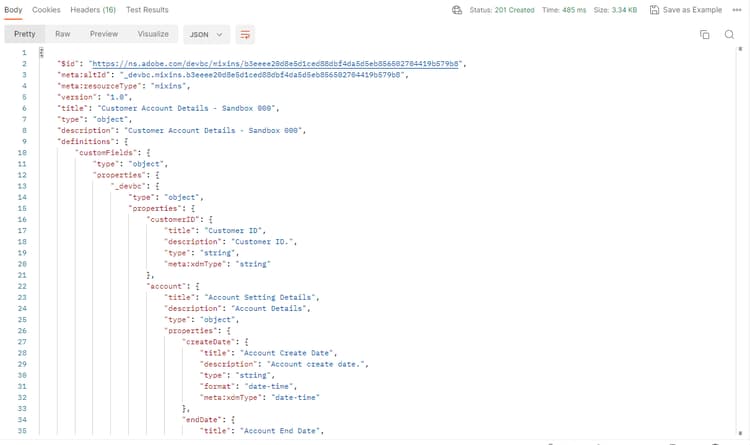
Successful API response after creating the custom field group

WARNING
Do not continue until you have saved the $id somewhere. It will be required later to create the Customer Account schema
recommendation-more-help
blueprints-learn-help-blueprints