Get Profile Class
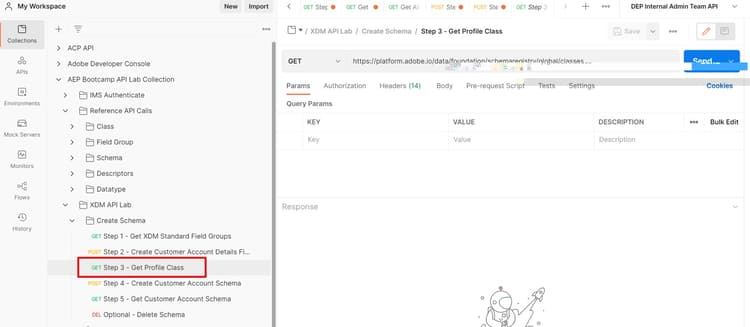
Execute step 3 - Get Profile Class
- Click on the
Step 3 - Get Profile Classrequest in theXDM API Lab -> Create Schemafolder - Execute by clicking the
Sendbutton
NOTE
Notice that in the GET request the
global path: …/schemaregistry/global/classes. Remember that using global tells the schema registry that we only want to return Adobe standard XDM objectsLocate and save the Class $id
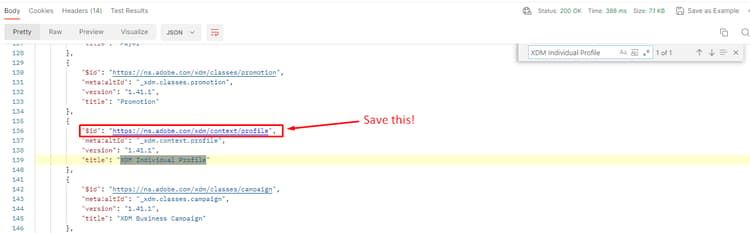
After you execute the API request perform the following steps to locate and save the $id for the XDM Individual Profile class.
- Search for the
XDM Individual Profileclass in the response - Copy the
$idfor theXDM Individual Profileclass and save it somewhere you can reference later.
WARNING
Do not continue until you have saved the
$id somewhere. It will be required later to create the Customer Account schemarecommendation-more-help
blueprints-learn-help-blueprints