Sub-hit analysis
Sub-hit analysis lets you analyze product data at a level more granular than the hit level. Instead of filtering on entire hits, you can segment on individual products within hits. For example, segmenting on a specific product category without including all other products purchased in the same order.
In Adobe Analytics sub-hit analysis applies specifically to the Products variable. The Products variable is the only multi-value object in Adobe Analytics that supports sub-hit analysis.
In Adobe Analytics, the Products variable can capture multiple products on a single hit. Without sub-hit analysis, segmenting on a product attribute returns all hits where any product within a hit matches the product attribute. The result is incorrect attribution and inflated revenue metrics. Sub-hit analysis scopes the filter to individual product rows within a hit and solves these issues.
In sub-hit analysis exclude logic behaves differently from standard hit-level exclusion against the Products variable. When you exclude product attributes within the Products container, the segment returns hits that have products but don’t match your exclusion criteria.
In Adobe Analytics, every hit has product list items even if the hit does not have a product id. As a result, sub-hit analysis exclude logic will return hits with no products at all.
Example
You want to measure online revenue from the Men category only. Without sub-hit analysis, applying a segment for Men includes revenue from every product on any order (hit) that contains at least one product with the Men category. With sub-hit analysis, you scope the filter to the product level and return only revenue for products of the Men category.
You also want to measure online revenue from all other categories except the Men category.
In the segmentation builder or as part of a Quick segment, you specify to Include the Dimension Retail: Fashion Product Category equals Men on the Hits container.
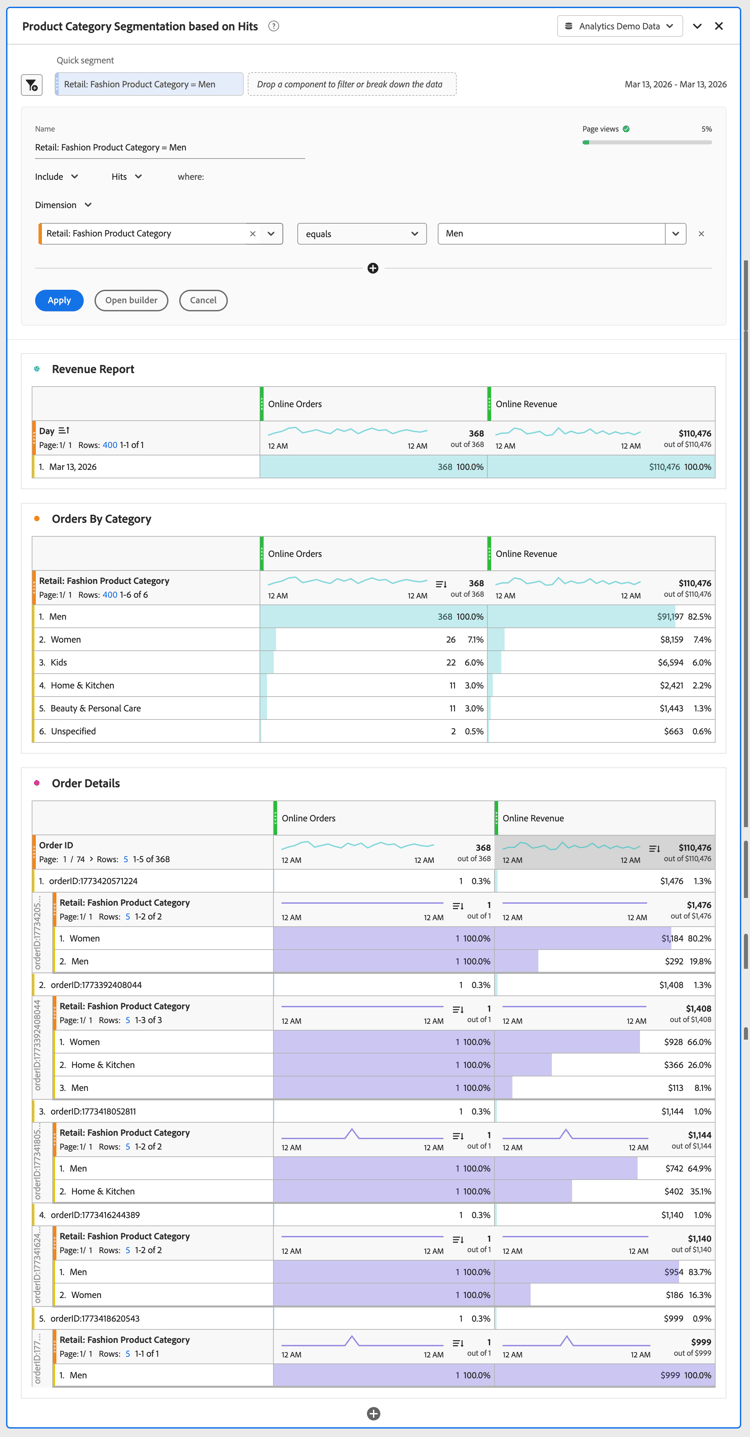
As a result, all orders containing at least one Men Retail: Fashion Product Category are considered, and revenue from other products in those orders is included in the Online Revenue metric.
When you report on categories, all other values for Retail: Fashion Product Category are reported that were part of an order that included a product with the Men Retail: Fashion Product Category.
In the segmentation builder or as part of a Quick segment, you specify to Include the Dimension Retail: Fashion Product Category equals Men on the Products container.
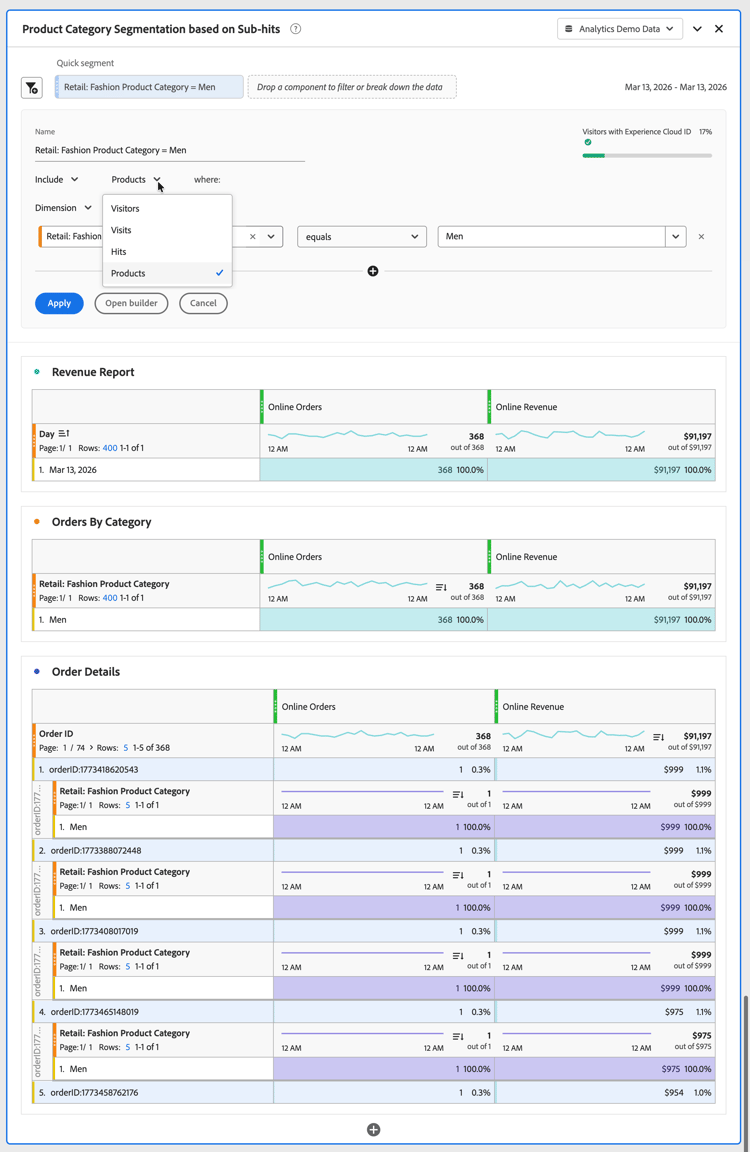
As a result, all orders containing at least a Men Retail: Fashion Product Category are considered, and only the revenue of products belonging to the Men Retail: Fashion Product Category are included for the Online Revenue metric.
When you report on categories, only the Men Retail: Fashion Product Category is reported.
In the segmentation builder or as part of a Quick segment, you specify to Exclude the Dimension Retail: Fashion Product Category equals Men on the Products container.
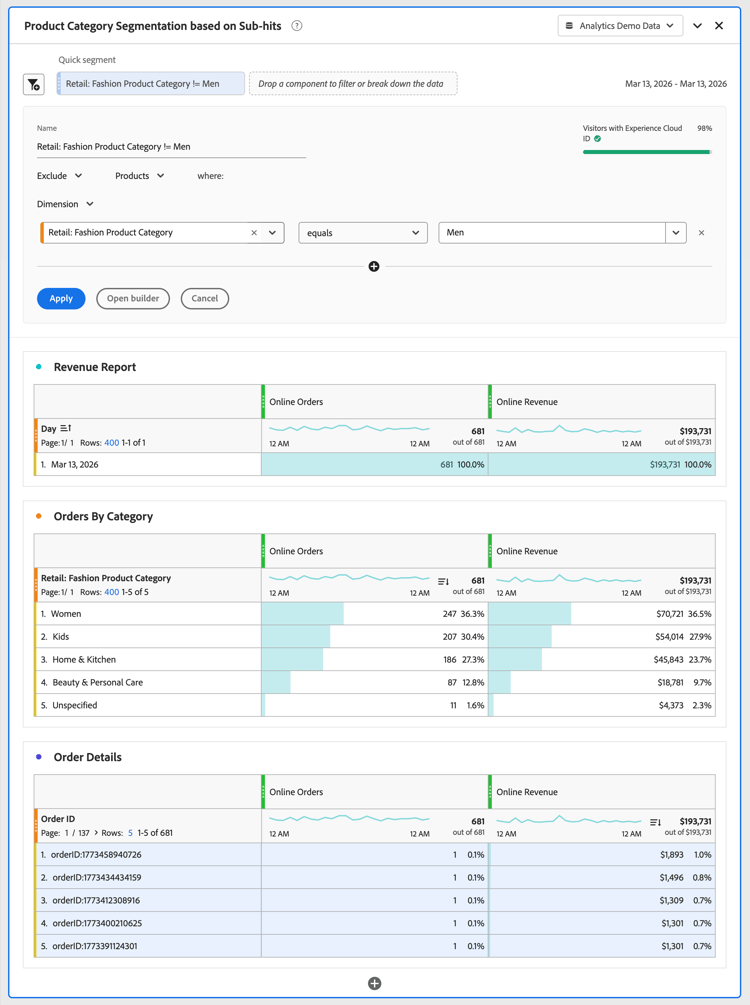
To exclude at the product level, hits that contain at least one product are included, then the exclusion on sub-hit level is applied within that scope. This exclusion differs from hit-level exclusion, which excludes the entire hit.