Export full table
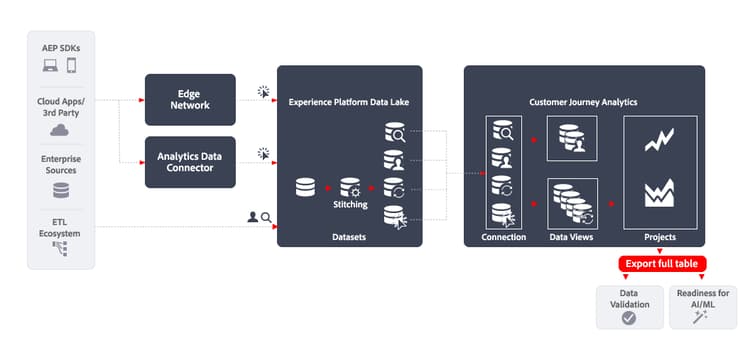
This article outlines how the Export full table functionality can be used to implement the following data export use case:
- Data Validation
- Readiness for AI / ML
Introduction
Exporting data using Customer Journey Analytics Full Table Export allows you to export data from your freeform tables in Customer Journey Analytics Analysis Workspace.
More information
To export the full content of any freeform table you create in Analysis Workspace directly to designated cloud destinations, use the Export full table functionality.
Export full table supports up to 10 dimensions and 10 metrics per report, and includes calculated metrics and segmentation. Depending on your license tier, you can export 3 million, 30 million, 150 million, or 300 million rows per export, exceeding the 50,000-row limit of other export methods. Supported destinations include Adobe Experience Platform Data Landing Zone, Google Cloud Platform, Microsoft Azure, Amazon S3, and Snowflake. See Advantages of full table export for more information.
For more information, see the detailed documentation on Export Customer Journey Analytics reports to the cloud.