[有限可用性]{class="badge informative"}
稽核記錄
為了提高系統中所執行活動的透明度和可見度,您可以在Adobe Experience Platform中以稽核記錄的形式稽核各種服務和功能的使用者活動。 這些記錄形成了稽核軌跡,可以幫助對Adobe Real-Time CDP Collaboration中的問題進行疑難排解,並幫助您的企業有效地遵守公司資料管理政策和監管要求。
基本上,稽核記錄會告知 誰 執行了 什麼 動作,以及何時。 記錄中記錄的每個動作都包含中繼資料,其指出動作型別、日期和時間、執行動作之使用者的電子郵件ID,以及與動作型別相關的其他屬性。
使用Collaboration中的稽核記錄功能,追蹤平台內的使用者活動和變更。 此功能已與Experience Platform稽核服務整合,且此功能的UI位於Experience Platform中。
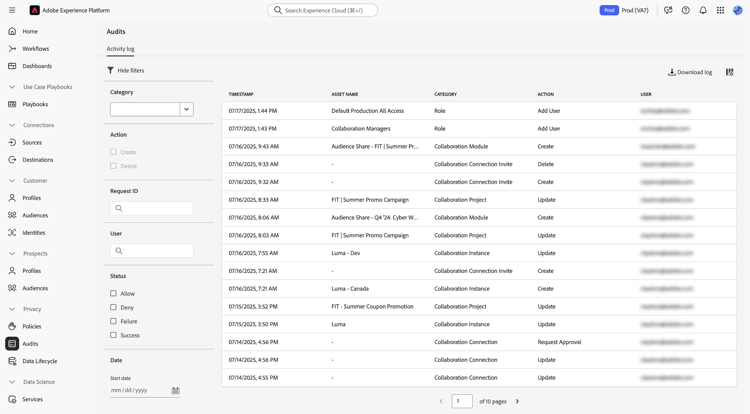
如需稽核記錄的完整資訊,請瀏覽Experience Platform稽核記錄檔案。
存取稽核記錄
您可以透過兩種方式存取稽核記錄,如下節所述。 這兩個選項都會顯示稽核記錄清單,這些記錄會擷取在Collaboration內執行的各種活動。
從Collaboration使用者介面存取稽核記錄
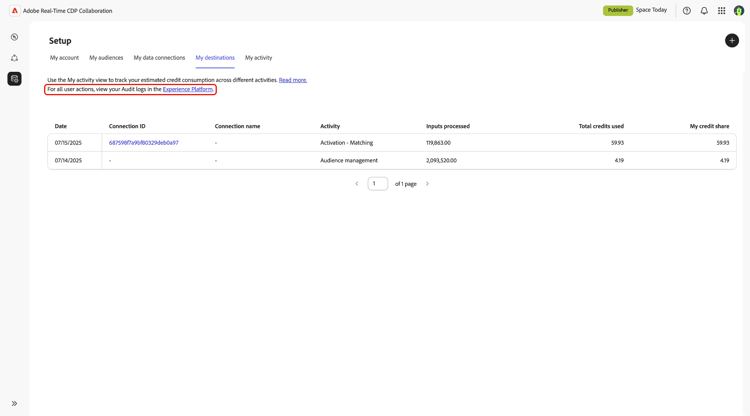
- 導覽至Collaboration中 設定 工作區中的 我的活動 索引標籤。
- 選取頁面頂端文字中的Experience Platform連結。
直接在Experience Platform使用者介面中存取稽核記錄
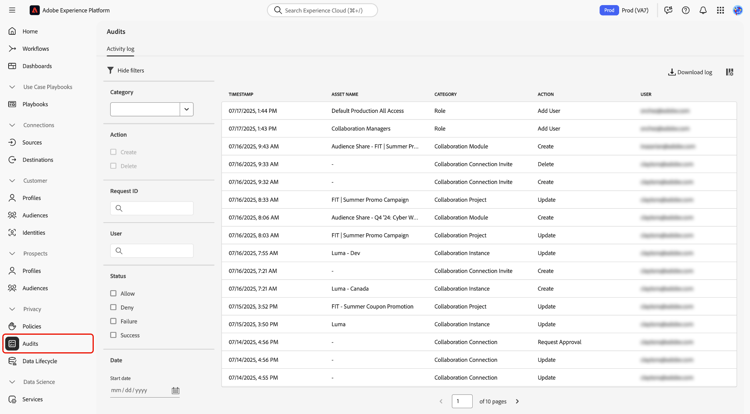
- 導覽至Experience Platform,然後從左側功能表選取 稽核 區段。 如果您無法檢視稽核記錄,請聯絡貴組織的系統管理員以取得必要的許可權。
檢視及使用稽核記錄
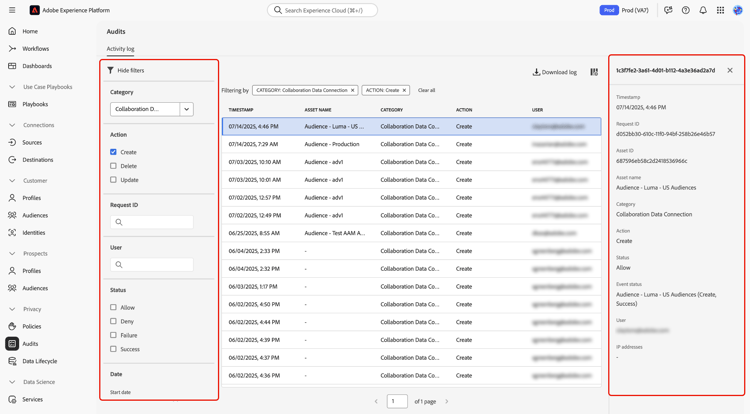
若要檢視稽核記錄:
- 導覽至Experience Platform中的 稽核 區段。
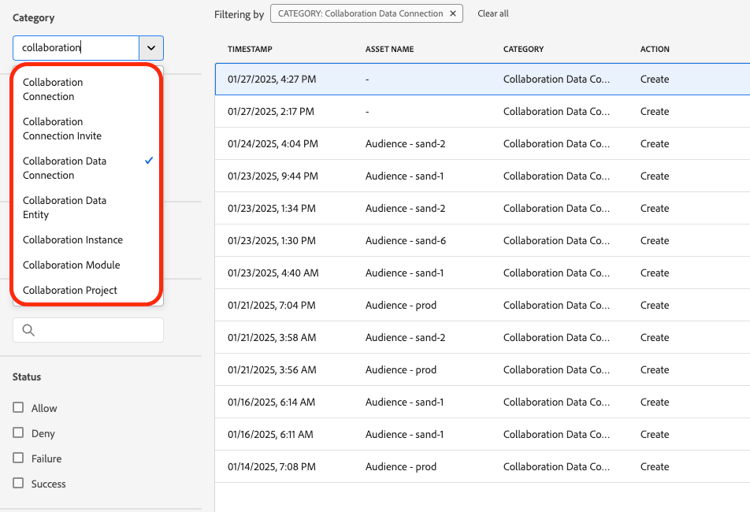
- 使用篩選器,根據您的條件縮小記錄檔的範圍。
- 選取記錄專案以檢視詳細資訊,包括時間戳記、請求ID、資源詳細資訊和動作狀態。
擷取的活動
稽核記錄會擷取有關使用者活動的詳細資訊,包括:
- 時間戳記:以月/日/年/小時:minute上午/下午(AM/PM)格式執行動作的確切日期和時間。
- 資產名稱:執行動作的資源名稱。
- 類別:執行動作的資源型別。
- 動作:執行的特定動作,例如建立或刪除。
- 使用者:執行動作之使用者的電子郵件地址。
這些記錄會建立Collaboration執行個體中所有活動的完整追蹤,這對資料控管和法規遵循非常有用。 深入瞭解如何在UI中管理稽核記錄。
篩選稽核記錄 filter-audit-logs
稽核記錄UI提供數個篩選器,協助您搜尋特定記錄:
- 類別:執行動作的資源型別,例如Collaboration執行個體或Collaboration連線邀請。
- 動作:執行的動作型別。 可用動作取決於選取的類別。 例如,Collaboration例項的動作包括建立、更新和刪除。
- 要求識別碼:要求的唯一識別碼。
- 使用者:執行動作之使用者的電子郵件地址。
- 狀態:動作的狀態,例如允許或拒絕。
- 日期範圍:您要檢視其記錄檔的日期範圍。
深入瞭解篩選稽核記錄。
優點
Audit logs provide several benefits for organizations using Collaboration:
- Data Governance: Use audit logs to ensure that all activities within the platform are tracked and auditable.
- Regulatory Compliance: The feature provides a trail of user activities to meet regulatory requirements.
- Troubleshooting: Audit logs assist in identifying and resolving issues by providing detailed logs of user actions.
Categories and actions reference
The table below provides a reference of all categories and actions for Real-Time CDP Collaboration.
By leveraging the audit logs functionality, you can maintain a clear and detailed record of all activities within Collaboration, ensuring transparency and accountability.