在此頁面上:設定並執行使用Adobe Experience Platform Web SDK擷取及轉譯內容卡的範例,以便在您的網頁上提供使用者端個人化內容。
此範例示範如何使用Adobe Experience Platform從Adobe Journey Optimizer (AJO)擷取內容卡片。 藉由運用Adobe Experience Platform Web SDK,個人化內容完全在使用者端擷取及呈現。
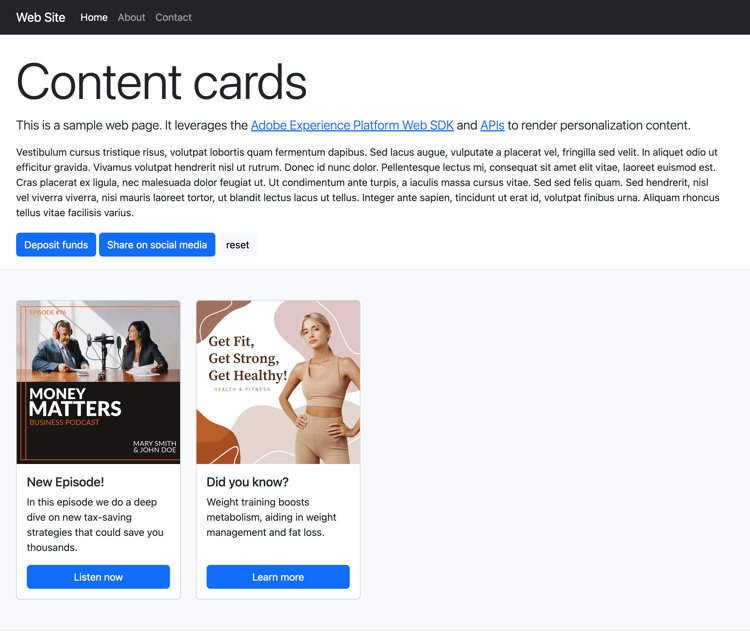
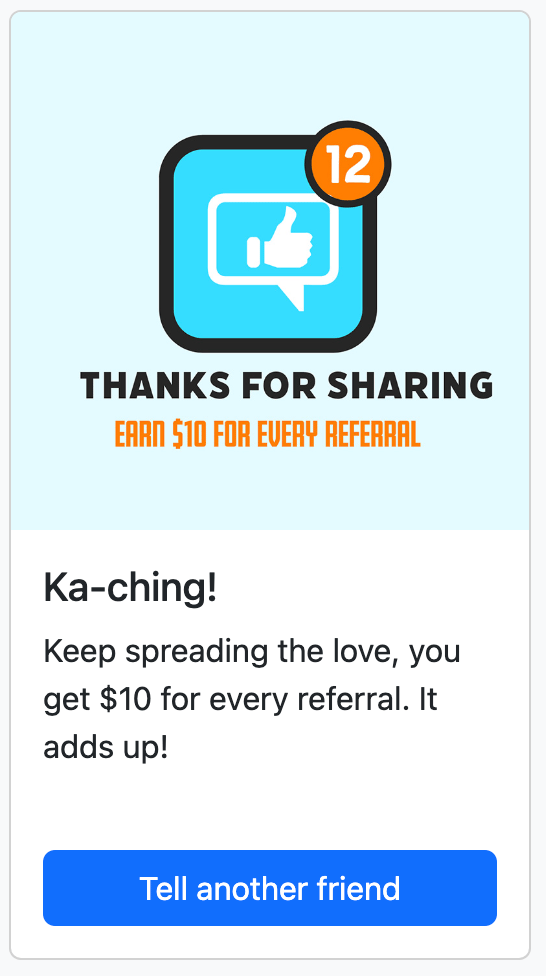
初次載入頁面時,頁面會顯示其預設狀態。 但是,如果您與 存款基金 或 在社群媒體上分享 按鈕互動,將會顯示其他內容卡。 這些卡片是由使用者端條件觸發,以確保僅在採取特定動作時才會顯示。
執行範例 run-sample
-
設定HTTPS的本機SSL憑證。 這些範例需要本機簽署的SSL憑證,才能透過HTTPS提供內容:
-
在您的電腦上安裝
mkcert。 -
安裝之後,請執行
mkcert -install以安裝mkcert root憑證。
-
-
將存放庫複製到本機電腦。
-
開啟終端機,並導覽至範例的資料夾。
-
執行
npm install以安裝必要的相依性。 -
執行
npm start以啟動應用程式。 -
開啟您的網頁瀏覽器,並移至
https://localhost。
運作方式 setup
-
使用範例資料夾中
.env檔案的設定,在頁面上包含並設定網頁SDK。code language-none <script src="https://cdn1.adoberesources.net/alloy/2.18.0/alloy.min.js" async></script> alloy("configure", { defaultConsent: "in", edgeDomain: "{{edgeDomain}}", edgeConfigId: "{{edgeConfigId}}", orgId:"{{orgId}}", debugEnabled: false, personalizationStorageEnabled: true, thirdPartyCookiesEnabled: false }); -
使用
sendEvent命令擷取個人化內容。code language-none alloy("sendEvent", { renderDecisions: true, personalization: { surfaces: ["web://alloy-samples.adobe.com/#content-cards-sample"], }, }); -
使用
subscribeRulesetItems命令訂閱特定介面的內容卡。 每次評估規則集時,都會處理回呼中的結果物件,其中會包含propositions與內容卡資料。code language-none const contentCardManager = createContentCardManager("content-cards"); alloy("subscribeRulesetItems", { surfaces: ["web://alloy-samples.adobe.com/#content-cards-sample"], schemas: ["https://ns.adobe.com/personalization/message/content-card"], callback: (result, collectEvent) => { const { propositions = [] } = result; contentCardManager.refresh(propositions, collectEvent); }, }); -
使用
script.js中找到的contentCardsManager物件管理內容卡片的轉譯,並傳送interact和display個事件。 從收到的主張中擷取、排序及處理內容卡片。code language-none const createContentCard = (proposition, item) => { const { data = {}, id } = item; const { content = {}, meta = {}, publishedDate, qualifiedDate, displayedDate, } = data; return { id, ...content, meta, qualifiedDate, displayedDate, publishedDate, getProposition: () => proposition, }; }; const extractContentCards = (propositions) => propositions .reduce((allItems, proposition) => { const { items = [] } = proposition; return [ ...allItems, ...items.map((item) => createContentCard(proposition, item)), ]; }, []) .sort( (a, b) => b.qualifiedDate - a.qualifiedDate || b.publishedDate - a.publishedDate ); const contentCards = extractContentCards(propositions); -
根據為每個行銷活動定義的詳細資料轉譯內容卡片。 每個卡片都包含
title、body、imageUrl和其他自訂資料值。code language-none const renderContentCards = () => { const contentCardsContainer = document.getElementById(containerElementId); contentCardsContainer.addEventListener("click", handleContentCardClick); let contents = ""; contentCards.forEach((card) => { const { id, title, body, imageUrl, meta = {} } = card; const { buttonLabel = "" } = meta; contents += ` <div class="col"> <div data-id="${id}" class="card h-100"> <img src="${imageUrl}" class="card-img-top" alt="..."> <div class="card-body d-flex flex-column"> <h5 class="card-title">${title}</h5> <p class="card-text">${body}</p> <a href="#" class="mt-auto btn btn-primary">${buttonLabel}</a> </div> </div> </div> `; }); contentCardsContainer.innerHTML = contents; collectEvent( "display", contentCards.map((card) => card.getProposition()) ); }; -
叫用
subscribeRulesetItems回呼時,也會提供稱為collectEvent的方便函式。 此函式用於傳送Experience Edge事件,以追蹤互動、顯示和其他使用者動作。 在此範例中,collectEvent會追蹤何時點按內容卡片。 此外,如果按一下內容卡上的按鈕,瀏覽器會導向至行銷活動指定的actionUrl。code language-none const handleContentCardClick = (evt) => { const cardEl = evt.target.closest(".card"); if (!cardEl) { return; } const isAnchor = evt.target.nodeName === "A"; const card = contentCards.find((card) => card.id === cardEl.dataset.id); if (!card) { return; } collectEvent("interact", [card.getProposition()]); if (isAnchor) { evt.preventDefault(); evt.stopImmediatePropagation(); const { actionUrl } = card; if (actionUrl && actionUrl.length > 0) { window.location.href = actionUrl; } } };
重要觀察 key-observations
personalizationStorageEnabled
configure命令中的personalizationStorageEnabled選項設定為true。 這可確保儲存先前限定的內容卡片,並在使用者工作階段間繼續顯示。
觸發程序
內容卡支援在使用者端評估的自訂觸發器。 符合觸發規則時,會顯示其他內容卡片。 此範例使用四個不同的行銷活動,每個內容卡一個都共用相同的表面: web://alloy-samples.adobe.com/#content-cards-sample。 下表概述每個行銷活動的觸發程式規則以及如何滿足這些規則。
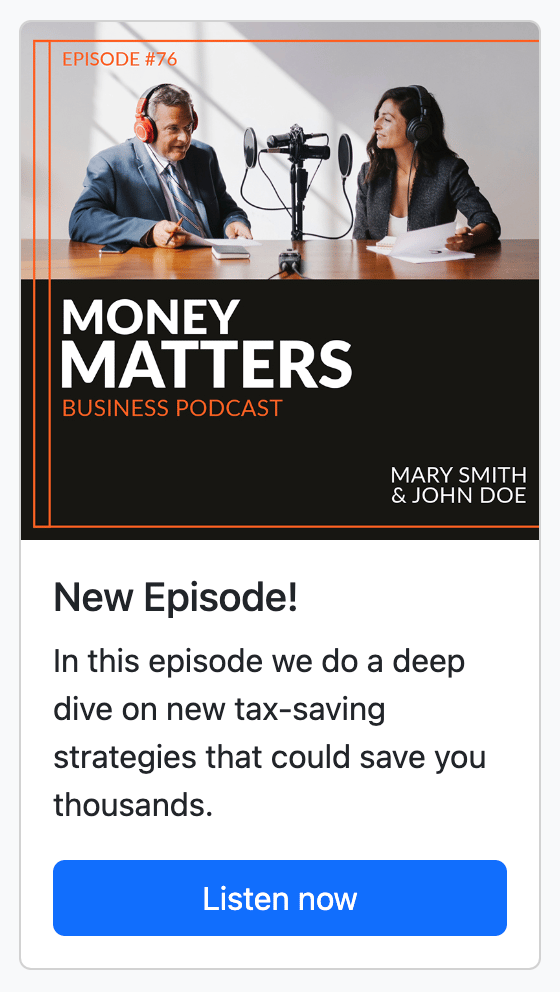

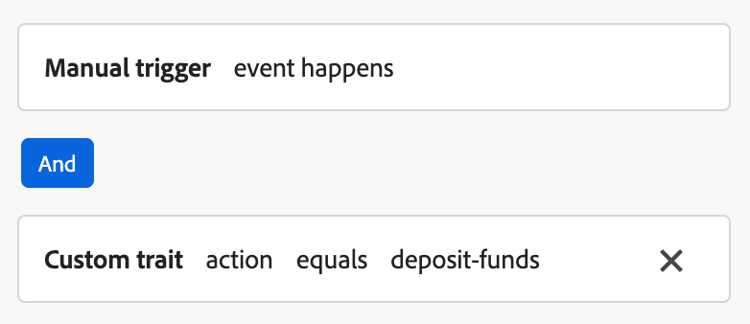
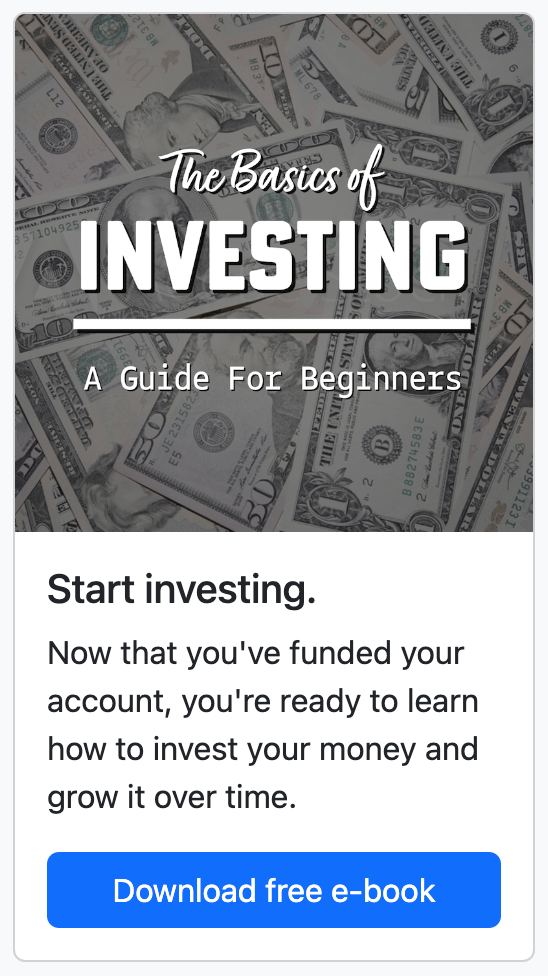
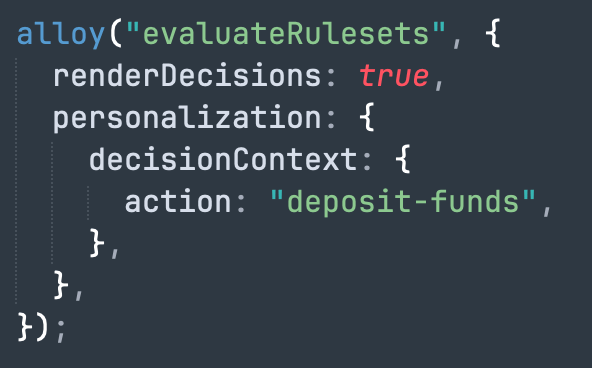

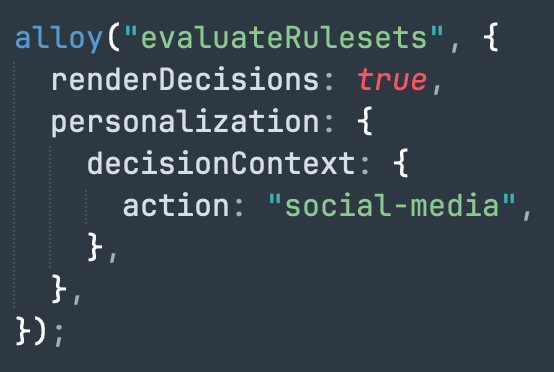
按一下「存款基金」和「在社群媒體上分享」按鈕時,會觸發evaluateRulesets命令。 每個按鈕都指定相關的decisionContext,以符合為個別行銷活動定義的規則。
document.getElementById("action-button-1").addEventListener("click", () => {
    alloy("evaluateRulesets", {
        renderDecisions: true,
        personalization: {
            decisionContext: {
                action: "deposit-funds",
            },
        },
    });
});

document.getElementById("action-button-2").addEventListener("click", () => {
    alloy("evaluateRulesets", {
        renderDecisions: true,
        personalization: {
            decisionContext: {
                action: "social-media",
            },
        },
    });
});
This section contains structured knowledge intended to support interpretation, retrieval, and question answering related to this topic.
For complete understanding, this information should be combined with the documentation on this page. Neither source is intended to stand alone; the page describes the feature, while this section provides additional context that helps disambiguate terminology, intent, applicability, and constraints.
- TL;DR: This page walks through a sample that uses the Adobe Experience Platform Web SDK to fetch and render Adobe Journey Optimizer content cards entirely on the client side of a web page.
Intents:
- Set up and run the Web SDK content card sample locally over HTTPS
- Configure the Web SDK (alloy) on a page and fetch personalized content with the sendEvent command
- Subscribe to content cards for a surface using the subscribeRulesetItems command
- Render content cards and send display and interact events
- Trigger additional content cards client side using evaluateRulesets and a decisionContext
- Persist qualified content cards across user sessions with personalizationStorageEnabled
Glossary:
- Surface: The identifier a content card subscription and events are scoped to, for example
web://alloy-samples.adobe.com/#content-cards-sample(product-specific) - subscribeRulesetItems: The Web SDK command used to subscribe to content cards for a surface; its callback returns propositions containing content card data (product-specific)
- evaluateRulesets: The Web SDK command triggered on client-side actions to evaluate rulesets using a decisionContext (product-specific)
- decisionContext: The context passed with evaluateRulesets that supplies the values needed to satisfy a campaign’s client-side trigger rules (product-specific)
- collectEvent: A convenience function provided in the subscribeRulesetItems callback used to send Experience Edge events to track displays, interactions, and other user actions (product-specific)
- personalizationStorageEnabled: A configure option that, when set to true, stores previously qualified content cards so they continue to be displayed across user sessions (product-specific)
- Trigger rule: A client-side condition that, when met, causes additional content cards to be displayed (product-specific)
Guardrails:
- To use disqualification rules with content cards, Web SDK version 2.28.0 or later is required.
- You need to install node and npm to run the sample.
- The samples require locally signed SSL certificates to serve content over HTTPS.
- In this sample, four campaigns are used, one per content card, all sharing the same surface
web://alloy-samples.adobe.com/#content-cards-sample.
Terminology:
- Canonical name: Configure content cards support in Web SDK — Acronym: SDK — variants: Web SDK content card sample, Content cards configuration Web SDK
- Synonyms: “Web SDK” = “alloy”
- Do not confuse: “sendEvent” (fetch personalized content) ≠ “subscribeRulesetItems” (subscribe to content cards for a surface) ≠ “evaluateRulesets” (evaluate rulesets on a client-side action)
- Do not confuse: “display” event (content card shown) ≠ “interact” event (content card clicked)
FAQ:
- Q: What Web SDK version is needed for disqualification rules? — Web SDK version 2.28.0 or later is required to use disqualification rules with content cards.
- Q: Why do the samples require SSL certificates? — The samples serve content over HTTPS, so they require locally signed SSL certificates; the page uses
mkcertto create and install them. - Q: How are qualified content cards kept across sessions? — Setting
personalizationStorageEnabledto true in the configure command stores previously qualified content cards so they continue to be displayed across user sessions. - Q: How are additional content cards triggered? — Content cards support custom triggers evaluated on the client side; the sample calls
evaluateRulesetswith adecisionContextwhen the Deposit Funds or Share on social media buttons are clicked. - Q: What happens when a content card button is clicked? — The
collectEventfunction tracks the interaction, and if the button is an anchor, the browser is directed to theactionUrlspecified by the campaign.