[僅限PaaS]{class="badge informative" title="僅適用於雲端專案(Adobe管理的PaaS基礎結構)和內部部署專案的Adobe Commerce 。"}
匯入CJ Affiliate資料
若要將CJ Affiliate (Commission Junction)資料匯入Adobe Commerce Intelligence,只要依照下列步驟將結果檔案附加至支援票證即可。 Adobe會設定您帳戶的資料表,並允許您繼續獨立上傳資料。
匯出CJ Affiliate資料
-
在您的CJ Affiliate帳戶中,移至
Reports標籤。 -
在
Performance索引標籤中,選取Report Options。 -
將
Performance By設定為等於Program、Trend設定為等於Daily,且Date Range設定為等於稽核的日期範圍。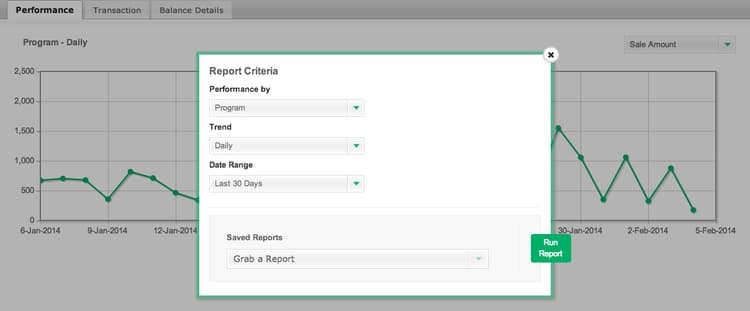
-
選取
Run Report。 -
在
File Format下拉式清單中,選取CSV。 按一下 Download。
-
下載檔案之後,您可以將檔案上傳至您的Commerce Intelligence Data Warehouse。
這會在您的Commerce Intelligence Data Warehouse中建立表格,供您繼續定期上傳新資料至。 上傳檔案時,請遵循使用檔案上傳程式中列出的格式要求。